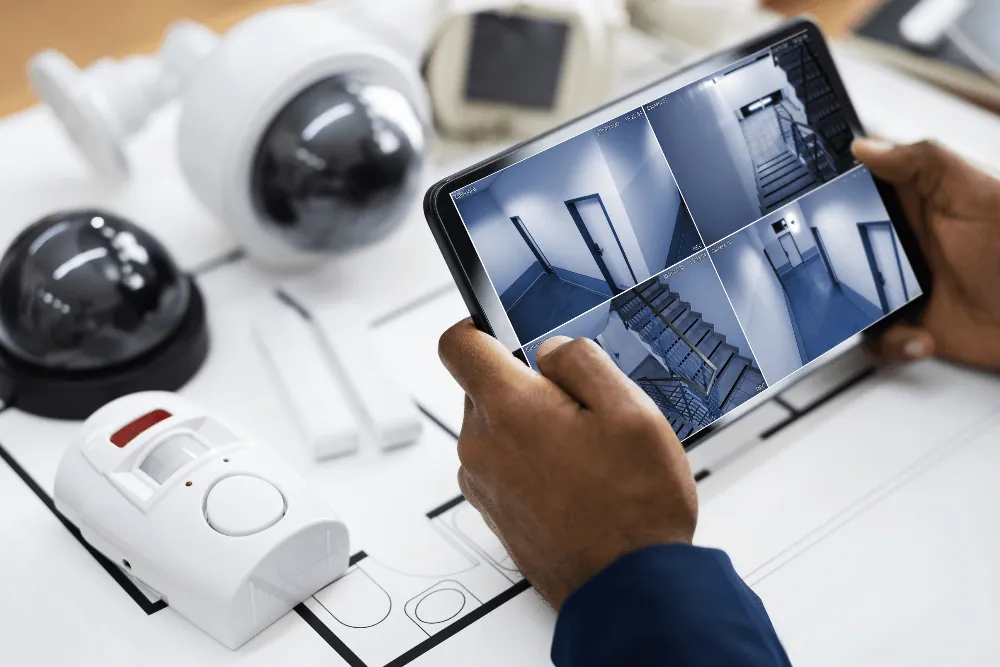
CCTV Installation in Dubai: Wired, IP and Wireless Camera Systems, Cabling, Recorders and Remote Viewing
CCTV installation means planning where cameras should look, running the cable, fitting and aiming each camera, setting up a recorder with enough storage, and getting remote viewing to work so you can watch from your phone. A camera on a bracket is the small part. The cable, the power, the network and the settings are where the work is, and where later faults start.
Circuit Dubai installs CCTV for villas, apartments, shops, offices, warehouses and building sites across Dubai. We are electricians first, so we start with the places you need to see, the cable routes and the power, and only then choose cameras and a recorder. We fit any major camera brand, so you can choose the cameras and we install and support them.
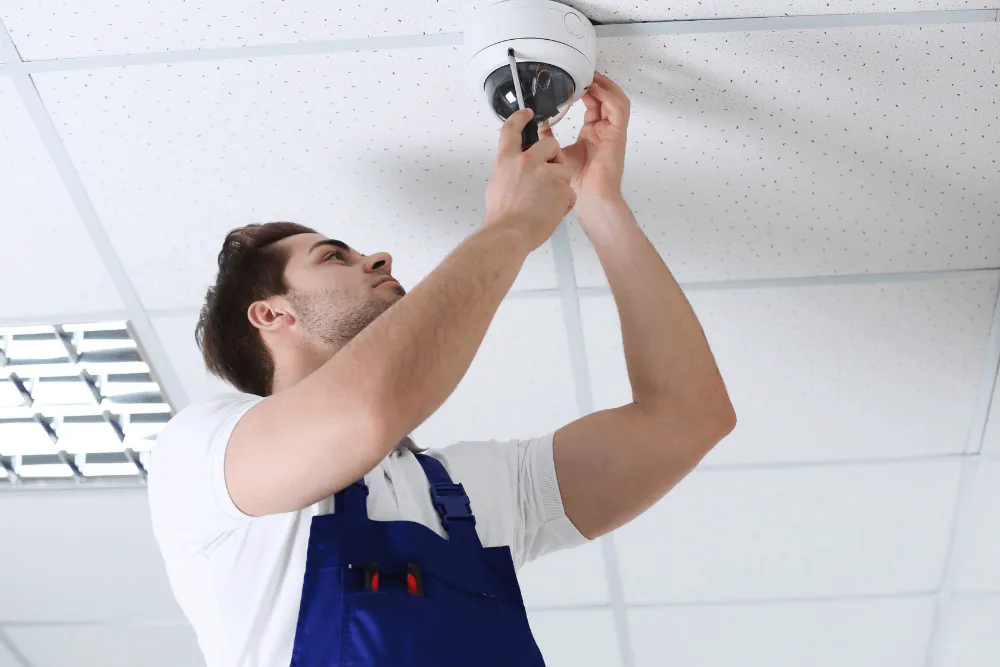
What CCTV installation with us includes
A look at the site first, covering the places to watch, the lighting, the cable routes and where the recorder and router sit, so the cameras are placed for what you need to see.
Cabling done to a standard, with copper network or coaxial cable, labelled at both ends, run in conduit or concealed, and sealed where it passes through a wall.
Cameras mounted and aimed, at a height and angle that gives a usable picture of faces and doors, with the brackets fixed to suit the wall and weatherproofing for outdoor use.
A recorder with the storage sized to your needs, with the hard drive chosen for the number of cameras and the days of footage you want to keep.
Remote viewing set up on your phone, with the app, the users and the alerts, and with you present.
A tested system and a short handover, with the passwords, the camera map, what is recorded and for how long, and who to call if a camera goes down.
The numbers at a glance
Typical answer for Dubai
Before you book CCTV installation, walk round the property and photograph every place you want covered: the front door, the gate, the driveway, the garden side, the car park, the shop floor, the stock room. Add a photo of where the router is, and tell us how many cameras you have in mind and whether you want them wired. That is enough for us to say what is realistic and to give a first price. The sections below explain the rules in Dubai, the systems, the cabling and the cost, so you can judge a quote before you accept it.
CCTV installation terms: what people search for and what each means
People search for this work by service, by product, by wiring and by brand, and some of the wording comes from other countries. The table matches each search to what it means here.
| If you searched | What it means |
|---|---|
| CCTV installation, CCTV camera installation, camera CCTV installation, CCTV installation camera, CCTV and installation, new CCTV camera installation, CCTV security cameras installation, closed circuit camera installation | Planning, cabling, fitting and setting up cameras and a recorder. This page describes our service. CCTV stands for closed-circuit television, meaning the cameras and the recorder are on their own circuit and not broadcast |
| CCTV installment, CCTV camera installment | A common misspelling of installation. The work is the same |
| CCTV camera and installation, CCTV price with installation, CCTV camera price and installation, CCTV camera price installation, cost of CCTV camera with installation | Cameras sold with fitting. Ask what is included, such as cable, recorder, hard drive and setup, because a low price for the camera alone may not cover the rest |
| CCTV systems and installation, CCTV systems installation, CCTV camera system installation, CCTV system installation near me, home CCTV system installation, security CCTV installation, CCTV security system installation, CCTV surveillance installation | A full system: cameras, recorder, storage, cable and viewing. A camera on its own is not a system |
| Supply and installation of CCTV surveillance system, CCTV supply and installation, CCTV camera supply and installation, CCTV supply and installation near me, CCTV sales and installation | A company that sells the equipment and fits it. See the cost and choosing section |
| CCTV installation services, CCTV camera installation services, CCTV installation & service, CCTV installation & services, CCTV installation and service, CCTV service and installation, CCTV camera installation & services, CCTV camera installation and service, CCTV camera installation and services, CCTV camera sales and service near me | Fitting plus after-sales support. The maintenance section says what to ask for |
| CCTV installation companies, CCTV camera installation company, CCTV camera providers, CCTV solutions near me, CCTV specialists near me | A company to design and fit a system. See the cost and choosing section |
| Professional CCTV installation, best CCTV installation, basic CCTV installation, secure fit CCTV | Installation by a trained fitter. We do not rank installers or products. The cost and choosing section lists what to ask |
| Home CCTV installation, CCTV camera for home installation, CCTV camera installation home, CCTV camera installation in home, CCTV camera installation in house, CCTV installation in home, house CCTV installation, install CCTV camera in home, residential CCTV installation, CCTV residential installation, get CCTV installed at home, putting CCTV up at home | A system for a villa or apartment. The planning section covers doors, gates, driveways and gardens |
| CCTV camera for home with mobile connectivity installation, outdoor CCTV camera for home with mobile connectivity, CCTV camera installation in mobile | A camera you can view on a phone. See the setup section for remote viewing |
| Business CCTV installation, CCTV installation business, CCTV installation for business, CCTV camera installation business | A system for a shop, office or store. See the business section |
| CCTV camera fitting, CCTV fitting, CCTV camera fitting video | Fixing the cameras to the wall or ceiling. A video shows the steps but not your cable route |
| CCTV and alarm systems installation, alarm and CCTV installation, burglar alarm and CCTV installation, CCTV alarm installation | CCTV together with an intruder alarm, so a trigger can start a recording or sound a siren. The alarm wiring section covers the link. For fire alarms see our fire alarm and smoke detector installation service |
| CCTV installation Harrow | Harrow is a place in the UK. We install in Dubai and cannot help with that area |
| Installing CCTV outside HDB | HDB is Singapore public housing, with its own rules. It does not apply here |
| Hikvision CCTV camera installation Malayalam, magkano magpakabit ng CCTV | Searches in Malayalam and Filipino, the second meaning "how much to have CCTV installed". We write in English, and the cost section answers the price question |
| Urban Clap CCTV installation, UrbanClap CCTV installation | A home-services app brand. We are not that app, and we do not claim to be listed on it |
| Wired CCTV, wired CCTV system, wired security camera system, hard wired CCTV | Cameras connected by cable. See the wired section |
| Wireless CCTV, WiFi CCTV installation | Cameras that connect over Wi-Fi. See the wireless section |
| Brand and model names such as Hikvision, Dahua, Ring, Eufy, Tapo and Xiaomi | Products. The brands section says how we treat them |
CCTV rules in Dubai: SIRA, privacy and where a camera may point
This section is about what the rules say, and where the picture is incomplete. We are installers and not lawyers, and the rules change, so confirm with the regulator or a lawyer for your case.
SIRA and security systems
The Security Industry Regulatory Agency, known as SIRA, is the Dubai body for the security industry. Its published technical specification for security systems is written for "establishments" and "facilities" and refers to commercial licences. It does not mention villas or homes, so do not assume it applies to a villa, and ask SIRA or a SIRA-registered company before you decide. The specification sets these requirements for the systems it covers:
| Subject | What the SIRA document says |
|---|---|
| Picture | Full HD 1080p minimum for cameras, recorders and monitors |
| Frame rate | At least 25 frames per second for live viewing, and at least 10 for motion-triggered recording |
| Retention | Footage kept for no less than 31 days, with at least 10 seconds recorded before a motion event |
| Spare capacity | Recorders and network devices need 20 percent spare capacity |
| Recording | Digital recorders only, with variable bit rate and the option to add external storage |
| Outdoor cameras | Housings rated at least IP66, and cameras mounted at 4 m or higher need remote zoom and focus |
| Signs | SIRA-approved CCTV warning signs at main entrances and inside lifts |
| Cable | Copper only for network cable, with aluminium-coated copper and copper-coated steel banned. Coaxial cable for analog systems. Cables hidden or in conduit and labelled at both ends |
| Power | A UPS that keeps the system running at least 30 minutes after a mains cut, with all recorders on the UPS |
| Time | Recorders must support NTP so that the clocks stay accurate |
| Not allowed without SIRA approval | Audio-recording cameras, hidden cameras, zoom cameras aimed at privacy-sensitive areas, wireless links, and roof-mounted cameras that see beyond the boundary |
| Maintenance | An annual maintenance contract with a SIRA-registered company, including at least four preventive visits a year |
SIRA also has a certification service for security devices. Its page says devices must meet SIRA's specifications to be used in approved systems, that applications go through a SIRA-licensed security service provider, and that a camera or recorder application needs a trade licence that includes installation and maintenance of security systems. For a business, that means the installer's licence and the equipment's approval can both matter.
Privacy
Federal Decree-Law No. 34 of 2021 on cybercrimes is the law that deals with photographing and recording people without consent. A law firm's summary of Article 44 says it covers photographing others in any public or private place without consent and in circumstances not legally permitted. It gives a penalty of at least six months in prison and a fine of AED 150,000 to AED 500,000, or one of the two. The summary also says the offence involves intent to harm and that someone acting to report a crime may be protected. The summary does not discuss CCTV, shared areas or private property. A free zone's blog says Federal Decree-Law No. 45 of 2021 on personal data treats footage as personal data. This is a summary and not legal advice. What we can say is practical:
- Point cameras at your own property. A camera that looks into a neighbour's window, garden or door invites a complaint.
- Avoid private spaces, such as toilets, changing rooms and prayer rooms.
- Treat audio as a separate risk. Recording sound is a bigger legal question than recording pictures, and SIRA's document lists audio cameras as needing approval for the systems it covers.
- Tell people. Put a sign up, and in a workplace tell staff in writing.
- Keep footage safe, with a password, and share it only for a good reason.
Buildings, landlords and shared areas
In an apartment building, the corridors, the lobby and the car park belong to the building, and a camera there may need the management's approval. A tenant should also get the landlord's agreement before drilling the walls. Tell us the building and we will tell you what we can fit and what you must ask for first.
Planning a CCTV system: what to cover, how many cameras and what picture you need
Planning decides whether a system is useful. A camera put where the cable was easy may not show what you need. We plan from the questions below.
What do you need to see?
There are three different jobs a camera does. Detect means knowing someone is there. Observe means seeing what they are doing. Identify means seeing a face or a number plate clearly enough to tell who it was. A wide camera over a driveway detects and observes. A camera at head height at the door identifies. One camera cannot do all three, so a plan chooses a job for each camera.
| Place | What the camera needs to do | Notes |
|---|---|---|
| Front door | Identify | At face height and angle, with the light behind the camera and not behind the visitor |
| Gate and boundary | Detect and identify | A camera at the gate for faces, and a wider camera for the approach |
| Driveway and car park | Observe | A wide view. A number plate needs a narrow view and a good angle, and SIRA's document gives angle limits for plate views |
| Garden and side passage | Detect | A wide view with night vision, aimed at your own property |
| Entrance lobby, shop door and till | Identify | Cash points and entrances are the places a business most needs a clear face |
| Stock room and back door | Observe | A ceiling camera over the door, aimed at the working area |
| Office and open-plan floor | Observe | Clear of privacy-sensitive spaces, with staff told in writing |
How many cameras?
Searches such as 1 CCTV camera installation cost, 2 camera CCTV installation cost, 4 camera CCTV installation cost, 6 camera CCTV installation cost or CCTV 8 camera installation cost ask for a number, and the right number depends on the plan. A small shop may need a few cameras, and a villa with a gate, a driveway and a garden needs more. We count the places in the table above and give you a camera list that you can cut or extend before you agree.
What the picture needs
A camera is described by its resolution, its field of view, its low-light performance and its housing. Higher resolution gives more detail, but it also makes bigger files and needs a stronger recorder and more storage. The field of view is how wide the camera sees. A wide lens covers more ground and shows each person smaller. Outdoor cameras need a housing that keeps out water and dust, and SIRA's document asks for IP66 at least for outdoor cameras in the systems it covers.
Light, glare and night
A camera looking at a bright gate from a dark porch sees a white square with a black figure in it. Wide dynamic range cameras balance bright and dark areas in the same view, and infrared cameras see in the dark in black and white with their own infrared light. We test the view at night as well as by day before the cable is closed up.
Camera types
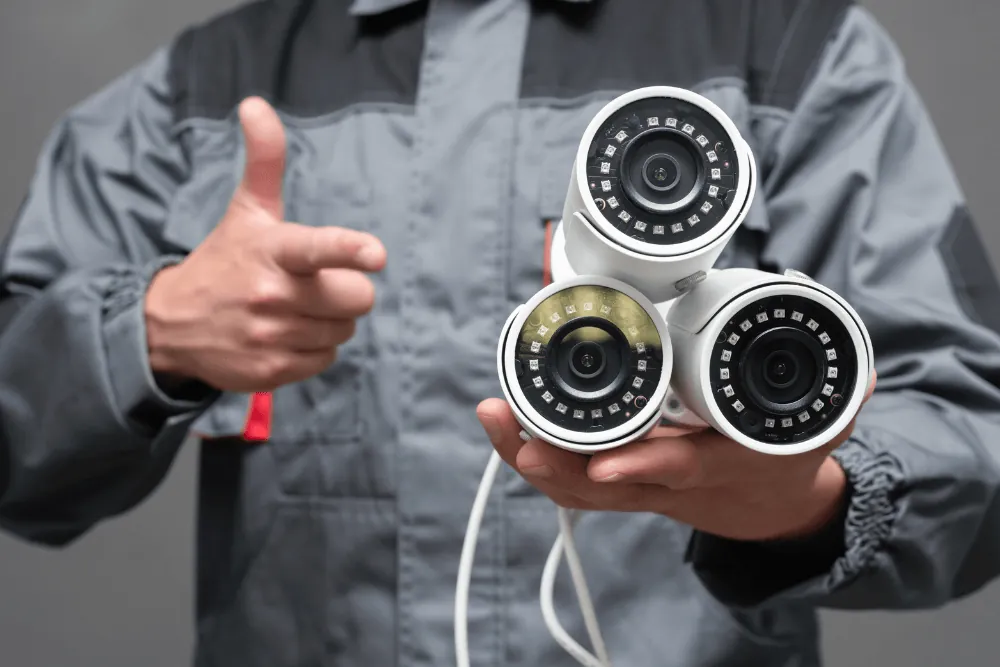
| Type | What it is | Where it suits |
|---|---|---|
| Dome | A camera inside a rounded cover. The cover hides which way the lens points and resists tampering | Ceilings, lobbies, shops and under eaves |
| Bullet | A tube-shaped camera on a bracket, visible and easy to aim | Outside walls, gates and long views |
| Turret | A ball-shaped camera that sits on a base | A ceiling or wall, with less reflection at night than some domes |
| PTZ | Pan, tilt and zoom, moved by a person or a program | A big yard, a car park or a site where one camera covers a wide area. A wired PTZ is also a search term |
| Wi-Fi camera | A camera that joins your Wi-Fi and can record to a card or the cloud | A room or door where cable is hard to run. See the wireless section |
| Doorbell camera | A camera in a doorbell | A separate product, covered below the table |
See our smart lock, doorbell and intercom service if you want the camera built into a doorbell.
Wired CCTV systems: IP and PoE, analog HD, and what "wired" means
A wired system sends video over a cable from each camera to a recorder. It does not depend on Wi-Fi for the picture, and it does not drop out when a router is busy. It suits any site where cable can be run. There are two main kinds, and the choice decides the cable, the recorder and the cost.
IP and PoE cameras with an NVR
An IP camera is a small computer on a network cable. A network video recorder, called an NVR, collects the streams. With Power over Ethernet, or PoE, the same cable carries the power, so each camera needs one cable and no separate power supply at the camera. The Hanwha support page lists the PoE standards: PoE under IEEE 802.3af supplies 15.4 W at the switch and 12.95 W to the device, PoE+ under 802.3at supplies 30 W and 25.5 W, and PoE++ under 802.3bt supplies 45 W and 40 W. It tells installers to use CAT5e cable or better, to match the camera's PoE class to the switch, to avoid very long runs and cheap thin-conductor cable, and it recommends shielded cable to reduce interference. A camera with a heater, a motorised zoom or a pan-and-tilt head can draw more power than a basic one, so we read the camera's power figure before choosing the switch or the recorder's PoE ports.
Analog HD cameras with a DVR
An analog HD camera sends its picture over coaxial cable to a digital video recorder, called a DVR, and power comes from a separate supply or a combined cable. Analog HD systems suit a site that already has coaxial cable. SIRA's specification for the systems it covers names 75-ohm copper coaxial cable of the RG59, RG6 or RG11 type with crimped BNC connectors. An old analog camera and a new recorder must be of the same signal format, or the picture will not show, so we check the format before we reuse any cable or camera.
| Feature | IP and PoE with NVR | Analog HD with DVR |
|---|---|---|
| Cable | One network cable per camera, carrying power and video | A coaxial cable per camera, with power supplied separately or on a combined cable |
| Picture | Resolution set by the camera and the recorder | Resolution set by the camera, the format and the recorder |
| Power | From the recorder's PoE ports or a PoE switch | From a power supply at the recorder or the camera |
| Extras | Audio, smart detection and network features depend on the model | Fewer network features on some models |
| Best for | New installations and any site that may grow | Reusing existing coaxial cable |
What "wired" searches mean
People search for wired CCTV in many forms, and they mean different things. The table sorts them out. We do not rank products, because the best system is the one that suits your building, your cable routes, your recorder and your budget.
| If you searched | What it means |
|---|---|
| Wired CCTV, wired CCTV system, wired CCTV camera, wired CCTV camera systems, hard wired CCTV, hard wired CCTV camera, hardwired security cameras | Cameras that are cabled to a recorder. A hardwired system has no battery and no Wi-Fi link for the picture |
| Wired security camera system, security camera wired system, surveillance camera system wired, wired surveillance camera system, wired surveillance cameras, wired video surveillance system, wired home surveillance cameras, wired home security camera system | The same thing described as a security or surveillance system |
| Wired CCTV installation | Fitting that kind of system. See the cabling section |
| Wired IP camera, wired POE security camera system, NVR wired security camera system, wired NVR camera system | IP cameras on network cable, usually with PoE, to an NVR |
| Wired camera system with DVR, wired security camera system with DVR | A DVR system, which means analog HD cameras on coaxial cable |
| Wired security camera system with monitor | A recorder with a screen. A recorder can drive a monitor directly, and a monitor is also used for live viewing |
| Wired security camera system with remote viewing | A wired system that can also be watched on a phone. See the setup section |
| Wired security camera with motion detection | A camera or recorder that starts recording or sends an alert when something moves. Motion detection can give false alerts from trees, insects and shadows, so we set the zones with you |
| Wired outdoor CCTV, wired outdoor CCTV camera, outdoor CCTV camera wired, wired outdoor security camera, wired outdoor security camera system | An outdoor-rated camera on cable. The housing, the cable entry and the sealing matter most |
| Wired indoor security camera, small wired CCTV camera | A compact indoor camera on cable |
| Wired PTZ CCTV camera | A pan-tilt-zoom camera on cable. It needs more power and a clean cable run |
| 360 wired security camera | A camera that covers a wide or all-round view, either with a moving head or a wide lens. We check what the model does |
| 4 camera wired CCTV system | A four-camera set |
| 4K wired security camera system | A system with 4K cameras and a recorder that can handle 4K. It needs more storage |
| Wired CCTV camera price | See the cost section |
| Wired smart security camera, wired WiFi security camera system, wired wireless security camera system, wired and wireless security camera system | A system that mixes cable and Wi-Fi. See the next section |
| Best wired CCTV, best wired CCTV camera, best wired CCTV cameras for home, best wired CCTV system, best wired home security camera system, best home wired security camera system, best home security camera system wired, best wired security camera system, best wired security camera system without subscription, best hard wired security camera system, best wired surveillance camera system, best wired surveillance cameras, best wired 4K security camera system | A ranking request. There is no single best. A wired system that records to your own recorder needs no subscription for basic recording, and the camera and the recorder you buy decide the rest |
| Best wired outdoor security camera, best wired outdoor security camera system, best outdoor security camera wired, best wired WiFi outdoor security camera | The same question for outdoor use. Housing, night picture and cable entry decide it |
| Hikvision wired camera | A Hikvision camera on cable. See the brands section |
| Eufy wired security camera, Ring CCTV wired, Ring outdoor wired security camera, Ring security camera wired, Ring wired security camera, wired Ring security camera | Cameras from Eufy and Ring that take power from a cable. In consumer ranges the word wired can describe the power supply only, with the picture still going over Wi-Fi, so check each model. |
| Analog CCTV camera installation | Fitting analog HD cameras on coaxial cable to a DVR |
| CCTV IP camera installation, IP CCTV installation, POE CCTV installation | Fitting IP cameras on network cable, with PoE where the recorder or switch supplies power |
| CCTV DVR installation, CCTV NVR installation, NVR CCTV camera installation | Fitting the recorder, the hard drive and the connections. See the recorder section |
Wireless and Wi-Fi CCTV: where it works and where it does not
A wireless camera sends its picture over Wi-Fi, and it still needs power from a cable, a plug-in adapter, a battery or a solar panel. Wireless saves the video cable. It does not save the power, and it adds a new dependency on your router and your signal.
Where wireless is a good choice
Wireless suits a rented flat where you cannot drill, a room far from the router with a nearby socket, a temporary site, and a place where cable cannot be hidden. Battery cameras suit places with no power, but the battery needs recharging and the camera may record less to save power.
Where it is not
A busy network, a thick wall or a gate in the way can cut the signal and give a stuttering picture or a gap in the footage. A shop with many devices on one router can have problems. A wireless link may also need approval where SIRA's specification applies, because the document lists wireless communication among items that need prior written approval. If a camera must record every time, a cable is the better answer.
| If you searched | What it means |
|---|---|
| Wireless CCTV installation, wireless CCTV camera installation, installation of wireless CCTV camera, wireless CCTV installation near me | Fitting Wi-Fi cameras and setting them up. The mounting, the power and the signal test are the work |
| WiFi CCTV installation, WiFi CCTV camera installation | The same job under another name |
| Smart security camera installation | A camera with an app and smart features, such as person detection. The features and any subscription depend on the model |
We test the Wi-Fi at each camera position before we fix anything, and we add an access point or a network cable if the signal is weak.
CCTV wiring: network cable, coax, RJ45 pinouts and power
The cable is the part of a system you cannot easily change later. A thin or damaged cable gives a picture that drops out, and it fails in ways that look like a bad camera. If you searched for CCTV wiring, wiring of CCTV camera, security camera cat5 wiring or outdoor security camera wiring, this is the section.
Network cable for IP cameras
IP cameras use twisted-pair network cable, often called Cat5e or Cat6, with an RJ45 plug at each end. The Hanwha page says to use CAT5e or better, and SIRA's specification says copper twisted pair only for IP systems, with aluminium-coated copper and copper-coated steel banned. That matters because cheap cable sold as network cable can have a steel or aluminium core that carries power poorly and runs hot. We use solid copper cable and label both ends. If a run is long, we measure it before we order. Hanwha's page cites 100 m as an example of a run that is too long without care, and 100 m is the standard length limit for network cable, so a farther camera may need a switch or a different route.
Coaxial cable for analog cameras
Analog HD cameras use 75-ohm coaxial cable with a BNC connector. SIRA's document names RG59, RG6 and RG11 and says connectors must be crimped. A badly crimped BNC can cause a flickering picture, and we test every connector.
RJ45 pinouts
If you searched for Hikvision RJ45 pinout, Hikvision camera RJ45 pinout, Hikvision IP camera RJ45 pinout, Hikvision IP camera RJ45 pinout wiring, Hikvision RJ45 wiring, Dahua camera RJ45 pinout or CCTV camera pinout, there are two cases. For a camera with a normal RJ45 socket, a standard network cable is wired to the T568A or T568B standard at both ends. Some cameras come with a short tail of loose wires that end in an RJ45 plug. A Hikvision technical bulletin says the wires connecting to the RJ45 on its cameras are not standard CAT5, CAT5e or CAT6 colour-coded, and that its Pro and Value series cameras use different colours and have separate wiring diagrams. That is why we never wire a tail by guessing the colours. We use the maker's diagram for the model, and we test every connection.
| If you searched | What it means |
|---|---|
| CCTV wiring, wiring of CCTV camera | The cable, power and connections from the cameras to the recorder |
| Security camera cat5 wiring | Network cable for IP cameras, wired to a standard at both ends |
| Outdoor security camera wiring | Cable that leaves the building or passes through an external wall. It needs outdoor-rated cable or conduit, a sealed entry and a drip loop |
| Hikvision RJ45 pinout, Hikvision camera RJ45 pinout, Hikvision IP camera RJ45 pinout, Hikvision IP camera RJ45 pinout wiring, Hikvision RJ45 wiring | The pin order for a Hikvision camera tail or plug. Use the maker's diagram for the model, since colours differ between series |
| Dahua camera RJ45 pinout, CCTV camera pinout | The same for Dahua and other makers. We read the diagram for the model |
| CCTV riser diagram | A drawing that shows the cable routes between floors and the equipment room in a building. A multi-storey site needs one, and we draw it with the plan |
| House pre wired for security camera | A home where cables were laid for cameras in the build. We trace each cable, test it and label it before we reuse it |
Power, conduit and neat finishes
Every camera needs power: from PoE, from a 12 V supply at the recorder, or from a plug-in adapter near the camera. A 12 V camera on a long thin cable can lose voltage and drop out at night when the infrared lights come on, so we match the cable to the load. Cables run in conduit or concealed, with a clean entry and a drip loop outside, and are labelled at both ends. See our conduit, trunking and cable tray work if a long route needs it, and our TV, data and network cabling service if the site needs a network cabinet or patch panel.
Protecting the system's power
A recorder switched off by a power cut loses footage and can corrupt its disk. SIRA's specification asks for a UPS that runs the system for at least 30 minutes after a mains cut in the systems it covers. See our UPS and inverter installation service and our surge protection service for the supply side.
Stop and keep clear of a camera cable, power supply or recorder that is hot, buzzing, scorched or wet, and of any cable that has been cut or has bare ends near a wall or ceiling. Do not drill where pipes or cables may run, and do not work on mains wiring at the recorder or a siren yourself. If there is smoke or fire, call 999, and message us on WhatsApp for an emergency electrician.
CCTV recorders, hard drives, monitors and storage
The recorder is where footage lives, so it deserves as much thought as the cameras.
DVR and NVR
A DVR records analog HD cameras, and an NVR records IP cameras. Some hybrid recorders take both. The recorder decides how many cameras you can have, how many of them can be 4K, how many hard drives it takes and what features it has. SIRA's specification asks for digital recorders with variable bit rate that accept added external storage, and for clips that can be copied to ordinary media.
How much storage do you need?
Storage depends on four things: the number of cameras, the bit rate of each stream, how long you keep footage and whether you record all the time or only on motion. The arithmetic is simple. A camera that streams at 4 megabits per second uses 0.5 megabytes per second, which is about 43 gigabytes a day. Four such cameras recording all the time for 31 days use about 5.4 terabytes. If you want 20 percent spare capacity, as SIRA's specification asks for the systems it covers, you need about 6.4 terabytes. Motion recording cuts that figure, and a higher bit rate raises it. The figures above are an example for the sum, not a recommendation. We work out the number for your cameras and your retention period.
| If you searched | What it means |
|---|---|
| CCTV DVR installation, CCTV NVR installation, NVR CCTV camera installation | Fitting the recorder, the hard drive, the power and the network |
| CCTV installation monitor | A screen at the recorder for live viewing and playback. Monitors made for continuous use suit a recorder that stays on |
| CCTV network setup, CCTV monitor setup | Putting the recorder on the network and setting the screen. See the setup section |
Where the recorder sits
Put the recorder where it is cool, ventilated, hidden and out of reach, with the router and a socket nearby. A recorder in a hot cupboard overheats, and a recorder in plain sight can be stolen with the footage. We fit it in a locked or hidden place, on a UPS where possible.
CCTV camera mounting: brackets, heights, poles and weatherproofing
If you searched for CCTV mounting, mounting CCTV, mounting CCTV cameras, CCTV camera mounting or CCTV pole installation, the fixing and the height decide how long a camera lasts and how useful its picture is.
| If you searched | What it means |
|---|---|
| CCTV camera mounting, CCTV mounting, mounting CCTV, mounting CCTV cameras | Fixing the camera to a wall, ceiling or bracket, level and aimed. We check for pipes and cable before we drill |
| Dome CCTV camera installation | A dome camera is fixed flat to a ceiling or soffit, with the cable entering through the base or the side |
| Outdoor CCTV camera installation, outdoor CCTV installation | Cameras outside, with weatherproof housings, a sealed cable entry and a drip loop |
| CCTV pole installation | A camera on a pole at a gate or a corner. The pole needs a sound footing, an earth or lightning check where tall, and conduit for the cable |
| CCTV camera mic installation | A camera with a microphone. Audio is a larger privacy question than pictures, and SIRA lists audio-recording cameras as needing approval for the systems it covers. We discuss it before we enable it |
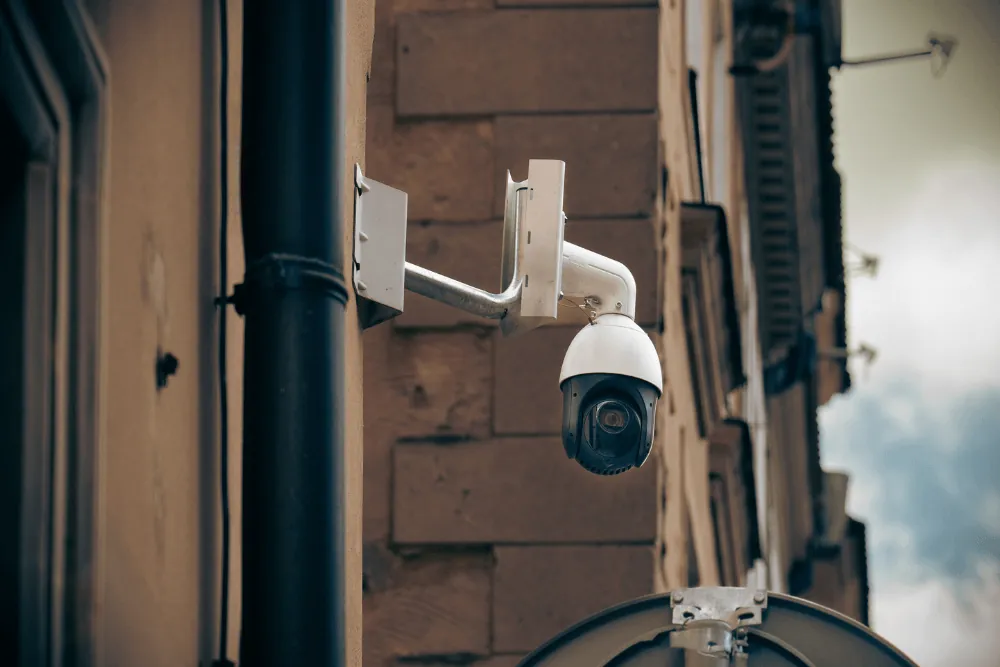
Height and angle
A camera that is too high sees the top of heads, and one that is too low can be reached and knocked off. SIRA's document asks for remote zoom and focus on cameras mounted at 4 m or higher in the systems it covers. As a rule, we mount cameras out of easy reach and aim them so the face is visible, not only the top of the head. We check the angle on a screen before we tighten the bracket.
Weather, heat and dust
Dubai's heat, sun and dust are hard on outdoor equipment. A camera in direct sun should have a stated operating temperature that suits it, and a housing rated against water and dust. SIRA asks for IP66 at least for outdoor cameras in the systems it covers. We seal screw holes and cable entries, and we check the lens and the seals at each service.
Lightning and surge risk
A camera on a tall pole or a long outdoor cable can pick up a surge. See our surge protection and lightning protection services if the site is exposed.
CCTV brands and models: Hikvision, Dahua, Ring, Eufy, Tapo and others
Camera searches are full of brand names. The brand matters less than three things: whether the camera and recorder work together, whether the maker still issues updates, and whether it can be supported here. We do not rate one brand above another, and we do not claim to be an authorised dealer for any of them.
| If you searched | What it is |
|---|---|
| Hikvision CCTV camera installation, Hikvision CCTV installation, CCTV Hikvision installation, CCTV installation Hikvision, install Hikvision CCTV, Hikvision CCTV installation cost, Hikvision CCTV installer near me | A fitter for Hikvision cameras and recorders. Hikvision makes IP and analog cameras and recorders, and we describe the wiring and setup in the sections above |
| Dahua CCTV camera installation, Dahua CCTV installation | A fitter for Dahua cameras and recorders. Dahua also makes IP and analog cameras and recorders |
| Ring CCTV wired, Ring security camera wired | Ring is a consumer camera and doorbell brand owned by Amazon. Its cameras connect over Wi-Fi and use the Ring app, and the word wired can describe the power. See the wired section |
| Eufy wired security camera | Eufy is a consumer camera brand. Check each model for how it is powered and where it records |
| Tapo CCTV installation, TP Link CCTV installation | Tapo is TP-Link's range of consumer cameras. TP-Link also sells a business camera and NVR range. Check the model and how it records |
| Xiaomi CCTV installation | Xiaomi sells consumer Wi-Fi cameras that use its own app. Check that the model is supported here |
| Qubo CCTV camera installation | Qubo is a consumer camera brand sold mainly in India. We cannot confirm UAE support |
| Secure Fit CCTV | A name we cannot place. If it is a company, we are not it, and if it is a product, send the model |
A mix of brands on one recorder can work, because IP cameras can follow common standards, but not every feature carries over, so we test before we promise it.
Whether a camera is approved for a business
SIRA runs a certification service for security devices, and its page says a camera or recorder application needs a trade licence that includes the installation and maintenance of security systems. Whether a particular camera or recorder is approved is a matter for SIRA. We cannot say that any brand is approved, and a business should ask its installer for the proof.
Security of the system itself
A camera that is on a network can be a way into the network. Change the default password on every camera and on the recorder, give each user their own login, keep the firmware up to date, and do not open the recorder to the internet with a port forward if the maker's cloud or a secure link can do the job. We apply the same steps on each installation, and we tell you who holds the passwords.
CCTV setup: recorder, network, mobile app, remote viewing and alarm wiring
Fitting is half the job. A system is finished when it records, plays back, shows on your phone and holds its settings after a power cut.
- 1Set the recorder's date, time and time zone, and synchronise the clock, because footage with the wrong time is hard to use.
- 2Add the cameras to the recorder, by cable for analog and PoE, and by address or auto-discovery for IP.
- 3Set the recording mode and the schedule, with continuous or motion recording per camera.
- 4Set the resolution and the bit rate so the storage lasts as long as you need.
- 5Set the users and the passwords, and remove the default ones.
- 6Set up the app and add the recorder to your account or scan its QR code.
- 7Set the motion zones and the alerts, so you are told about people and not about shadows.
- 8Test live view, playback and export, and test again after a power cut.
| If you searched | What it means |
|---|---|
| CCTV setup, CCTV camera setup, CCTV camera set up, CCTV system setup, setting up CCTV, simple CCTV setup | Configuring cameras and a recorder after they are fitted. The steps above are the general order |
| Home CCTV camera setup, CCTV setup for home, CCTV camera setup at home, set up CCTV at home, setting up CCTV cameras at home, CCTV camera setup for home | The same job in a house or villa |
| CCTV setup for shop | Setting up a system in a shop, with the till and the door as the first views. See the business section |
| Best CCTV setup, best CCTV setup for home, best CCTV camera setup for home | A ranking request. The best setup is the one that covers your priorities and records for the days you want. The planning section shows how we decide |
| 4 CCTV camera setup | A four-camera system |
| CCTV camera installation setup, CCTV camera setup installation services | Fitting and configuring in one visit. We do both |
| CCTV camera setup near me, CCTV setup near me | A fitter who will visit. See the cost and choosing section |
| CCTV IP camera setup, IP CCTV setup, smart IP camera setup | Setting up network cameras, which includes their addresses and passwords |
| NVR CCTV setup, CCTV NVR setup, CCTV DVR setup | Setting up the recorder, the disk and the channels |
| POE CCTV setup | Setting up PoE cameras, which includes checking that each camera is powered and discovered |
| CCTV network setup, CCTV monitor setup | Putting the recorder and cameras on the network, and setting the screen at the recorder |
| CCTV camera setup mobile | Setting up viewing on a phone with the maker's app |
| Wireless CCTV camera setup, CCTV camera wireless setup, CCTV wireless setup, wireless CCTV camera setup for home, WiFi CCTV camera setup, IP wireless wired camera setup | Joining Wi-Fi cameras to your network and app, which needs the signal tested at each position. Some cameras only join a 2.4 GHz network, so check the maker's page |
Brand setup searches
| If you searched | What it means |
|---|---|
| Hikvision CCTV setup, Hikvision CCTV camera setup, Hikvision CCTV network setup, Hikvision CCTV WiFi setup | Setting up Hikvision cameras and recorders, including their network addresses and the maker's app |
| HiLook CCTV setup | HiLook is a Hikvision camera range, with its own models. We check the model before we set it up |
| Dahua CCTV setup, Dahua CCTV camera setup, Dahua CCTV network setup | Setting up Dahua cameras and recorders |
| Tapo CCTV camera setup | Setting up TP-Link Tapo cameras through the Tapo app |
| Xiaomi CCTV setup, Xiaomi CCTV camera setup | Setting up Xiaomi cameras through their app |
| iCSee CCTV setup | iCSee is an app used by some low-cost cameras and recorders. We cannot say which models use it |
| Anran CCTV setup | Anran is a low-cost camera brand. Check the model and the support |
| SriHome CCTV setup, Sri Home CCTV setup | SriHome is a low-cost camera brand. Check the model and the support |
Alarm input and output wiring
Many recorders and some cameras have alarm terminals. An alarm input lets an outside device, such as a door contact or a motion sensor, start a recording or an alert. An alarm output lets the recorder switch a siren, a strobe or a relay when it detects an event. If you searched for Hikvision camera alarm input wiring, Hikvision camera alarm output wiring, Hikvision IP camera alarm output wiring, Hikvision NVR alarm input wiring, Hikvision NVR alarm output wiring or Hikvision camera alarm setup, the principles below apply, and the exact terminals differ by model. We follow the diagram for your recorder.
TP-Link's guide for its VIGI recorders and Sunell's guide describe the idea the same way. An alarm device connects to an alarm input terminal and to the ground terminal. The input can be set as normally open, where the alarm triggers when the circuit closes, or normally closed, where it triggers when the circuit opens or breaks. An alarm output switches a small DC load. TP-Link's page says its output suits DC loads up to 24 V, and it warns that normal AC voltage needs an external relay and that connecting AC without one risks equipment damage and electric shock. Sunell's page says its dry-contact output needs an external power supply of no more than 12 V DC at 0.5 A, and that different products have different terminals, so the product's own documentation must be read. That is why we use a relay when the load is a mains siren or a lock, and why this part of the job is for an electrician.
| If you searched | What it means |
|---|---|
| Hikvision NVR alarm input wiring, Hikvision camera alarm input wiring | Wiring a contact or sensor to an alarm input, and setting the input as normally open or closed |
| Hikvision NVR alarm output wiring, Hikvision camera alarm output wiring, Hikvision IP camera alarm output wiring | Wiring a siren, a strobe or a relay to an alarm output, within the output's rating |
| Hikvision camera alarm setup | The settings that decide what happens when an alarm input fires or a camera detects something |
Remote viewing
Remote viewing works when the recorder can reach the maker's service or a secure link over your internet connection. It needs a working router, the recorder on the network, and a stable upload speed. A weak upload gives a slow or blocked picture, and a changed router password can break the link. We set it up with you present, and we explain what to do if your internet provider changes your router. See our TV, data and network cabling service if the router or the cabinet needs work.
Business, shop, office and commercial CCTV
A business system has the same parts as a home one, and it carries more duties: staff, customers, stock, cash and sometimes a regulator. If you searched for commercial CCTV installation, commercial CCTV camera installation, office CCTV installation, retail CCTV installation or installing CCTV in the workplace, these are the points we work through.
| If you searched | What it means |
|---|---|
| Commercial CCTV installation, commercial CCTV camera installation | A system for a business, warehouse or building. It is larger and more likely to need a recorder rack, a UPS and a maintenance contract |
| Office CCTV installation | Cameras at the entrance, reception, corridors and exits. We keep them out of private spaces and agree the plan with the manager |
| Retail CCTV installation | Cameras at the door, the till, the aisles and the stock room. The door and till views must identify faces |
| Installing CCTV in the workplace | Cameras where staff work. Tell staff in writing, state the purpose, and take legal advice on any audio or covert recording |
Duties for a business
If SIRA's specification applies to your premises, it asks for signs at the main entrances, a UPS, synchronised clocks, retention of at least 31 days, an annual maintenance contract with a SIRA-registered company and the reporting of incidents and faults. We would not guess whether it applies. Ask SIRA, or ask us to ask, and we will build to the answer. Whether or not it applies, the same good habits are worth following: keep a camera map, label every cable, record who can see the footage and set one retention period for everything.
Monitoring staff and customers
Cameras in a workplace raise privacy questions. A free zone's blog on UAE workplace CCTV says that monitoring should have a legitimate purpose and be proportionate, that staff should be notified in writing, and that audio recording carries serious legal risk. We follow that caution, and we leave the policy to the business and its lawyer.
CCTV and alarms together
An intruder alarm and CCTV work well together. A door contact can start a recording, a camera can sound a siren, and an alarm panel can send a message with a snapshot. See the alarm wiring section above, and our fire alarm and smoke detector installation service for the fire side.
CCTV installation cost, packages and how to choose an installer
Cost
We quote each job after photos or a visit, because the cost depends on the number of cameras, the cable routes, the walls and the recorder. Installation is AED 78 per indoor camera and AED 97 per outdoor camera, and the cameras, the recorder and the cable are priced on their own lines. The price depends on the points in the second table below, and a quote that does not mention them is a quote for something smaller. The first table matches the cost searches to what each means.
| If you searched | What it means |
|---|---|
| CCTV installation cost, CCTV installation price, CCTV installation charges, CCTV camera installation cost, CCTV camera installation price, CCTV camera installation charges, CCTV system installation cost, CCTV camera system cost | The total to design, supply and fit a system or a camera. The first thing to check is what the price includes |
| CCTV camera installation cost for home, CCTV installation cost for home, CCTV installation at home cost, cost of CCTV installation at home, cost of CCTV camera installation for home, cost of installing CCTV camera at home, home CCTV installation cost, home CCTV camera installation cost, residential CCTV installation cost | The same question for a villa or apartment |
| What affects the price | Why |
|---|---|
| The number of cameras | Each camera needs a cable, a fixing, a test and a place on the recorder |
| The camera type | Resolution, housing, night performance and PTZ movement change the price |
| The cable routes | A short run inside a roof void costs less than a long run through finished walls or outside |
| The wall and the height | Masonry, glass, a high wall or a pole needs different fixings, access and time |
| The recorder and storage | More cameras, higher resolution and longer retention need more disk |
| Power and protection | A UPS, a surge device and a power supply add to the price |
| Network work | A new switch, an access point or a network cabinet adds parts and time |
| Setup and users | Setting up the app, the users, the alerts and the schedules takes time |
| Maintenance | A service contract has its own price |
Packages and set prices
A package is a bundle of cameras, a recorder and a disk at a set price. The table matches the package and set-price searches to what each means.
| If you searched | What it means |
|---|---|
| CCTV installation packages | A set of cameras, a recorder and a disk sold together |
| 1 CCTV camera installation cost, one CCTV camera installation cost, cost of one CCTV camera installation | One camera. A single camera still needs a cable route, a fixing and a setup |
| 2 camera CCTV installation cost, 2 CCTV camera setup price, 3 CCTV camera setup price, 4 camera CCTV installation cost, 4 CCTV camera installation price, 6 camera CCTV installation cost, CCTV 8 camera installation cost | Prices for two to eight cameras. The recorder and the disk grow with the camera count |
| CCTV camera setup price, CCTV camera set up price, CCTV setup price, CCTV camera all setup price, CCTV camera setup price for home, CCTV camera setup for home price, CCTV setup cost, CCTV setup cost for home, CCTV setup for home cost, cost of CCTV setup | The price to configure a system, or to install and configure it. Ask whether setup is included |
| CCTV camera for home installation price, CCTV fitting cost, CCTV fitting charge, CCTV camera fitting charges, CCTV installation cost near me, CCTV installation near me prices | Fitting charges and local prices. Ask whether the figure is for labour only |
A bundle can be a fair way to compare quotes, if you check what it leaves out, such as cable, conduit, the hard drive, the setup and the app. A fitted system for a 2 to 4 camera apartment is AED 1,410 to 3,295 and for a 4 to 8 camera villa AED 3,295 to 7,055.
Cheap CCTV
If you searched for cheap CCTV installation, cheap CCTV camera installation, cheap CCTV installation near me or cheap CCTV setup, the question is what you give up. A low price can mean thin cable, a recorder with no spare capacity, no hard drive, no labels and no setup. SIRA's specification bans aluminium-coated and copper-coated steel cable in the systems it covers because they perform badly. We do not use them. We can bring a price down by reducing the number of cameras, by reusing sound cable, or by choosing a simpler camera. We do not bring it down by using poor cable or skipping the test.
Near me, companies and fitters
A search for a local installer wants someone who will visit, plan and stand behind the work. We work across all of Dubai. We do not rank installers, and we do not claim to be the best. The table matches the local searches, and the questions after it let you judge any installer.
| If you searched | What it means |
|---|---|
| CCTV installation near me, CCTV installation near, near CCTV installation, near me CCTV installation, near by CCTV installation, CCTV camera installation near me | A local fitter who will visit the site |
| CCTV installation companies near me, CCTV companies near me, CCTV camera company near me, CCTV camera providers near me | A company and not a single fitter |
| CCTV camera installation service near me, CCTV camera installation services near me, CCTV installation services near me | The service bought locally |
| Best CCTV camera installation, best CCTV camera installation near me, best CCTV installation near me, best CCTV installation companies, best CCTV installers near me | A ranking request. We do not rank installers or claim to be the best |
| CCTV fitters near me, CCTV fitting near me, CCTV camera fitting near me | Fitters for mounting and cabling |
| Home CCTV camera installation near me, home CCTV installation near me, home CCTV installers near me | The same search for a home |
| Local CCTV installers, looking for CCTV installer, CCTV system installers near me, Hikvision CCTV installer near me | A local installer, for any system or for a named brand |
| CCTV camera sales and service near me, CCTV setup near me, CCTV camera setup near me | Sales with support, or setup by a local fitter |
Questions to ask any installer
- Are you registered with SIRA? Ask for the number, and ask whether your premises need it.
- Will you visit before you quote? A price without a look at the site is a guess.
- What cable do you use? It should be solid copper, labelled at both ends.
- How much storage will I have, and for how many days? They should work it out from the cameras.
- Who holds the passwords? You should.
- What happens after a power cut? The recorder should start itself and keep its settings.
- What do I get at handover? A camera map, the passwords, a short guide and a test of playback.
- Is there a maintenance contract, and what does it include? Look for scheduled visits.
DIY CCTV, maintenance and repairs
Doing it yourself
If you searched for DIY CCTV installation, self install CCTV, CCTV installation video or CCTV camera installation video, a video shows the steps. It does not show your wall, your cable route or your router. A Wi-Fi camera on a shelf is a simple job. A wired system through walls and ceilings, with mains power at the recorder and outdoor cable runs, is a job that gains from an electrician. Drilling into a wall without checking for pipes and cable is a mistake that causes damage. Do not wire it yourself. Message us on WhatsApp and we do the whole job. We do not publish a fitting video on this page.
Looking after the system
A system left alone drifts. Lenses get dusty, drives fail, clocks wander and passwords are shared. A simple routine keeps it working:
- Check live view and playback for every camera at least once a month, and look for a camera that has stopped recording.
- Clean the lenses and the housings, and check the seals and the screws.
- Check the date and time on the recorder.
- Check the hard drive's health in the recorder's menu, and plan to replace it before it fails. A drive that runs all day is a part that wears.
- Update the firmware on cameras and recorders, from the maker's own site.
- Review who has access, and remove users who have left.
Repairs
A camera with no picture, a flickering picture, a recorder that restarts or a system that cannot be viewed remotely has a power, cable, connector, disk or network fault. We check the power at the camera first, then the cable and connectors, then the recorder and the network. If the system is old, replacement may cost less than repair. We test, and we do not replace parts to guess.
CCTV installation with Circuit Dubai
- Electricians first, so the power, the cable and the protection are right before any camera goes on a wall.
- A site survey before a quote, so the cameras are placed for what you need to see.
- Cabling to a standard, with solid copper cable, labelled at both ends and sealed where it enters a wall.
- Remote viewing set up with you, with the accounts and the passwords in your hands.
- A fixed quote after photos or a visit, with what is included and what is extra written out.
We work across all of Dubai. Our office is in Al Quoz.
If you are also planning smart home installation, access control and intercom work, a UPS or an electrical inspection, we can plan it with the CCTV installation.
Phone: +971 55 407 7427
CCTV installation questions we hear from Dubai homeowners and managers
How much does CCTV installation cost?
It depends on the number of cameras, the cable routes, the walls and the recorder. Installation is AED 78 per indoor camera and AED 97 per outdoor camera. A fitted apartment system is AED 1,410 to 3,295 and a villa system AED 3,295 to 7,055. We give a fixed quote after photos or a visit.
How many cameras do I need?
Count the places you need to see, and decide whether each camera must detect, observe or identify. A front door and a gate need face-level cameras, and a driveway needs a wide one. We give you a list you can cut or extend.
Is wired or wireless better?
Wired is better where cable can be run, because the picture does not depend on Wi-Fi. Wireless suits places where you cannot drill or run cable, and it still needs power.
Do I need a SIRA-approved system for my home or shop?
SIRA's published specification is written for establishments and does not mention villas. For a shop or business, ask SIRA or a SIRA-registered company.
Is it legal to point a camera at my neighbour's property?
Do not. A camera that looks into a neighbour's window, garden or door can cause a complaint, and UAE law has penalties for photographing people without consent in circumstances not legally permitted. Aim cameras at your own property. We are not lawyers, so take legal advice for your case.
Can the cameras record sound?
Some can. Audio is a bigger privacy question than video, and SIRA lists audio-recording cameras as needing approval in the systems it covers. We discuss it with you before we switch it on.
How long is footage kept?
It depends on the disk size, the number of cameras, the bit rate and whether recording is continuous. SIRA's specification asks for at least 31 days in the systems it covers. We work out the storage for the days you want.
Can I watch from my phone?
Yes, with a recorder or camera that supports the maker's app and a working internet connection. We set it up with you.
Will it work if the power goes off?
Not without a UPS. A UPS keeps the recorder and router running for a while and lets the recorder shut down safely. We can add one.
What cable do you use for IP cameras?
Solid copper network cable. We do not use aluminium-coated or copper-coated steel cable.
Can you reuse my existing cameras or cable?
Sometimes. We test the cable and check that the camera and recorder match before we promise it.
Do you fit Hikvision and Dahua?
Yes. We fit and set up these cameras and recorders, and we do not claim to be an authorised dealer.
Can you add an alarm or a siren to the CCTV?
Yes, where the recorder or camera has alarm terminals. A mains siren or lock needs a relay, and the wiring is for an electrician.
Can you fit CCTV in a rented apartment?
With the landlord's agreement. Cameras in shared corridors or the lobby need the building management's approval. Keep the old fixings so they can be made good.
What should I do if a camera stops working?
Check the power and the cable, then message us on WhatsApp. We test the camera, the cable, the recorder and the network.
Do you offer a maintenance contract?
Yes. The visit interval depends on the system and is written on your quote. A regular check of cameras, drives, clocks and passwords keeps a system reliable.
What do I need to send for a quote?
Photos of the places to cover and of the router, the number of cameras you have in mind, and the brand if you have chosen one.
Ready to book CCTV installation?
Send photos of the places you want to cover and of the router, tell us how many cameras you have in mind, and whether you prefer wired or wireless. We reply instantly on chat with a view on what will work and a fixed price, so you know what you are buying before anyone drills a hole.