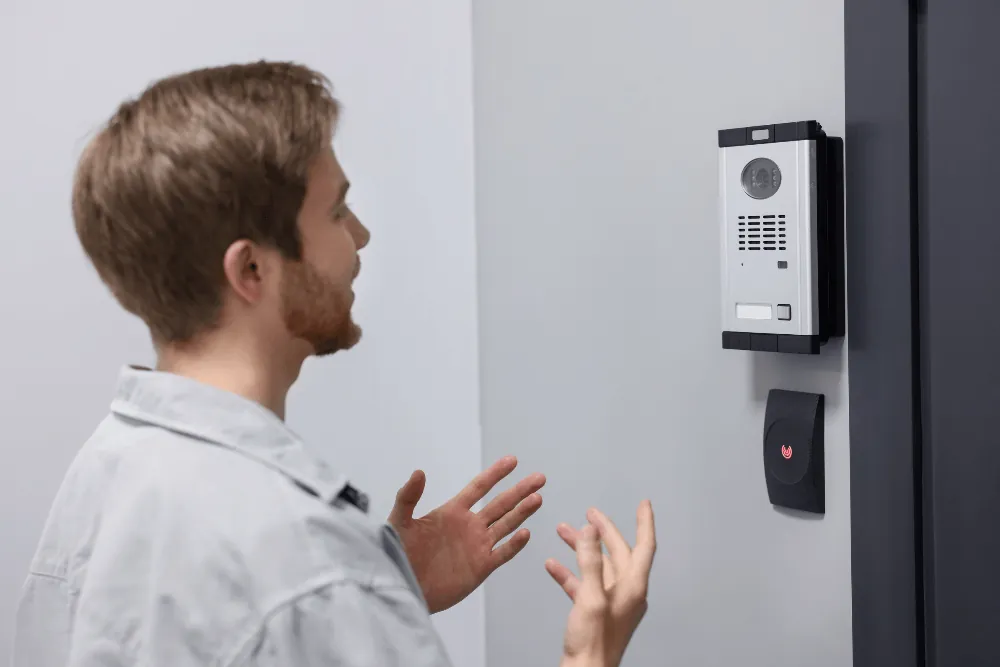
Access Control Installation in Dubai: Door Access Control, Biometric and Fingerprint Systems, Locks and Wiring
Access control installation means deciding who may open which door and when, fitting a reader, a controller, a lock and a power supply at each door, wiring them to a standard, and enrolling the people who need to get in. The reader on the wall is the visible part. The lock, the exit route, the cable and the power behind it decide whether the door works every day, and whether it opens for someone running out of a fire.
Circuit Dubai installs door access control for villas, apartment buildings, offices, shops, clinics, warehouses and building sites across Dubai. We are electricians first, so we start with the door, the frame, the cable route and the supply, and only then choose the credential and the lock. We fit any major access control brand, so you can choose the system and we install and support it.
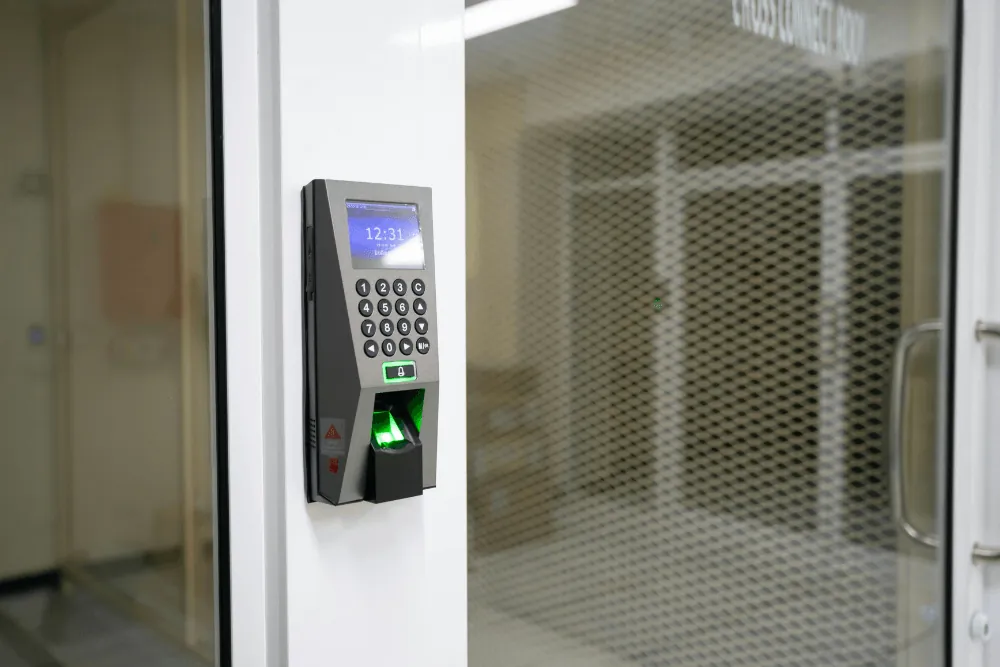
What access control installation with us includes
A look at each door first, covering the door material, the frame, the hinge side, which way it opens, the cable route and where the power supply and controller can sit.
The right lock for the door and the exit route, chosen as fail safe or fail secure on purpose, with a way out that never depends on the reader.
Readers, controllers and credentials fitted and enrolled, whether that is a keypad, a card, a fingerprint, a face reader or a phone.
Cabling and power done to a standard, with the right cable for the reader and the lock, a power supply with battery backup, and suppression fitted at the lock.
Links to the other systems, such as a fire alarm release, a video intercom, a gate or CCTV, where the building needs them.
A tested system and a handover, with the user list, the admin passwords, the door schedule and a check of what happens in a power cut.
The numbers at a glance
Typical answer for Dubai
Before you book access control installation, list every door or gate you want controlled and photograph each one from both sides, with the frame in view. Write down how many people need access, who needs it at night, and which doors are on the way out of the building. Tell us whether anyone must be able to leave at any time without a card, which should be everyone. That is enough for us to say what is realistic and to give a first price. The sections below cover the rules in Dubai, the locks, the readers, the wiring and the cost, so you can judge a quote before you accept it.
Access control installation terms: what people search for and what each means
People search for this work by the number of doors, by the credential and by the brand, and one of the words means something else in lighting. The table matches each search to what it means here.
| If you searched | What it means |
|---|---|
| Access control installation, access control system installation, install door access control system | Fitting the readers, controllers, locks, power and cable that decide who opens which door, and setting up the users. This page describes our service |
| Door access control installation, door access control system installation | The same work for one or more doors. A door is the unit of the job, because each door needs its own reader, lock, exit button and cable |
| Single door access control | A system for one door. See the single door section |
| Biometric access control installation, biometric access control system installation | Access by a body feature, such as a fingerprint or a face. See the biometric section, which also covers privacy |
| Fingerprint access control installation | A fingerprint reader at the door, wired to a lock. See the biometric section |
| HID access control system installation | A system that uses HID Global readers and credentials. HID Global makes cards, readers and mobile credentials. In lighting, HID means high-intensity discharge lamps and ballasts, which are unrelated and not covered here. |
| Access control installation companies, access control installers near me, access control system installation near me, access control system installers near me, door access control system installers near me | A company or fitter who will visit, plan and stand behind the work. See the cost and choosing section |
Access control rules in Dubai: SIRA, privacy and exit routes
This section is about what the rules say, and where the picture is incomplete. We are installers and not lawyers, and the rules change, so confirm with the regulator, the building's consultant or a lawyer for your case.
SIRA and who may install
The Security Industry Regulatory Agency, known as SIRA, regulates the security industry in Dubai. Its Resolution No. (1) of 2018 is the implementing bylaw of Law No. (12) of 2016, and it is published on the Dubai Legislation Portal. These points in it matter to a customer:
| Subject | What the bylaw says |
|---|---|
| Licence to provide the service | A licence is needed before providing security services or related business, and individuals may provide them only through a licensed company. Engaging a provider that SIRA has not licensed is prohibited |
| Installing security devices | Installing security devices, technical surveys and system inspection are listed as related activities |
| Trading in equipment | Trading in access control equipment appears in the licence categories, and a licence is needed to import, export or trade in surveillance, protective and alarm devices |
| Company licence | Valid for one year and renewable |
| Individual licences | The bylaw creates licences for System Engineers, Inspectors, Technicians and Operators, valid for two years, with tests accredited by SIRA |
| Large premises | Vital sectors, major compounds and public events must meet the requirements in SIRA's Preventive System Manual |
The bylaw does not say whether a villa's keypad needs a licensed installer, and it points to a Preventive System Manual for large premises. A company-setup firm's guide says anyone installing or maintaining access control in Dubai needs SIRA registration, but it is a commercial summary and does not link the rule. Ask SIRA or a SIRA-licensed company before you decide, and ask any installer for their licence number.
A 2017 report by a law firm said Dubai Municipality would not issue a building permit unless a consultant designed the security system and the design was approved, and that a completion certificate needed the system running, with access control named as an example. The same report said the laws did not expressly require this and that the rule was announced by officials. That was nine years ago and the position may have changed, so a developer should ask SIRA and the municipality directly.
A guide by the same company-setup firm also says access control panels need type approval from the Telecommunications and Digital Government Regulatory Authority before sale or installation. That claim comes from a commercial guide and needs checking against the authority's own pages.
Privacy and biometric data
Federal Decree-Law No. 45 of 2021 is the UAE's personal data protection law. A law firm's summary says it applies to organisations that process personal data of people in the UAE, that consent must be specific, clear and unambiguous, that the purpose must be stated and processing limited to it, and that it does not allow a "legitimate interests" basis. The same summary lists exclusions, including processing for personal purposes, government and security authorities, and free zones that have their own data laws, such as DIFC and ADGM. A company-setup guide says fingerprints, face and iris data count as sensitive and need explicit consent, and that retention should be limited. This is a summary and not legal advice. What we can say is practical:
- Ask for consent in writing before you enrol anyone's fingerprint or face, and say what the data is used for.
- Offer a card or a PIN to a person who does not want to enrol, where the job allows it.
- Keep the data small. A door needs to know who may open it. It does not need a copy of a person's fingerprint on a spreadsheet.
- Set who can see the log, and for how long it is kept.
- Delete a leaver's record the day they leave.
Exit routes, landlords and shared areas
Every door that people use to leave a building in an emergency has to let them out. The fire and life safety rules decide how, and in Dubai that is a matter for the Civil Defence and the building's consultant. The exit section below uses US model codes only to explain the principle. They are not the rules in Dubai.
In an apartment building, the main entrance, the lobby, the corridors and the car park belong to the building, and the management decides what may be fitted. A tenant who wants a reader on the flat's own door needs the landlord's agreement before drilling the frame. Tell us the building and we will tell you what we can fit and what you must ask for first.
Planning access control: which doors, which people and what happens when the power fails
Planning decides whether the system is useful. A reader fitted where the cable was easy may control the wrong door. We plan from these questions.
Which doors need control?
Not every door needs a reader. A door that keeps outsiders away from people, stock, cash, records or equipment does. A door between two rooms in the same office may not. Start with the outside doors and gates, then add the doors to areas with a reason to restrict them.
| Door | Job | What to settle first |
|---|---|---|
| Villa front door or gate | Let the family and staff in, keep others out | Whether a smart lock or a wired reader suits the door. See our smart lock, doorbell and intercom service |
| Apartment building entrance | Residents and visitors, a call to a flat | Who owns the system, the building management or the developer |
| Office entrance | Staff in, visitors at reception | Hours, visitors and who leaves last |
| Server or comms room | A short list of people | A second factor such as a PIN, and a log |
| Stock room, cash office, pharmacy store | Named staff only | Logs, and a door that closes and locks itself |
| Warehouse and loading door | Staff and drivers | Weather, the door type and forklift traffic |
| Building site gate or cabin | Workers and deliveries | Temporary power, theft and how the system moves with the site |
| Fire exit | Free exit at all times | No reader on the way out, and an alarm if it opens |
Who needs access, and when?
A list of users with times is the core of the design. Decide whether staff come in at any hour or only in working hours, whether cleaners and contractors need a time-limited card, and who may open which doors. A system with a handful of users and one door is a small job. A system with hundreds of users and a dozen doors needs software, a network and someone to run it.
What happens when the power fails?
Every door must be given an answer in advance. A lock that is fail secure stays locked when power is lost, so people inside can still leave through the door's own handle or bar, and people outside stay out. A lock that is fail safe unlocks when power is lost, so the door opens to everyone. The locks section explains which lock does which, and the wiring section covers the battery that keeps the system going through a cut. See our UPS and inverter installation service for the supply side.
Standalone, networked or cloud?
A standalone reader holds its own user list and is set up at the door. A networked system has controllers on the network and one place to manage users and read the log. A cloud system keeps the user list online and is managed from a browser or an app. The controllers and software section compares them. For one or two doors, standalone is enough. For more doors, or where a log matters, a networked or cloud system saves time.
Single door access control: what goes in, and how it fits together
A single door access control system is one door with one reader, one lock and one way of letting a person out. It is the smallest complete system and the best way to see how any larger one works, because a ten-door system is ten of these tied together.
The parts
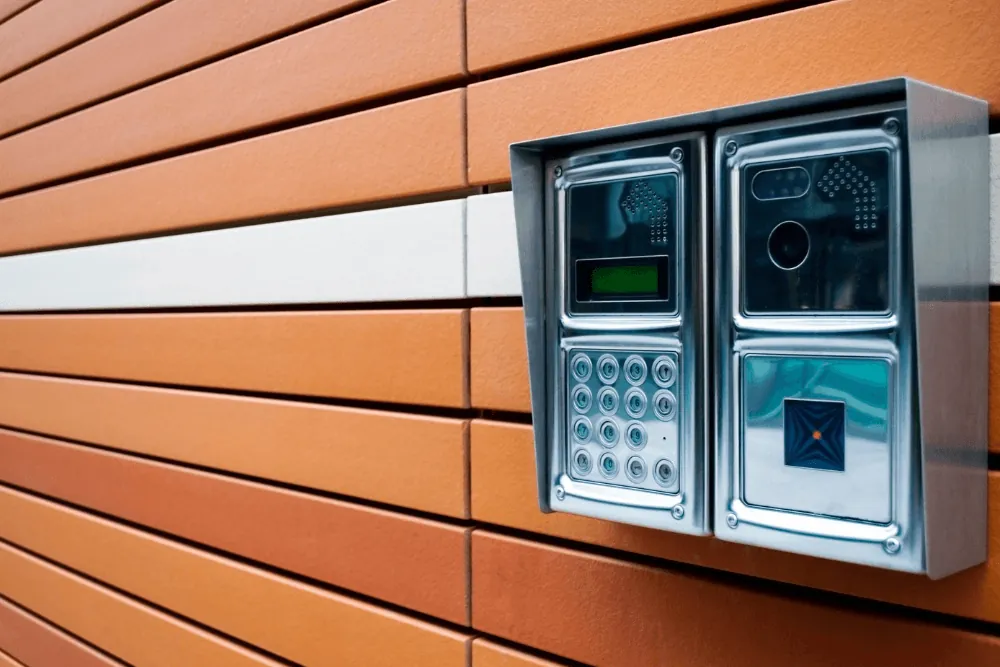
| Part | What it does |
|---|---|
| Reader or keypad | Reads the card, PIN, fingerprint, face or phone and sends the result to the controller |
| Controller | Decides whether to open the door, and closes a relay to release the lock |
| Lock | An electric strike, an electromagnetic lock, an electric bolt or an electrified handle |
| Power supply | Powers the lock, and the controller and reader if they share it, with a battery that keeps the door working in a cut |
| Exit button | Releases the lock from inside, wired to the controller, and to the lock directly where the exit rules need it |
| Door contact | Tells the controller whether the door is open or shut, so it can report a door left open or forced |
| Cable | One cable for the reader, one for the lock, one for the button and one for the contact |
All-in-one or separate parts?
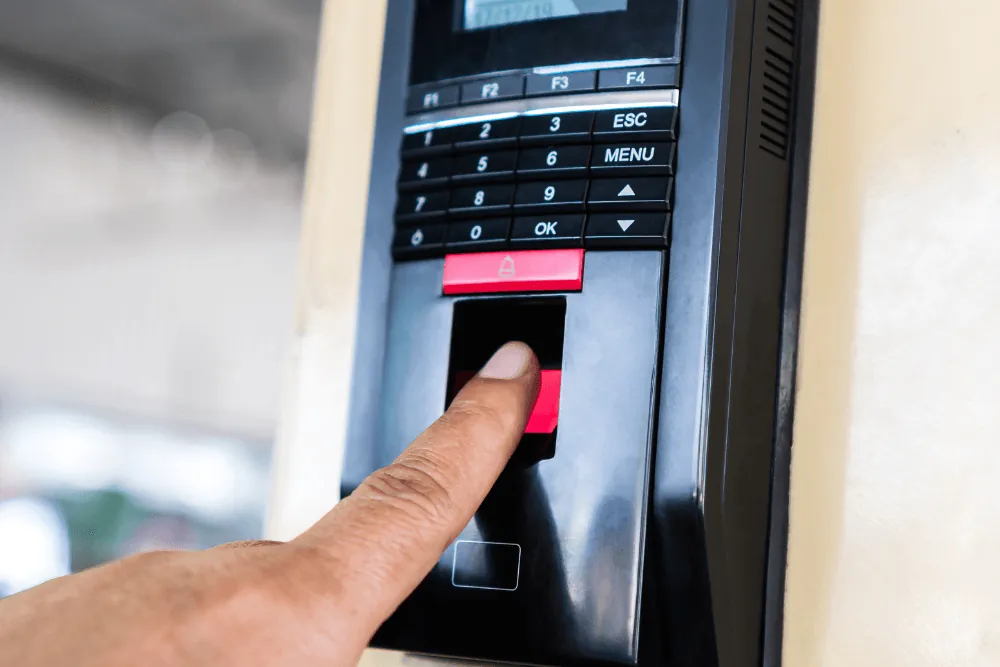
An all-in-one fingerprint or keypad unit combines the reader and controller in one box on the wall, and the lock is wired to it with a power supply. It is quick to fit and cheap. The risk is that the unit and the wire to the lock sit on the outside of the door, so if the box is forced off the wall, the lock wiring is within reach. A system with a separate controller keeps the electronics and the lock wiring on the secure side of the door and uses only the reader on the outside. For anything that guards value, we prefer the controller inside.
Where the pieces go
The reader goes on the outside, at a height people can reach, beside the door and away from the hinge side. The controller and power supply go inside the secured area, in a small cabinet or above the ceiling, with a way to reach them for service. The lock goes in the frame or on the door, depending on its type. The exit button goes on the inside, beside the door, at a height that anyone can reach. The door contact goes on the frame at the top. Each of these has its own cable, and the wiring section covers which.
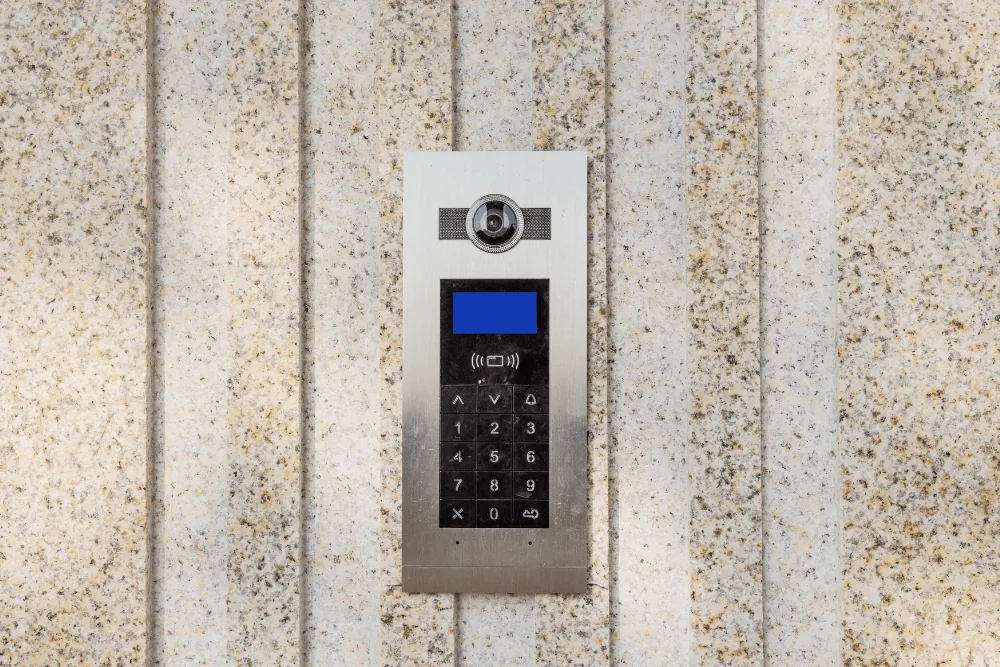
What we check at a door before fitting
- The door closes and latches by itself, with the frame square. A lock cannot fix a door that does not meet its frame.
- The frame can take the lock. A hollow metal or aluminium frame may not suit some strikes.
- The cable route exists, from the reader through the frame or wall to the controller, and from the controller to the lock.
- The supply is near, with a socket or a spur for the power supply. Our electrician checks the circuit before we connect.
- The exit is safe, with a handle, bar or button that releases the door without a card.
Credentials and readers: PIN, card, fingerprint, face, phone and HID
The credential is what a person presents at the door. It decides how easy the system is to use, how easy it is to copy, and what happens when someone loses it. The reader is the device that reads it, and it must match the credential.
| Credential | How it works | What to know |
|---|---|---|
| PIN keypad | A code typed on a keypad | A shared code cannot be traced to a person and is easy to pass on. It suits a low-risk door or a second factor beside a card |
| 125 kHz proximity card | The reader powers the card and reads a fixed number | ICT Secured's guide says the data is unencrypted, the same each time and one-way, that copying devices sell for under US$30 and that the read range is about 10 cm |
| MIFARE 13.56 MHz card | A two-way exchange with encryption | The same guide says MIFARE Classic has a known flaw from 2008, and that it must be presented to the reader, with a range of about 7 cm |
| MIFARE DESFire card | A two-way exchange with stronger encryption | The guide describes triple DES and AES, a read range of 1 to 2 cm, and recommends at least DESFire EV1, or adding a PIN or fingerprint as a second factor where that is not possible |
| HID credentials | Cards, key fobs and mobile credentials from HID Global | Product lines differ in how they are encrypted, so we read the datasheet for the card you hold or intend to buy |
| Phone credential | A credential stored on the phone and checked through a cloud service | The same guide says it is authenticated through a cloud server with 256-bit encryption and removes the cost of printing and handing out cards. It needs the person's phone, its battery and the service |
| Fingerprint or face | A feature of the person, checked against a stored record | See the biometric section |
Choosing a credential
Match the credential to what the door guards. A card or a keypad is enough for a door between a lobby and a corridor. A door to a server room, a cash office or a pharmacy store is better with two factors, such as a card and a PIN, or a card and a fingerprint, so that a lost or copied card does not open it alone. ICT's guide makes the same point for weaker card types.
If you already hold cards, tell us the brand and the type before we choose a reader, because a reader reads particular card technologies and formats. A card of one kind will not open a reader of another. We check the card against the reader's datasheet before we order, and we do not promise that an old card will work until we have tested it.
Readers: where to put them and what they must survive
A reader goes beside the door, on the side where people stand, at a height that suits both a standing person and someone in a wheelchair. Outside a building in Dubai, it is exposed to sun, heat, dust and water from cleaning, so an outdoor reader needs a housing rated for the exposure and an operating temperature that suits a wall in direct sun. A reader on the outside of a door also has to resist being pulled off, so it is fixed to a solid surface, and the wire entry is sealed.
Biometric and fingerprint access control: how it works, where it fails and what you owe the user
A biometric reader opens a door by checking a feature of the person, such as a fingerprint or a face, against a record stored when they were enrolled. There is no card to lose or lend. The cost is a new set of ways to fail and a new duty to the person whose data you hold.
How enrolment and checking work
A person is enrolled by placing a finger on the reader or standing in front of it more than once, and the reader keeps a stored record. A reader may store a mathematical template or a picture, and this differs by product, so we read the datasheet and tell you what each unit stores and where. At the door, the reader compares the live finger or face with the stored records and opens the lock when they match.
Where fingerprint readers struggle
A fingerprint reader depends on a clean, readable finger. Dust, cement, grease, sweat, cuts, worn fingertips and very dry skin can all stop a finger being read, so a door used by builders, cleaners, kitchen staff or mechanics needs a fallback. Sunlight on the sensor can disturb some types, so an outdoor unit should sit in shade or under a canopy. We try a reader with the people who will use it before we fit all the doors.
Where face readers struggle
A face reader needs a steady view of the face in even light. Strong backlight from a glass entrance, a face covering, glasses and low light can all affect it, and the camera must be placed to look at faces and not at the sun. As with fingerprints, the reader should say what it stores and offer a card or PIN as a fallback.
| Method | Suits | Watch for |
|---|---|---|
| Fingerprint | An office, a clinic or a small business with clean-handed users | Dirty, wet or worn fingers, and the need for enrolment consent |
| Face | A reception or a door where hands are full | Light, face coverings and the camera position, and the consent duty |
| Card and PIN | A server room, cash office or stock room | Two steps per entry, and a PIN that someone watches |
| Card or phone | A building with a long user list and visitors | A lost card must be cancelled, and a phone must be charged |
Biometrics and the law
Biometric data identifies a person for life, and a card does not. Under the data protection law described in the rules section, a company-setup guide says it counts as sensitive and needs explicit consent. That means asking in writing before enrolling anyone, saying what the data is for, keeping it only as long as needed and giving a person who declines another way in. A business that enrols its staff should write this down before the reader goes live. We leave the policy to the business and its lawyer.
Time and attendance
A fingerprint or face unit can also be sold as an attendance clock. Access control opens doors, and attendance records hours worked, and they are different jobs with different consequences. A unit that records who came in at what time is a record about an employee. Tell staff before it starts, and ask what the unit is for before you buy.
Door locks for access control: electric strike, magnetic lock, electric bolt, fail safe and fail secure
The lock is where the system meets the door, and a lock that does not suit the door means the installation has to be redone. Four things decide the choice: the door and frame, what the door must do in a power cut, the exit route and the fire rules.
Fail safe and fail secure
A fail safe lock releases when power is cut, so the door opens. A fail secure lock stays locked when power is cut, so the door stays shut. CDVI's guide says fail safe suits places where life safety is the priority, because a power cut lets people leave, and fail secure suits doors that protect assets during an outage. It describes electric strikes as available in both types and electromagnetic locks as fail safe as standard, and it says to check the datasheet because the behaviour depends on the product. A door that stays locked in a power cut must still let people out through its own handle or bar, and the exit section explains why.
The lock types
| Lock | How it works | Suits | Watch for |
|---|---|---|---|
| Electric strike | A replacement strike plate in the frame that releases the latch when powered | Wood and metal doors with a latch or deadbolt | Avigilon's guide says it is not compatible with aluminium-frame or hollow doors, needs exact alignment and secures one side only, so the inside needs its own exit hardware |
| Electromagnetic lock | A magnet on the frame holds a plate on the door | Glass doors, and doors where a quick release matters | It releases when power is lost, draws power the whole time it is locked, can be tampered with, and needs a release device and battery backup |
| Electric bolt | A bolt on the frame that the controller extends or retracts | A door where a strike will not fit | The type and its power-loss behaviour vary by product |
| Electrified handle or lock case | The handle or lock case is released by the controller | A fire-rated door, a hotel or office door that needs a mechanical exit | It needs a cable through the door, which is more work |
Door type and frame
A frameless glass door has no frame to hold a strike, so a magnetic lock or a lock fitted to the glass fittings is used. A wooden door takes a strike if the frame is solid. A metal fire door has a rating that a hole or a drilled plate can void, so we never cut a fire-rated door or frame without the rating's paperwork. A door that does not close squarely stops any lock working, so we fix the door before we fit the lock.
Exit routes and fire safety: free exit, request to exit and fire alarm release
Access control decides who comes in. The way out is a separate question, and it matters more than the reader. The principle in the US model codes is also the principle here: a person must be able to leave without a card, a key or special knowledge.
The principle, shown with US model codes
These are US model codes, shown to explain the principle, and they are not the rules in Dubai. A guide to the 2009 International Building Code and NFPA 101 says exit hardware must open from the egress side without a key or special knowledge. It describes two ways to use an electromagnetic lock on an exit door: release it with listed hardware on the door, such as a panic bar or a lever with a switch, or release it with a sensor and a push button. The push button must be within about 1.5 m of the door, between 40 and 48 inches high, marked "PUSH TO EXIT", must cut power to the lock directly and must keep it unlocked for at least 30 seconds. In both cases the door must unlock on power loss. Under the sensor method, a fire alarm must also unlock the door until the system is reset. A second article on the 2018 editions makes the same points and adds that a lock on a fire door assembly must be listed for it.
What this means at a door
- A handle, bar or button always releases the door. Free exit never depends on a card, a code or the controller.
- A magnetic lock gets a release that cuts its power directly, and a battery that keeps it working during a cut, or a lock that releases when power is lost.
- A door on a fire route connects to the fire alarm, so an alarm unlocks it. See our fire alarm and smoke detector installation service.
- A delayed-egress lock is a special case. The US codes describe one that delays release by 15 seconds with an alarm and releases at once on a fire alarm or power loss, and they limit where it is allowed. It needs approval from the authority that governs the building, and we do not fit one without it.
- A door that must stay shut for security, such as a stock room, still has a way out from the inside.
Fire alarm interface
A fire alarm panel can release access-controlled doors through a relay. The relay is wired so that an alarm, or a fault in the relay wiring, releases the lock. A system that depends on the reader's controller for the fire release is a system that fails when the controller does. The fire alarm installer and the access control installer must agree who wires what and who tests it.
Access control wiring and power: reader cable, lock power, exit button, door contact and supply
Cable is the part of an installation that you cannot swap later without opening walls. Each door has four wiring jobs: the reader, the lock, the exit button and the door contact. Each uses a different cable, and mixing them causes faults. The cable choices below come from an installer's guide and from Axis's paper on reader protocols, and the manufacturer's own manual has the final say.
Reader cable and the Wiegand and OSDP question
Two protocols matter for reader wiring. Wiegand is the older. Axis's paper says it uses two data lines and extra wires for the buzzer, the tamper switch and the light, has no encryption, goes one way and reaches about 150 m. OSDP, the Open Supervised Device Protocol, runs over a twisted pair, carries AES-128 encryption, talks both ways, supervises the reader and tamper, and reaches up to about 1,200 m. The paper says OSDP should be chosen wherever possible in new installations, and offers a converter for an old Wiegand reader.
| Item | Wiegand | OSDP |
|---|---|---|
| Reader cable | An installer's guide gives 6 to 8 core shielded security cable | A 120-ohm twisted pair for data, plus a power pair |
| Encryption | None | AES-128 secure channel |
| Direction | Reader to controller only | Both ways |
| Distance (Axis) | About 150 m | Up to about 1,200 m |
| Tamper and supervision | Extra wires needed | Built in |
| Wiring rule | Not mixed with OSDP on one cable | The same guide says Wiegand and OSDP are not paralleled |
The guide also says core colours are only identification aids and are not a standard, so the reader's own manual tells us which conductor does what. We never connect a wire because of its colour.
Lock power
The lock gets its own cable, from the power supply and not from the controller. The installer's guide says to use a dedicated stranded copper cable, warns that ordinary 0.5 mm² alarm cable may be too small, and suggests 1.0 mm² or 1.5 mm² only after a voltage drop and inrush calculation. It also says a lock is an inductive load, so a flyback diode for DC or a suppressor may be needed, fitted at the lock and with the polarity right, and that the controller's relay contact must not be mistaken for a power source. It adds that voltage must never be inferred from cable colour.
A worked example shows why the size matters. Copper has a resistance of about 0.0175 ohm per metre for a 1 mm² conductor. A lock 20 m from its supply has 40 m of conductor in the loop. With 1.5 mm², the loop is about 0.47 ohm, so a lock drawing 1 A loses about 0.47 V on the way. With 0.5 mm², the loop is about 1.4 ohm and the loss is about 1.4 V, which is more than 11 per cent of a 12 V supply. A lock that needs a minimum voltage may then fail to release or to hold. The figures are an example for the sum, and the lock's datasheet sets the minimum voltage and the inrush current.
Exit button and door contact
The exit button needs a two-core cable to a dry contact. The door contact is wired with a four-core cable if it is powered, and gets an end-of-line resistor only if the controller supports supervised inputs, according to the same guide. A cut or shorted contact wire is something a supervised input can report.
Power supply and battery
The power supply feeds the lock, and the reader and controller if the design shares one supply, from a battery-backed unit on a protected circuit. To size it, add the current of every device it feeds, then add what the lock draws as it moves. A short example: a reader at 0.1 A, a controller at 0.2 A and a magnetic lock at 0.5 A draw 0.8 A. To run for four hours on a battery, the sum is 0.8 A × 4 h = 3.2 Ah, and a battery should be larger than that because its capacity falls as it ages. A magnetic lock draws power the whole time the door is locked. A fail secure strike draws it only while it is releasing. The figures are an example, and the datasheets give the real currents. See our UPS and inverter installation service where the building supply needs backup, our surge protection service for the cable and equipment, and our conduit, trunking and cable tray work for the routes.
Network cable
A networked controller needs a network cable to the switch. See our TV, data and network cabling service if the site needs a cabinet or a switch. We keep network cable apart from mains cable, and we fix the controller where the cable can be reached for service.
Stop and keep clear of a power supply, controller or lock that is hot, buzzing, scorched or wet, and of any cable that has been cut or has bare ends. Do not work on the mains supply to a power supply yourself, and do not bypass a lock to leave a door open by jumpering its wires. If a door will not open and people are inside, use the door's release or the break-glass release, and if there is smoke or fire, call 999. Message us on WhatsApp for an emergency electrician.
Controllers, software and networks: standalone, networked and cloud access control
The controller is the part that holds the rules. It knows which credentials exist, which doors they may open and at what times, and it closes the relay that releases the lock. Where it lives and how it is managed decide how much work the system is to run.
| Type | How it works | Suits | Watch for |
|---|---|---|---|
| Standalone unit | A reader with its own memory, set up at the door with a keypad or an app | One or two doors and a short user list | Every change is made at the door, and there may be no central log |
| Networked controllers | Controllers on the network, managed in software on a PC or server | A building where doors share one user list and a log matters | A server or PC to look after, and the network and its security |
| Cloud-managed | Controllers that report to a vendor's cloud, managed in a browser or app | More than one site managed by one person | A subscription, an internet link, and a question to ask about where the data is stored |
What the software should do
- Users and groups. Add a person once and give them a group, such as staff, cleaners or contractors.
- Time schedules. Set when each group may open each door, and what happens on holidays.
- A log of events. Record each door opening and each refusal with a name and a time, so a question can be answered later.
- Door alarms. Report a door held open too long, a door forced and a reader tampered with.
- Remote release. Let an administrator release a door from the software when a visitor arrives.
- Backups. Keep a copy of the settings and the user list, so a replaced controller can be loaded from it.
Clocks, passwords and network security
A log is only as good as its clock, so the controller's time is set and checked. Change every default password, give each administrator a login of their own, and remove the logins of people who leave. Where the site has one, put the controllers on their own network section and keep the firmware up to date from the maker's own site. An access system on a network is a way into that network if it is left open.
Linking to other systems
An access control system can share a door with other systems. A fire alarm releases the locks. A video intercom lets a visitor ask to be let in. CCTV can record each door when it opens, so the log entry and the picture match. See our CCTV installation service for the cameras, and the next section for intercoms. We agree who owns each link before the cable goes in.
Intercom, video door entry and gates: where they meet access control
An intercom lets a visitor ask to be let in, and access control lets a known person in without asking. A building can need both at the same entrance. The two share a door and a lock, so they are planned together.
| Entry point | What suits it | How it fits |
|---|---|---|
| Villa gate or front door | A video intercom for visitors, and a keypad, card or phone for the household | The intercom's relay and the controller's relay can both release the same lock, on separate wires to the same power supply |
| Apartment building entrance | A door station that calls each flat, with a reader or code for residents | The building management owns the system, so a flat's changes go through them |
| Office reception | A door entry unit that calls the reception, with cards for staff | The receptionist's release is another way to open the door, and should be logged |
| Pedestrian gate | A reader and an intercom on the same pillar | The pillar needs conduit, power and weather protection |
| Vehicle gate | A long-range reader or a keypad on the gate controller | The motor and its safety devices are a separate job. See our gate and garage motor installation service |
An intercom's door release is a small relay contact, like the controller's relay, and it does not power the lock. The lock still needs its own supply, and the same rules about suppression and cable size apply. See our smart lock, doorbell and intercom service for the intercom itself, including video doorbells and wiring. See our gate and garage motor installation service for the vehicle gate motor. For a new building, we plan the intercom, the readers and the locks on one drawing, so that two systems do not fight over one door.
Access control installation cost, packages and how to choose an installer
Cost
We quote each job after photos or a visit, because the cost depends on the doors, the lock types, the cable routes and the software. The site visit costs AED 50, and the quote follows it. A quote that does not mention the points below is a quote for something smaller.
| What affects the price | Why |
|---|---|
| The number of doors | Each door needs a reader, a lock, an exit button, a contact, cable and testing |
| The lock type | An electric strike, a magnetic lock and an electrified handle cost different amounts to supply and to fit |
| The door and frame | A glass door, a fire-rated door or a hollow frame needs different fittings and more time |
| The credential | Keypads, cards, fingerprint, face and phone readers have different prices, and so do the cards |
| Cable routes | A short run in a ceiling void costs less than a long run through finished walls or outside |
| Power and backup | A battery-backed supply for each door or group of doors adds parts and a circuit |
| Controllers and software | A networked or cloud system adds controllers, a server or a subscription |
| Links to other systems | A fire alarm release, a video intercom or a gate adds wiring and a test |
| Users and setup | Enrolling hundreds of people takes time, and so does training the person who will run it |
| Maintenance | A service contract has its own price |
Cheap access control
A low price can come from an all-in-one unit on the outside of the door, thin cable, no battery, no exit button, a lock that does not suit the door, or no setup and handover. We can bring a price down by reducing the number of controlled doors, by choosing a simpler credential or by reusing cable that tests sound. We do not bring it down by skipping the exit route, the suppression at the lock or the test.
Near me, companies and installers
A search for a local installer wants someone who will visit, plan and stand behind the work. We work across all of Dubai. We do not rank installers, and we do not claim to be the best. The table matches the local searches, and the questions after it let you judge any installer.
| If you searched | What it means |
|---|---|
| Access control installers near me, access control system installers near me, door access control system installers near me | A fitter who will visit the site |
| Access control system installation near me | The service bought locally |
| Access control installation companies | A company and not a single fitter, with a licence, staff and support |
Questions to ask any installer
- Are you licensed by SIRA, and are your technicians? Ask for the numbers. The bylaw gives companies a one-year licence and individuals a two-year licence.
- Will you visit before you quote? A price without a look at the doors is a guess.
- What happens at each door in a power cut and in a fire? The answer should name the lock type and the release.
- What cable do you use for the lock? It should be sized for the load, not whatever is on the reel.
- How will exit work? A handle, a bar or a button, with no reader needed.
- Who holds the admin passwords and the user list? You should.
- What do I get at handover? A door schedule, the passwords, the wiring diagram and a test record.
- Is there a maintenance contract, and what does it include? Look for scheduled visits.
Setup, testing and care: commissioning, maintenance and faults
A system is finished when every door has been tested in every state, not when the reader beeps. We work through the same list at each door.
- 1Set the controller's date, time and time zone, and check that the log shows the right time.
- 2Add the users and groups, and enrol each credential or fingerprint, with consent where it applies.
- 3Set the time schedules for each group and each door.
- 4Test a valid credential and an invalid one at each reader, and check both appear in the log.
- 5Test the exit button and the door's own handle or bar, from inside, with nobody holding a card.
- 6Cut the power to the lock and the controller, and check the door does what was planned, fail safe or fail secure, and that the battery carries it.
- 7Test the fire alarm release, with the fire alarm installer, and check the door unlocks and stays unlocked until reset.
- 8Test the door-open alarms, by holding a door open and by forcing it.
- 9Back up the settings and hand over the passwords and the door schedule.
Looking after the system
A system left alone drifts. Batteries age, cards are lost, users leave and doors sag. A simple routine keeps it working:
- Test the battery backup at each power supply once a year, and replace batteries before they fail.
- Check each door closes and latches, and adjust the closer or the hinge before a lock is blamed.
- Review the user list, and remove cards and records of people who have left.
- Check the clocks on the controllers.
- Update the firmware from the maker's own site.
- Test the fire release on the schedule the building's fire consultant sets.
Faults and first checks
| Symptom | First check |
|---|---|
| A reader is dead | The power at the reader, its cable and its connections, and whether the controller sees it |
| The reader beeps but the door does not release | The relay on the controller, the power at the lock and the lock's wiring |
| The lock releases but the door still will not open | The strike alignment, the door sagging on its hinges or a latch under load |
| A card works at some doors only | The user's group and schedule for those doors, and the card type for that reader |
| A fingerprint fails for one person | The state of the finger, the enrolment quality, and a second enrolment |
| A door opens or releases by itself | The exit button wiring, a short in the lock cable or the controller's settings |
| A magnetic lock holds weakly | The plate alignment, the voltage at the lock and the lock's supply |
| Nothing works after a power cut | The battery, the power supply's fuse and the controller's start-up |
We test each of these with a meter and the datasheet, and we do not replace parts to guess.
Doing it yourself
A battery smart lock on a flat's door is a job a careful person can do. A wired system with a mains power supply, a lock on a fire route and cable through the walls is a job that gains from an electrician, and a door on an exit route is a safety matter first. Do not wire it yourself. Message us on WhatsApp and we do the whole job. We do not publish a fitting video on this page.
Access control installation with Circuit Dubai
- Electricians first, so the supply, the cable and the protection are right before any reader goes on a wall.
- A survey of each door before a quote, so the lock, the frame and the exit route are settled first.
- A safe way out at every door, with the lock's behaviour in a power cut and a fire chosen on purpose.
- Wiring to a standard, with the cable sized for the lock, suppression fitted and each door labelled.
- A fixed quote after photos or a visit, with what is included and what is extra written out.
We work across all of Dubai. Our office is in Al Quoz.
If you are also planning CCTV installation, a fire alarm and smoke detector installation, a UPS or an electrical inspection, we can plan it with the access control installation.
Phone: +971 55 407 7427
Access control installation questions we hear from Dubai homeowners and managers
How much does access control installation cost?
It depends on the number of doors, the lock types, the cable routes and the software. A site visit costs AED 50, and the price follows it. We give a fixed quote after photos or a visit.
Do I need a licensed installer?
SIRA's bylaw lists installing security devices among the related activities it covers and says a licence is needed to provide the service, with individual licences for technicians and engineers. Whether a particular home or shop is covered is a question for SIRA. Ask for the installer's number.
What is the difference between a single door system and a multi-door system?
A single door system has one reader, one lock and one controller, and is set up at the door. A multi-door system ties a set of doors to one user list and one log, with software on a PC, a server or the cloud.
Which is better, a card or a fingerprint?
It depends on the door and the people. A card is easy to issue and cancel, but it can be lent or copied. A fingerprint cannot be lent, but it can fail on dirty or worn fingers and needs written consent. Doors to sensitive rooms are better with two factors.
Is fingerprint data allowed in Dubai?
The federal personal data law applies to organisations that process personal data of people in the UAE, with some exclusions, and a company-setup guide says biometric data is sensitive and needs explicit consent. Ask in writing, say what it is for, and keep it only as long as needed. Take legal advice for your case.
Can I use my existing HID cards?
It depends on the card type. A reader reads particular card technologies and formats, so tell us the brand and type. We test before we promise it.
What happens when the power goes off?
It depends on the lock. A fail secure lock stays locked, and a fail safe lock opens. A battery in the power supply keeps the system running through a short cut. We choose each door's behaviour on purpose and test it.
What if there is a fire?
Doors on an exit route open from the inside without a card, and the fire alarm can release them. The Civil Defence and the building's consultant decide what each door needs.
Can you fit a lock on a glass door?
Yes, with a lock suited to glass, such as a magnetic lock with a plate, or a lock fitted to the glass fittings. We check the door and the exit before we choose.
Can you fit a reader on a fire-rated door?
Only with the door's rating kept. We check the paperwork before we cut anything, and the answer may be a different lock.
Can I control a door from my phone?
With a system that supports it, yes. A phone can be a credential or a remote release. It needs the phone, the app and a connection, and a plan for when the battery or the internet is gone.
Can the system link to my intercom or gate?
Yes. An intercom, a reader and a gate controller can each release the same entry point. We plan the links before cabling.
Can you add access control to my existing system?
Yes, if the controller and readers are still supported. We check the model, the readers and the cable first.
Can I fit access control in a rented apartment?
With the landlord's agreement. The building's main doors belong to the management. Keep the old parts so the door can be put back.
How long is the access log kept?
It depends on the controller and the software, and on your own policy. We set a retention period with you, and delete old records on that schedule.
What should I do if a door will not open?
Use the door's own release or the exit button, check the power, then message us on WhatsApp. Do not force the lock or jumper wires.
What do I need to send for a quote?
Photos of each door and frame from both sides, how many people need access, how they should open the doors, and the brand if you already have a system.
Ready to book access control installation?
Send photos of each door and frame, tell us how many people need access and how they should open the doors, and which doors are on the way out of the building. We reply instantly on chat with a view on what will work and a fixed price, so you know what you are buying before anyone drills a hole.