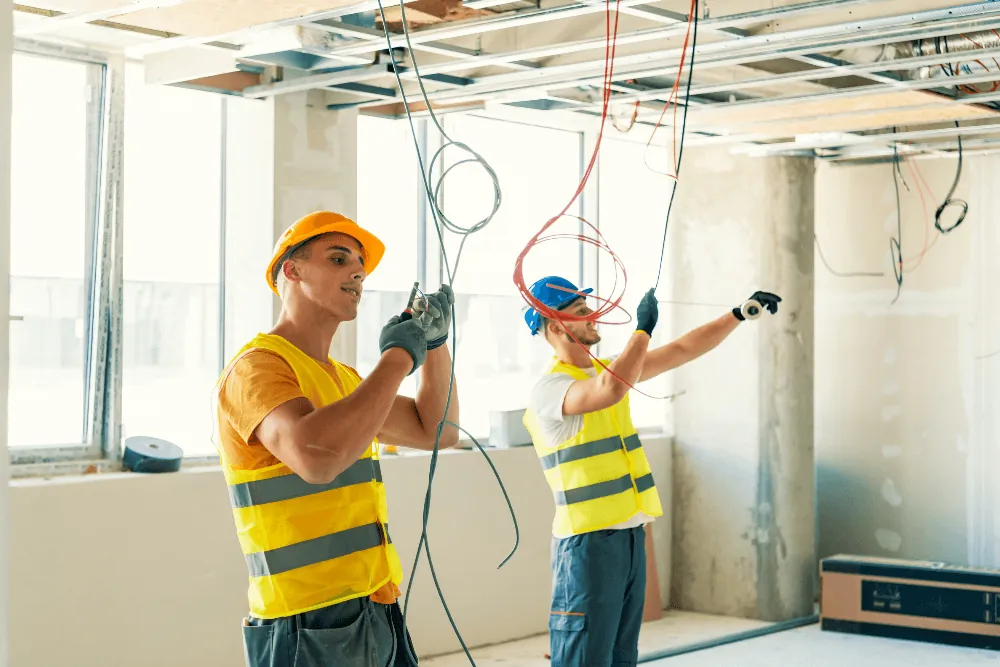
TV, Data and Network Cabling in Dubai: Ethernet Points, Cat6 Wiring, TV Points and Satellite Dish Cabling
A wired network and a set of TV points are the parts of a home or office that stay in the walls long after the equipment on the ends has been replaced. Data cabling is the Ethernet cable that runs from a cabinet or a router to a wall port in each room. TV cabling is the coaxial cable that runs from a dish or an incoming socket to a TV point. Both are low-voltage cables, and both are easier to put in before the walls are closed than afterwards.
Circuit Dubai installs Ethernet points, Cat6 and Cat5e wiring, TV points, satellite dish cabling and telephone points in villas, apartments, offices, shops and warehouses across Dubai. We are electricians first, so the conduit, the cable route, the sockets and the power for the network cabinet are planned and fitted by one team. We run the cabling inside your property. Your internet and TV operator supplies its own box and brings its own line to your door.
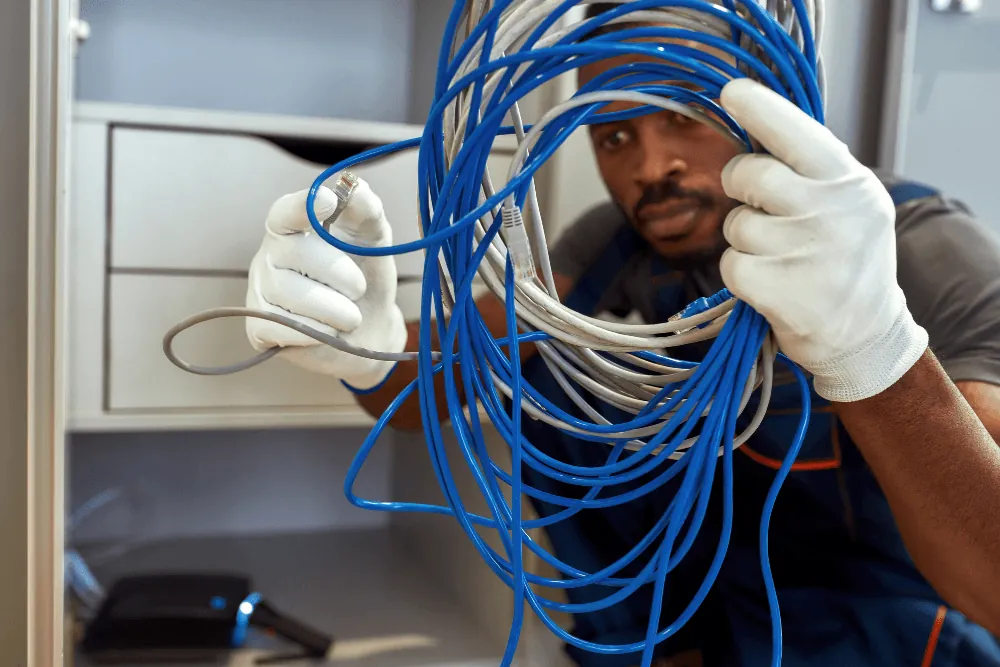
What data, TV and network cabling with us includes
A plan for each room first, covering where the TV, desk, access point, camera and router go and how many points each place needs.
The right cable for each job, with Cat6 for Ethernet, RG6 for TV and dish runs, and a separate route for each.
Neat termination, with every Ethernet cable punched down on a wall port and every coaxial cable fitted with a compression connector.
Routes that keep the cable safe, in conduit or trunking and apart from mains cable.
A tested and labelled result, with each cable marked at both ends and tested before the plate is closed.
A cabinet or a clean router point, with a socket and power for the router, switch and patch panel.
The numbers at a glance
Typical answer for Dubai
Before you book data or TV cabling, make a list of the rooms and write next to each one what will be plugged in: a TV, a desk, a games console, a camera, an access point, a printer or a set-top box. Photograph the router, the TV walls and any existing sockets, and say whether the building is new, being fitted out or lived in. If you rent, ask your landlord whether walls can be chased. Tell us who supplies your internet and TV. That gives us enough to say how many points you need, which route fits and what the first price will be. The sections below explain the choices so you can judge any quote before you accept it.
TV, data and network cabling terms: what people search for and what each means
People search for this work by the socket in the wall, the plug in their hand or the signal they have lost. The three tables below match the wording to what is involved, and the later sections give the detail. A few of the terms come from other countries, and the tables say so where that is the case.
Ethernet and network cabling terms
| If you searched | What it means |
|---|---|
| Ethernet installation, ethernet installation service, ethernet installation near me, ethernet installation service near me, ethernet wiring near me | Running Ethernet cable from a router or cabinet to ports in the rooms. Our office is in Al Quoz and we work across Dubai. See the structured wiring section |
| Home ethernet installation, home ethernet installation service near me, install ethernet in home, residential ethernet wiring | The same work in a villa or an apartment. See the structured wiring section |
| Cat 5 wiring, cat 5e wiring, cat5e wiring, cat6 structured wiring | The cable category and the layout of the wiring. See the Cat5e, Cat6 and Cat6A section |
| Ethernet port installation, ethernet port installation near me, installing an ethernet port, new ethernet port installation, ethernet point installation | Adding a wall port where there is none. See the Ethernet port section |
| Ethernet port in wall installation, ethernet wall port installation, installing an ethernet wall jack, installing ethernet wall jack, install ethernet jack | A port set into the wall on a back box. See the Ethernet port section |
| Replacing an ethernet port | Swapping a damaged or loose port for a new one on the same cable. See the Ethernet port section |
| Running ethernet through wall | Routing cable inside a wall or between rooms. See the routes part of the structured wiring section |
| Data point wiring, data module wiring, cat5e data module wiring, wiring cat5e wall jack, wiring a cat5e jack, wiring for ethernet jack | Connecting the eight wires of a cable to a wall port. See the wiring steps in the Ethernet port section |
| RJ45 data jack, rj45 data connector, data rj 45 | The eight-pin socket or plug used for Ethernet. See the RJ45 section |
| RJ45 installation, install rj45 connector, rj45 connector wiring | Fitting an RJ45 plug on a cable end. See the RJ45 section |
| RJ45 data pins, rj45 data transfer pins, rj45 data and power | Which of the eight pins carry data and power. See the RJ45 section and the PoE section |
| RJ45 joint | Joining two Ethernet cables with a coupler. See the RJ45 section |
| RJ45 to screw | An adapter that brings the eight pins to screw terminals. See the RJ45 section |
| Klein rj45 | Klein is a tool maker, and the search is for its RJ45 products. We use the plug and tool that match the cable. See the RJ45 section |
| Fiber to rj45 connector | A fibre cable cannot be fitted with an RJ45 plug. It needs a media converter or a router with a fibre port. See the RJ45 section |
| Power over ethernet installation | Sending power to a camera or access point on the same cable as the data. See the PoE section |
| Cat 5 wired security cameras | IP cameras on Ethernet cable. See the PoE section and our CCTV installation page |
| Home telephone wiring, telephone wiring in house | Telephone points in a home. See the telephone section |
TV, aerial and dish terms
| If you searched | What it means |
|---|---|
| TV aerial installation, television aerial installation, tv aerial and installation, tv aerial antenna installation, tv and aerial, tv aerial co | Aerial is the UK word for a TV antenna. How TV reaches a Dubai home is different, and the TV section explains it |
| TV aerial installation near me, aerial installation near me, tv aerial installation cost near me | Our office is in Al Quoz and we work across Dubai. See the TV section and the cost section |
| TV aerial installation cost, aerial installation cost, tv aerial cost, tv aerial fitting cost, cost of tv aerial and installation | See the cost section. A price without a survey is a guess |
| TV aerial companies, tv aerial erectors, aerial erectors near me, aerial fitters, aerial fixer | Companies and people who fit aerials, the UK trade names for the job. See the TV section |
| Antenna technician near me, tv antenna technician near me, dish antenna technician near me | A person to fit or align an antenna or a dish. See the dish section |
| TV aerial connection, tv aerial connection point, tv aerial points | The socket on the wall where the TV cable plugs in. See the TV point section |
| Additional tv aerial points, extra tv aerial points, new tv point installation, tv point installation | Adding a TV socket in another room. See the TV point section |
| Poor aerial connection | A weak or dropping picture caused by a loose or damaged connector or cable. See the faults part of the TV point section |
| Fitting aerial connector, coax connector install, fitting a coax connector, fitting a coaxial connector | Putting a connector on a coaxial cable end. See the connector steps in the TV point section |
| Satellite dish wiring, dish wiring, satellite tv aerial | The coaxial cable from the dish to the receiver. See the dish section |
| Sky dish wiring | Sky is a European pay-TV brand. See the dish section |
| GOtv aerial connection | GOtv is a pay digital terrestrial service sold in African countries. See the dish section |
| Digital loft aerial, digital tv aerial for loft, loft aerial digital, loft tv aerial | An aerial mounted in a roof space, which is a UK practice. See the dish section |
| Aerials for smart tv | A smart TV streams its apps over the internet, and the cabling advice is in the TV section |
Other terms
| If you searched | What it means |
|---|---|
| Wifi controlled blinds | The blind motor and its controller belong to smart home work, and a blind needs power and sometimes a control cable. See our smart home installation page |
What goes where: planning Ethernet, Wi-Fi, TV and telephone cabling for a home or office
Cabling is a set of decisions made once. The best layout is the one that puts a wired point where a device sits still and leaves Wi-Fi for the devices that move. Planning starts with the rooms, and the cable follows.
Wired or wireless
| Device | Best connection | Why |
|---|---|---|
| Smart TV and set-top box | Ethernet | A TV streams for hours, and a cable removes the Wi-Fi from that stream |
| Desktop computer, console, NAS | Ethernet | These stay put and use a steady stream of data |
| Wi-Fi access point | Ethernet, with PoE where there is no socket nearby | The access point is only as fast as the cable behind it |
| IP camera | Ethernet with PoE | One cable carries data and power to a place with no socket |
| Phone, tablet, laptop | Wi-Fi | They move |
| Printer | Ethernet or Wi-Fi | Either works, and a cable removes the pairing step |
| Smart home hub | Ethernet | It controls the rest, so it should be stable |
| Telephone | A telephone point, or VoIP over Ethernet | See the telephone section |
How many points a room needs
A count made on paper before the walls close is easier to change than one made in a finished wall. The numbers below are a starting point for planning, and they change with how each room is used.
| Room | Points to consider |
|---|---|
| Living room | Two Ethernet and one TV point behind the TV, one Ethernet near the sofa or console |
| Master bedroom | One Ethernet and one TV point at the TV wall, one Ethernet at the desk if there is one |
| Other bedrooms | One Ethernet and one TV point in each |
| Home office or study | Two Ethernet at the desk and one spare |
| Kitchen | One Ethernet for a smart display or hub, if needed |
| Ceiling or landing | One Ethernet for each access point, with PoE |
| Outside | One Ethernet for each camera, with PoE |
| Cabinet or router point | One panel for every cable, with the router and switch |
A spare cable run to a key room before the walls close avoids opening a finished wall later. That is the reason we add one spare point where the budget allows.
Cabinet, switch and router
A wired network needs a meeting point. In a home it is a small cabinet or a shelf where every cable ends on a patch panel, with a switch, the router and a power socket beside them. The patch panel is a row of ports that connect to the wall ports in the rooms. In a small flat the meeting point can be the router itself with a short run of cables. We plan the place with enough ventilation and a socket, because a router and a switch run warm and run all day. See our DB box and distribution board page for the power side, and ask us for a dedicated socket for the cabinet.
Routes
Cables run in conduit set in the wall, in trunking on the surface or above the false ceiling in tray. We keep data cable in its own conduit, apart from mains cable. See our conduit, trunking and cable tray page for the routes and the junction box rules that apply to them.
Rules and standards for data, TV and network cabling in Dubai
Low-voltage cabling sits under three sets of rules at once: the standards that set how the cable is laid and terminated, the building's own rules and the permission of the owner. We are electricians and not lawyers, so confirm what applies to your building with the building management, your consultant or the authority.
What applies and where it comes from
| Subject | What applies |
|---|---|
| Wiring regulations | DEWA publishes Regulations for Electrical Installations, and the 2017 edition is listed on its website. This page does not repeat DEWA's clause numbers. Where we give a figure, it comes from an international standard or a maker's guide, and we check the DEWA requirement for your building before work starts. |
| Cabling standards | The structured cabling standards, ANSI/TIA-568 from the United States and ISO/IEC 11801 internationally, set the cable categories and the length limits. Cable makers and installers work to them. |
| Length | A permanent link, the fixed cable from the patch panel to the wall port, is limited to 90 m. Patch cords at both ends add up to 10 m, which makes a channel of 100 m |
| Pulling and bending | The TIA standard sets a maximum pulling tension of 25 pounds, about 11 kilograms, for four-pair cable, and installers keep a bend radius of at least four times the cable diameter. A 90 degree sharp bend is avoided |
| Separation from mains | Data cable is not run in the same conduit as mains wiring and is kept away from sources of electrical noise such as panels, motors, dimmers and fluorescent lights. The wiring regulations and the building's rules set the distance. |
| Power over Ethernet | IEEE 802.3af, 802.3at and 802.3bt set how much power a port can send. See the PoE section |
| Satellite dishes and aerials | The municipality, the community and the building set the rules. Abu Dhabi City has stated that dishes cannot be installed on balconies or garden walls, and Dubai communities have also warned residents to remove dishes and antennas. Ask your building management before you drill for a dish. |
| Operator equipment | The internet and TV operator owns its line and its box. We do not cut, move or reconfigure operator equipment |
| Fire stopping | A hole cut through a fire-rated wall or floor for a cable has to be sealed again with fire-stopping material. We do not cut a fire-rated wall without the building's approval |
| Permission | A rented home needs the landlord's approval before walls are chased or ceilings opened. Slabs, roofs and shared shafts belong to the building. |
Why the standards matter for a home
A home does not need a certified network, but it does need the rules that make a cable work. A cable pulled too hard has stretched twists, and a stretched pair loses speed. A cable bent too sharply kinks and fails a speed test. A pair untwisted too far at the wall port picks up noise from its neighbour. These are small errors, and each one shows up as a slow connection or one that drops. The limits above are the reason we handle cable carefully and test every run.
Cat5e, Cat6 and Cat6A compared: choosing the cable category
The category of a cable sets how much data it can carry and how far. The three that matter for a building are Cat5e, Cat6 and Cat6A. Cat 5, the older category, carried slower Ethernet, and a building with Cat 5 wiring can still work for a basic connection but is not the cable to choose for a new run.
| Category | Bandwidth | What it carries | Where we use it |
|---|---|---|---|
| Cat5e | 100 MHz | Gigabit Ethernet to 100 m | Existing runs, and short runs for devices that need gigabit |
| Cat6 | 250 MHz | Gigabit Ethernet to 100 m, and 10 gigabit Ethernet to about 55 m under typical conditions | The standard choice for new runs in a home or a small office |
| Cat6A | 500 MHz | 10 gigabit Ethernet to the full 100 m | Runs that must carry 10 gigabit over longer distances, and PoE with heavy loads |
A cable in a wall cannot be swapped without opening the wall, so for a new run we choose Cat6 unless there is a reason for Cat6A.
Solid or stranded, and copper or copper-clad
Fixed runs inside walls use solid copper conductors, which hold their shape in a punch-down connector. Patch cords, which flex every time a plug is moved, use stranded conductors. Cables sold as copper-clad aluminium look the same and cost less, but they do not meet the standards for conductor resistance, and they run hotter under PoE. We use solid copper cable for fixed runs.
Shielded and unshielded
Unshielded twisted pair, UTP, is the cable we use in a home. Shielded cable has a foil or a braid round the pairs, and it helps where cable has to pass strong electrical noise. A shielded cable works only if it is terminated on shielded ports and bonded to earth through the patch panel. A shielded cable that is not bonded can perform worse than an unshielded one. We choose shielded cable only where the route and the noise call for it, and we bond it properly.
Jacket and fire rating
The outer jacket is PVC, low smoke zero halogen or outdoor-rated. A building's fire rules decide which is allowed in risers and ceiling voids, and an outdoor run needs a cable made for sun and water. We ask the building what it requires before we order cable.
Structured wiring: running Ethernet through walls, conduit and ceilings
Structured wiring is the planned layout in which every room has its own cable running back to a single patch panel. It is the layout we use for home ethernet installation, residential ethernet wiring and small offices, because each port is independent and a fault on one cable affects only that port.
The steps of a structured wiring job
- 1Survey the building and mark every port, TV point and the cabinet on a plan.
- 2Choose the routes, in conduit through the walls and slabs, in trunking on the surface or in tray above the false ceiling.
- 3Fit the conduit and back boxes before plaster, with a pull string in every conduit.
- 4Pull each cable from the room back to the cabinet with steady tension of less than 25 pounds, and without kinks.
- 5Leave slack at both ends so each cable can be re-terminated later.
- 6Label each cable at both ends with its room and port number, and write down the length marked on the cable.
- 7Terminate each cable on a wall port at one end and a patch panel port at the other.
- 8Test every run before the plates are closed and the walls are made good.
- 9Fit the router, switch and patch cords at the cabinet.
- 10Hand over a plan that shows every port and its label.
Running ethernet through a wall in a finished home
A finished home has fewer routes, and the best one depends on the wall. In blockwork, a chase is cut and made good with plaster. In a gypsum board partition, cable is fished inside the wall and a plate cut into the board. A route above a false ceiling avoids the wall altogether. A surface trunking route needs no cutting and is the answer in a rented home where chasing is not allowed. See our conduit, trunking and cable tray page for the route choices.
A wall can hide mains cable, water pipes and air conditioning drains, so we trace the route before we cut. Cutting a chase without checking what is behind it is how a small job becomes a repair.
Keeping data cable apart from mains cable
Data cable and mains cable run in separate conduits, and where they cross, they cross at a right angle. A long parallel run beside a mains cable picks up noise, and the data cable's speed falls. Where both have to share a chase, we keep them apart with a divider or a fixed gap, as the regulations and the building's rules require.
Labelling
An unlabelled cable is a problem for the next person. We mark each cable at both ends with its destination, and we mark the patch panel and the wall port with the same number. The plan we hand over matches the marks.
Ethernet port installation: wiring a data point, wall jack or wall port step by step
An Ethernet wall port is the socket the cable ends in. Behind the plate sits a small module, called a keystone jack or a data module, with eight slots for the eight wires of the cable. Each wire is pressed into its slot with a punch-down tool, which strips the insulation as the wire goes in and cuts off the end. The same steps apply to ethernet port installation, installing an ethernet wall jack and the wiring of a cat5e data module. Only the module's category changes, so a Cat6 cable gets a Cat6 module.
The wiring order: T568A and T568B
Two colour orders are in use, T568A and T568B. Both work, and the only rule is to use the same one at both ends of a cable and in the whole building. A cable with A at one end and B at the other is a crossover cable, and it does not work as a standard cable. When we extend an existing installation, we match the order already in the walls.
| Pin | T568A | T568B |
|---|---|---|
| 1 | White and green | White and orange |
| 2 | Green | Orange |
| 3 | White and orange | White and green |
| 4 | Blue | Blue |
| 5 | White and blue | White and blue |
| 6 | Orange | Green |
| 7 | White and brown | White and brown |
| 8 | Brown | Brown |
Data modules print both colour orders beside the slots, so the installer follows the printed order and does not work from memory.
The steps of wiring a data point
- 1Check the plate and the back box. The box has to be deep enough for the module and a loop of cable.
- 2Strip only the jacket the module needs, and cut off any damaged cable.
- 3Keep the pairs twisted right up to the module. The twist is what holds the speed, and the standard allows no more than about 13 mm, half an inch, of untwisted pair at the termination.
- 4Lay each wire in its slot by colour, in the chosen order.
- 5Punch each wire down with the tool, with the cutting side toward the outside of the module.
- 6Fit the cap or the strain relief, so the cable is held and the wires are not pulled.
- 7Snap the module into the plate and fix the plate to the box.
- 8Test the port with a cable tester before the wall is closed. See the testing section.
Replacing an ethernet port
Replacing an ethernet port is a re-termination of the same cable on a new module. We note the colour order of the old module, cut off the old termination back to clean cable, and punch the cable down on the new module. A wire that has been punched down once has a mark in the copper, and we do not re-use it. Where the cable has no slack left, we cut back to clean cable if the length allows, and otherwise we run a new cable. Where the port is loose in the wall, a new back box or a fixing frame holds the plate steady.
Faults at a wall port
| Fault | What happens | Fix |
|---|---|---|
| Pairs untwisted too far | The port passes a test at a low speed and drops at a higher one | Re-terminate with the twist kept |
| Split pair | The colours are correct but two wires from different pairs are swapped, which causes noise | Re-terminate in the correct order |
| A at one end and B at the other | A crossover cable, so the link does not come up | Re-terminate one end in the same order as the other |
| A Cat5e module on a Cat6 cable | The link works but is limited to the module's category | Fit a Cat6 module |
| Loose punch-down | The link drops when the plate is touched | Re-punch with the right tool |
| Cable kinked behind the plate | Slow speed or a failed test | Replace the damaged length |
| Cable jacket not clamped | The wires pull out of the module | Fit the strain relief and leave a loop |
RJ45 connectors, pins and plugs: what each part does
RJ45 is the name used for the eight-pin connector on the end of an Ethernet cable and for the matching socket in a wall port, a router and a computer. The correct name is 8P8C, which means eight positions and eight contacts. A search for an RJ45 data connector, an RJ45 data jack or a data RJ 45 is a search for this connector.
What the pins carry
The eight pins form four pairs. Ten and one hundred megabit Ethernet uses two of the pairs, on pins 1, 2, 3 and 6. Gigabit Ethernet uses all four pairs, so a cable with a broken wire on pins 4, 5, 7 or 8 can still run at 100 megabits and fail at a gigabit. When someone says a link is slow, a broken or badly terminated wire on the spare pairs is one of the first things we check. Power over Ethernet sends power on the same cable, either on the spare pairs or on the data pairs, and the PoE section covers it. These are the RJ45 data pins, the RJ45 data transfer pins and the RJ45 data and power connections people search for.
Installing an RJ45 plug on a cable
A plug is used on a patch cord, a short flexible lead between a wall port and a device. For a fixed run in a wall we terminate on a port and not on a plug, because a port holds the cable better and gives a neater, tested channel. To install an RJ45 connector on a patch cord:
- 1Strip the jacket to the length the plug maker gives.
- 2Untwist the pairs, straighten each wire and lay them in the chosen order, T568A or T568B, the same as the other end.
- 3Trim the wires flat so they are all the same length.
- 4Push the wires into the plug until each one reaches the end.
- 5Crimp the plug with a crimp tool made for RJ45, so the contacts bite each wire and the jacket is clamped.
- 6Test the lead before use.
Plugs are made for solid or for stranded conductors, and a plug made for stranded wire does not hold solid wire reliably. Pass-through plugs, where the wires come out the front and are trimmed after crimping, make the order easy to check. We use the plug and the tool that suit the cable and the maker's sheet. Klein is a tool maker, and a search for Klein RJ45 is a search for its RJ45 products. We do not claim to be a dealer of any make. A factory-made patch cord is the better choice for permanent leads.
RJ45 joint: coupling two cables
An RJ45 joint is made with a coupler, a small block with a socket on each side. It joins two cables, and each joint adds a connection that can fail and counts against the 100 m limit. We avoid joints in a fixed run, and where a cable is damaged we replace the length. A coupler is the right part for joining two patch cords, or for a temporary repair with a note on the drawing.
RJ45 to screw
An RJ45 to screw adapter has an RJ45 socket on one side and eight screw terminals on the other. It is made for connecting Ethernet to equipment with screw terminals, or for testing. It breaks the twist of the pairs, so it is not the way to finish a permanent network run, and we use it only on short leads and only where the equipment calls for it.
Fiber to RJ45
A fibre cable carries light and cannot be fitted with an RJ45 plug. To connect fibre to a device with an RJ45 port, a media converter changes the light to an electrical signal, or the router has a fibre port of its own, such as an SFP slot. e& sells a Fibre To The Room service, in which fibre cable reaches the rooms and e& supplies the devices and installs them. That is e&'s own service, and it is separate from the Ethernet wiring we install.
Power over Ethernet installation: cabling for cameras, access points and phones
Power over Ethernet, PoE, sends electrical power on the same cable as the data. A camera on a ceiling or an outside wall, an access point on a landing and a phone on a desk need a cable, and with PoE the cable also powers them, so no mains socket is needed at the device. This is the power over ethernet installation people search for, and a Cat 5 wired security camera is one example of it.
The PoE standards
| Standard | Power from the switch | Power at the device | Where it is used |
|---|---|---|---|
| IEEE 802.3af, PoE | 15.4 W per port | 12.95 W | Phones and sensors |
| IEEE 802.3at, PoE+ | 30 W per port | 25 W | Access points and cameras |
| IEEE 802.3bt Type 3, PoE++ | 60 W per port | 51 W | Larger devices |
| IEEE 802.3bt Type 4 | 100 W per port | 71 W | Devices that draw high power |
A maker's guide puts security cameras, IP phones and standard access points at 30 W or less, and some access points with several radios or ports need more. The figures are the minimum power that reaches the device after the cable loss, which is why the device figure is lower than the switch figure.
Planning a PoE network
- Add up the power. A switch has a total power budget, which is less than the number of ports times the power of each port. As an example, eight cameras that each draw 12 W need 96 W, so the switch budget must be above that.
- Keep to 100 m. PoE does not extend the length limit.
- Use solid copper cable. Power warms a cable, and copper-clad aluminium warms more. A tight bundle of powered cables also warms, so we avoid bundling many cables tightly together.
- Choose Cat6 or Cat6A for higher power. The higher the power, the more the cable matters.
- Protect outdoor cables. A cable that leaves the building and runs to an outside camera can bring surges into the network switch. See our surge protection page for how to protect the switch.
PoE with cameras
A camera on PoE is wired with one cable to a switch, and the switch is placed where it has a socket and ventilation. The camera side, the recorder and the layout are covered on our CCTV installation page. Analogue cameras use coaxial cable and a separate power cable, and they are a different system.
TV points and coaxial cable: TV point installation, extra points and fitting a coax connector
A TV point is the wall socket where a coaxial cable ends and a TV or a set-top box plugs in. The cable behind it is RG6 coaxial cable, which has a copper centre conductor, a foam insulator, a foil and a braid screen, and an outer jacket. The screen keeps outside noise out of the signal and stops the signal leaking out. Whether the point is a TV aerial connection point, a TV aerial point or a satellite point, the cable and the connector work the same way.
How many TV points and where
A TV point goes behind the TV, at the height of the TV's input panel, so that the lead from the wall to the TV is short and hidden. A bedroom or a living room gets one at the TV wall. A second point in a living room serves a second screen or a box in a cabinet. We plan the points with the TV wall, the shelf and the bracket, and we set the socket in the back box that also carries the power sockets and the HDMI route. See our home cinema and audio wiring page for the TV wall, which covers HDMI cable and speaker wiring.
Extra and additional TV points
Additional TV aerial points and extra TV aerial points are asked for when a new room needs a TV, or when a TV moves. There are two ways to add one. A splitter divides one cable into two, but each split weakens the signal, so one splitter can be enough and a chain of them is not. A separate cable from the source, which is a home run, gives each point its full signal. In a finished home the new cable runs in trunking or above the ceiling, and in a building under construction it runs in conduit before plaster.
An IPTV box needs a network point
IPTV, internet protocol television, brings TV over the internet line and not over a coaxial cable. An IPTV set-top box therefore needs a network connection, so a TV point for it is an Ethernet port. A satellite receiver needs a coaxial cable from the dish. A new TV point installation should follow the service the household uses.
Fitting a coaxial connector
Coaxial cable is joined to a TV, a receiver or a wall socket with a connector, and the connector for satellite and cable TV in the home is the F connector. A bad connector is one cause of a poor picture, and fitting one is a matter of exact dimensions. This is the work behind the searches for fitting an aerial connector, coax connector install, fitting a coax connector and fitting a coaxial connector.
One cable maker's guide for compression F connectors on quad-shield RG6 cable gives these steps, and a standard dual-shield cable follows the same sequence with one braid and one foil to deal with.
- 1Strip with a coax stripper set for RG6, which cuts two lengths of about 6 mm, a quarter of an inch. The first removes the jacket to expose the centre conductor, and the second removes only the jacket to expose the braid.
- 2Fold the first braid back over the jacket, and make sure every strand is folded. On quad-shield cable, remove the first foil, fold back the second braid and leave the second foil in place.
- 3Slide the connector on until the white foam insulator sits level with the inside of the connector.
- 4Compress the connector with a compression tool until it stops, so the connector grips the jacket and the braid evenly.
- 5Check the centre conductor. It should stand out no more than about 3 to 5 mm beyond the end of the connector, and a longer one is cut flush. The guide gives 6 mm as the absolute maximum.
- 6Tighten onto the equipment finger-tight, then a light turn of a 7/16 inch spanner, without over-tightening.
A twist-on connector holds the cable by friction and loosens, and a crimp connector grips less evenly than a compression one. We fit compression connectors and, outdoors, a connector with a weather seal.
Poor aerial connection: causes and fixes
A poor aerial connection, meaning a picture that breaks up, freezes or goes blank, comes from a few causes that we check in order.
| Cause | What it looks like | Fix |
|---|---|---|
| A loose connector | The picture breaks up when the cable or the TV is touched | Tighten, or fit a new connector |
| Braid strands touching the centre conductor | No signal or a weak one | Cut back and re-fit the connector |
| A centre conductor that is too long or too short | Intermittent signal | Re-fit with the correct length |
| Water in the connector or the cable | Signal drops after rain or washing | Replace the connector and seal it, and replace the cable if the water has travelled in |
| A cable crushed or kinked | Signal loss at one spot | Replace the length |
| Too many splitters | A weak picture on every point | Use fewer splitters or run a separate cable |
| Thin or wrong cable | A weak picture on a long run | Replace it with RG6 |
| A dish moved or blocked | Signal loss on all points | Re-align the dish or clear the view |
TV aerials, satellite dishes and TV in Dubai: what the searches mean here
Aerial is the UK word for a television antenna, and the searches for TV aerial installation, television aerial installation, a TV aerial and installation, a TV aerial antenna installation or TV and aerial come from the UK trade. The people who do the work are called aerial fitters, aerial fixers and TV aerial erectors, and a TV aerial company is the same trade. The picture in Dubai is different, and this section says what is different.
How TV reaches a Dubai home
A home in Dubai receives TV in three ways. A satellite dish feeds a receiver, which an operator or a provider supplies. IPTV brings TV over the e& or du internet line to a set-top box. A building can also have its own wiring from the operator. A Dubai residents' guide lists the TV providers as OSN, Etisalat, which is now e&, and du, and notes that some new residences are pre-wired for du's cable TV service.
A digital terrestrial TV plan, meaning free channels received by an aerial and a set-top box, was announced by the telecoms regulator in 2011. We cannot confirm that it launched, so we do not sell UK-style rooftop aerials as a service. Where a TV has a free-to-air tuner and you want to use it, we can run the cable to the point.
What we do with a satellite dish
The satellite dish, the satellite receiver and the alignment of the dish belong to your TV operator, and its own technician installs them. Our part is the cabling inside the property.
- Satellite dish wiring and dish wiring: a single RG6 coaxial cable from the dish to the receiver, with no joints in the run and compression F connectors at both ends. The receiver powers the dish's converter through the same cable.
- Several receivers: a twin or quad converter has one output for each receiver, and each output needs its own cable.
- A weatherproof entry: the cable enters the building through a sleeve that is sealed, with a loop of slack outside so water does not follow the cable inside.
- A clear route: the cable runs in conduit or trunking and not stapled across a wall.
A dish needs a clear view toward its satellite, and a tower or a tree in the line can block the signal. The alignment is part of the operator's installation.
Stop and keep clear of a dish, a mast or a cable that is touching or close to overhead power lines, and do not climb onto a wet or fragile roof to fix one. A mast that touches a live line can put mains voltage on the cable and on whoever holds it. Keep people away from the roof, switch off the supply if you can do so from the board, and call an electrician.
Names that belong to other countries
- Sky dish wiring: Sky is a European pay-TV brand, and a Sky box needs a Sky subscription and the satellite that service uses. The cable from a dish to a box is coaxial whatever the brand, and that cable is the part we run.
- GOtv aerial connection: GOtv is a pay digital terrestrial service sold in African countries, and we do not install or connect it in Dubai.
- Digital loft aerial, digital tv aerial for loft, loft aerial digital and loft tv aerial: a loft is the UK word for a roof space. A loft aerial is a terrestrial aerial placed under the roof, and it belongs to the UK terrestrial system. We do not fit loft aerials as a service.
- Satellite tv aerial: a satellite dish. See the dish steps above.
Smart TVs
An aerial for a smart TV is a question about the TV's tuner. A smart TV streams apps over the internet, so an Ethernet point behind it gives the steadiest picture, and the aerial or satellite input is needed only for broadcast TV. We fit an Ethernet point and a TV point behind each TV, and the household decides which it uses.
Aerial and antenna technicians near you
The searches for aerial installation near me, aerial erectors near me, TV aerial installation near me, antenna technician near me, TV antenna technician near me and dish antenna technician near me are asking for someone local. Our office is in Al Quoz and we work across Dubai. Send photos of the TV wall and the dish if there is one, and tell us what service the household uses.
Home telephone wiring: telephone points in a house
A fixed telephone line enters the home at a socket owned by the operator. Home telephone wiring is the extension from that socket to a point in another room, and telephone wiring in a house is run in a cable that has the pairs a telephone line needs. A household that uses mobile phones or VoIP phones, which connect over Ethernet, needs a telephone point only where a fixed line and a wired handset are used.
- Where the line enters: the operator's socket is the start, and we do not move or open operator equipment.
- Cable: a data cable carries a telephone line on one pair, and a telephone point has its own cable and its own socket, so it is not mixed up with an Ethernet port.
- VoIP phones: a VoIP phone takes an Ethernet port, and with PoE it takes power from the same cable.
- Labels: a telephone point is labelled at both ends like any other cable.
Data, TV and network cabling cost: Ethernet installation price, TV point cost and aerial installation cost
The price of cabling is set by the number of points, the route and the stage of the building. A quote that gives one figure with no list cannot be compared with one that shows what each part is. Searches for tv aerial installation cost, aerial installation cost, tv aerial cost, tv aerial fitting cost, cost of tv aerial and installation and tv aerial installation cost near me all ask the same question, and the factors below answer it for a Dubai home.
What goes into the price of Ethernet points
| Factor | Why it changes the price |
|---|---|
| Number of points | Each point is a cable, a wall port, a patch panel port and a test, and a larger job shares the survey and the cabinet |
| Cable category | Cat6A cable and modules cost more than Cat6, and Cat6 costs more than Cat5e |
| Length of each run | A long run costs more cable and more time |
| Wall and ceiling type | Chasing blockwork, drilling a slab, cutting gypsum board and working above a false ceiling take different time |
| Stage of the building | Before plaster the cable goes in conduit, and in a finished home it goes in trunking or is fished through walls |
| Cabinet and equipment | A patch panel, a cabinet, a switch and patch cords are extra to the points |
| PoE | A PoE switch costs more than one without |
| Testing and plan | A test of every run and a labelled plan |
| Making good | Plaster and paint after a chase |
What goes into the price of TV points and dish cabling
| Factor | Why it changes the price |
|---|---|
| Number of points | Each is a cable, a connector at each end and a wall socket |
| Source | A satellite cable from a dish costs more than a short run from a cabinet |
| Route | In conduit before plaster, in trunking or above a ceiling |
| Height and access | A dish on a roof or a tall wall needs safe access |
| Splitters or a multiswitch | Several receivers on one dish need the right parts |
| Operator charges | Your operator's installation fee and its box are separate from our work and are set by the operator |
The site visit costs AED 50, and the quote follows it. We quote per point for a job with many points and per job for a small one, and we give the quote after photos or a survey.
Choosing someone to install it
When you compare quotes for ethernet installation service, TV points or dish cabling, ask each one the same questions.
- 1Which cable category and make will you use, and is it solid copper? Copper-clad aluminium cable is cheaper and does not meet the standard.
- 2How will you route it? Conduit, trunking or fished through the wall, and apart from mains cable.
- 3Will every run be tested, and will I get the results? A cable that is not tested is not known to work.
- 4Will each cable and port be labelled, and will I get a plan?
- 5Is making good in the price? A chase needs plaster and paint.
- 6What does the quote leave out? Equipment, the cabinet and operator fees are common omissions.
Be careful of a price per point with no mention of the cable, a quote with no test and a company that cannot say which category it will install.
How we price
We give a fixed price after photos or a short survey, with the points, the cabinet and the testing on separate lines, so you can see what each part costs. If a smaller job does the work, we say so on the quote.
Testing, labelling, handover and fixing cabling faults
Cabling is hidden once the plates are on, so every run is tested before the plate is closed. The test is short, and it is the only proof that the cable works.
The tests we run
- Wiremap. A cable tester checks every one of the eight wires from end to end for opens, shorts and crossed wires. A basic tester shows wiring errors, and a split pair needs a better tester.
- Length. The tester shows the cable length, which must stay within the 90 m permanent link limit.
- Speed. A laptop on the port and a speed test at the cabinet show whether the run reaches gigabit.
- Certification. A certifying tester measures a link against its category and prints a report. This is worth doing for an office, and we offer it where you need the report.
- Coaxial cable. A continuity check between the centre conductor and the braid shows a short, and a signal check at the point shows the level.
Labelling and handover
We label every cable at both ends and every port on the patch panel, and we write the same numbers on a plan. You receive the plan, the test results and a list of what is connected where. We photograph the cabinet and each route before it is closed.
Fixing cabling faults
| Symptom | Likely cause | Fix |
|---|---|---|
| A wall port has no link | A broken or badly punched wire, or a dead patch cord | Test the run and re-terminate |
| The link is only 100 megabit | A broken wire on a spare pair, or a Cat5e part in a gigabit run | Re-terminate and check every part in the channel |
| The connection drops now and then | A loose punch-down, a kinked cable or a loose plug | Re-terminate and replace the damaged length |
| Slow speed on a long run | A run beyond 90 m or a split pair | Shorten the run or re-terminate |
| A camera is not powered | A switch with too small a power budget, a cable over 100 m or a bad wire | Check the budget and test the cable |
| A TV picture breaks up | A bad connector, a crushed cable or too many splitters | See the faults table in the TV point section |
| One TV has no signal and the others work | A broken connector or cable on that run | Re-fit the connector or replace the length |
TV, data and network cabling with Circuit Dubai
- Electricians first, so the conduit, the cable, the sockets and the power for the cabinet are one job with one person responsible.
- The right cable for each job, Cat6 for Ethernet, RG6 for TV and dish runs and solid copper for fixed runs.
- A plan before a cable is pulled, with the points counted room by room.
- Every run tested and labelled, with results and a plan at handover.
- Plain advice on what we do and do not do, including operator equipment, which we leave to the operator.
We work across all of Dubai. Our office is in Al Quoz.
If you are also planning smart home installation, CCTV installation, home cinema and audio wiring or a conduit, trunking and cable tray job, we can plan one set of routes for all of it together with the data and TV cabling.
Phone: +971 55 407 7427
TV, data and network cabling questions we hear from Dubai customers
How much does Ethernet installation cost?
It depends on the number of points, the cable category, the length of each run, the wall and ceiling type, the stage of the building and the equipment at the cabinet. A site visit costs AED 50, and the price follows it. We give a fixed price after photos or a survey, with the points, the cabinet and the testing on separate lines.
Should I choose Cat5e or Cat6?
For a new run we choose Cat6, because it carries gigabit Ethernet to 100 m and 10 gigabit to about 55 m under typical conditions. Cat6A carries 10 gigabit to the full 100 m. Cat5e suits existing runs and short gigabit runs.
How many Ethernet points do I need?
Count every device that sits still: the TV, the set-top box, the desk, the console, the access points and the cameras. A living room can need three, a bedroom one or two and a home office two. We count with you room by room, and we add a spare where the budget allows.
Can you add an Ethernet port in a finished room?
Yes, where there is a route. In blockwork we chase and make good, in a gypsum board wall we fish the cable, and where walls cannot be opened we use surface trunking. We tell you which fits after we see the room.
Is it T568A or T568B?
Either works. The rule is to use the same order at both ends of a cable and across the whole building, and to match any wiring already in the walls.
How long can an Ethernet cable be?
A permanent link is limited to 90 m, and patch cords at the ends bring the channel to 100 m. A run beyond that can link at a lower speed or fail.
Can I run Ethernet next to mains cable?
Not in the same conduit, and not in a long parallel run. Data cable is kept apart from mains cable and crosses it at a right angle. The regulations and your building set the distance.
What is PoE, and do my cameras need it?
Power over Ethernet sends power on the data cable, so a camera or an access point needs no mains socket. A maker's guide puts security cameras, IP phones and standard access points at 30 W or less, and the switch must have a budget that covers all of them. See our CCTV installation page for the camera side.
Can a fibre cable go into an RJ45 port?
No. Fibre carries light, and an RJ45 port takes copper. A media converter or a router with a fibre port joins the two.
Do you do TV aerial installation in Dubai?
Aerial is the UK word for an antenna, and TV in Dubai comes by satellite dish, by IPTV over the e& or du internet line or from a building's own wiring. We run and fit the cabling and the TV points inside the property, and your operator supplies the dish and the box. We do not sell UK-style rooftop aerial installation.
Can you add an extra TV point?
Yes. We run a separate cable from the source where we can, so the point has its full signal, or we use a splitter where one is enough. A TV that uses IPTV needs an Ethernet port and not a coaxial point.
Can you wire a satellite dish?
Yes. We run the RG6 cable from the dish to the receiver with compression connectors and a weatherproof entry. The dish and its alignment belong to your operator.
Why does my TV picture break up?
The causes are a loose or badly fitted connector, braid touching the centre conductor, water in the cable, a crushed cable, too many splitters or a dish that has moved. We check them in that order.
Do you install Sky or GOtv?
No. Sky is a European pay-TV brand with its own satellites and subscription, and GOtv is a pay digital terrestrial service sold in African countries. We run the coaxial cable from a dish to a receiver, whatever the brand.
Do you install telephone points?
Yes, where a fixed line is used. The operator's socket is the start, and we run a cable from it to the new point. VoIP phones use an Ethernet port instead.
Can you install wifi controlled blinds?
A blind motor and its controller belong to smart home work, and the blind needs power and sometimes a control cable behind the wall. We plan the cable and the power. See our smart home installation page for the controls.
Is there someone near me who can install Ethernet or a TV point?
Our office is at Office 1271, Oasis Mall, Al Quoz 1, Dubai, and we work across Dubai. Send photos of the rooms and the TV walls on WhatsApp, and tell us what internet and TV service you use. We are available from 9 am to 11 pm, and we answer emergency messages 24 hours a day.
Ready to book Ethernet, TV or network cabling?
Send photos of the rooms, the router and the TV walls, list what will be plugged in at each place and say whether the building is new, being fitted out or lived in. Tell us who supplies your internet and TV. We reply instantly on chat with a view on how many points you need, the route that fits and a fixed price, so you know what you are buying before anyone opens a wall.