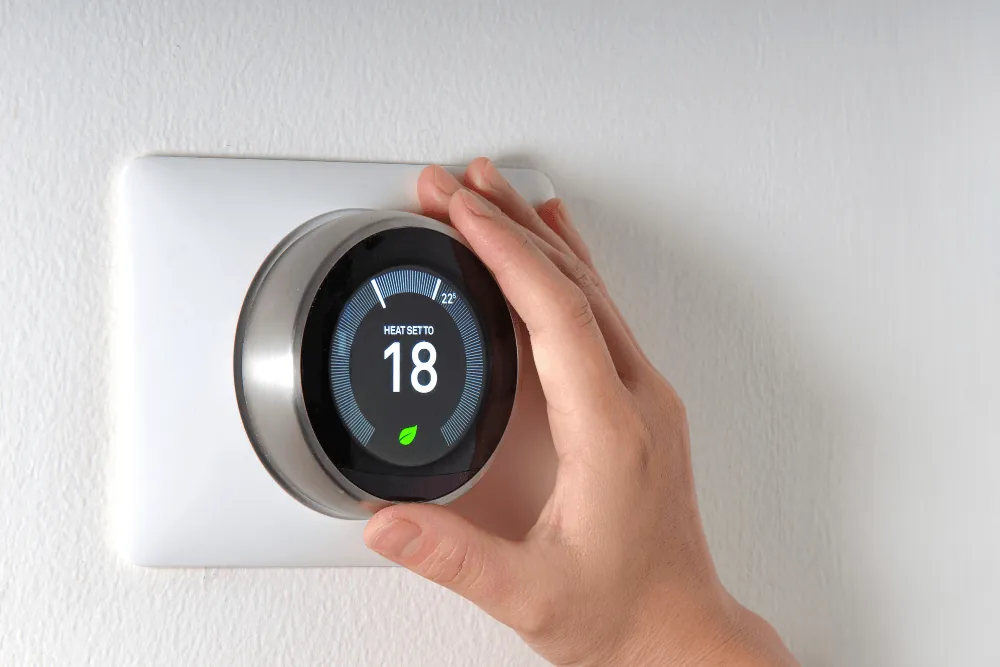
Smart Thermostat Installation in Dubai: Nest, ecobee, Honeywell and Tuya Thermostat Wiring, Compatibility and Setup
Smart thermostat installation means checking that a Wi-Fi thermostat can control your air conditioning, wiring it to the right terminals, powering it properly and setting it up on your network and phone. In Dubai the first question is whether the thermostat can run your system at all. Nest, ecobee and Honeywell Home thermostats are made around low-voltage systems, and a split AC that you control with a remote has no wall thermostat to replace.
Circuit Dubai fits and wires smart thermostats in villas, apartments, offices and shops across Dubai. We are electricians first, so we read the label on your AC unit, open the old thermostat, check the wires and the voltage, and only then say which thermostat will work. We fit any major smart thermostat brand, so you can choose the model and we install and support it.

What smart thermostat installation with us includes
A compatibility check first, covering the type of AC, the voltage at the thermostat, the number of wires and their labels, so you do not buy a thermostat that cannot control your system.
The old thermostat removed and the wires labelled, with photos taken before anything is disconnected, so the original connections can always be restored.
Wiring and power done properly, including a common wire or a power adapter where the thermostat needs one, and a tidy, tight connection at every terminal.
Setup on your network and your phone, including the Wi-Fi check at the thermostat, the app, the schedule and, if you want, Google Home or Alexa.
Sensors and extras fitted where they help, such as room sensors, a humidity link or a link into your smart home.
A full test and a short handover, running cooling, fan and off from the thermostat and the app, and showing you what to do if the Wi-Fi fails.
The numbers at a glance
Typical answer for Dubai
Before you book smart thermostat installation, take a clear photo of the thermostat on the wall, then another with its cover removed showing the wires and the labels beside each terminal. Add a photo of the label on your AC unit, and tell us the thermostat you want. That is enough for us to say whether it is a straight swap, a swap with an extra power adapter, or a case where a different product is the right answer. The sections below explain the terms, the wiring and the brands so you can judge a quote before you accept it.
Smart thermostat terms: what people search for and what each means
People search for this work in many ways, by product, by brand, by wire and by system, and a lot of the wording comes from North American homes with furnaces. The table matches each search to what it means here.
| If you searched | What it means |
|---|---|
| Smart thermostat installation, installation of smart thermostat, smart home thermostat installation, smart thermostat fitting, fit smart thermostat | Fitting a Wi-Fi thermostat to an AC or climate system and setting it up. This page describes our service |
| Smart thermostat with installation, thermostat with installation, smart thermostat free installation | A thermostat sold with fitting. A shop may include the visit in the price, so ask what is covered and what happens if your system is not compatible |
| Install thermostat, install the thermostat, installing the thermostat, install hvac thermostat, install wifi thermostat, digital thermostat install, new thermostat installation | Taking the old thermostat off and fitting a new one on the same wires. A digital thermostat is one with a screen and electronic controls, and a Wi-Fi thermostat adds a connection to your router |
| Home thermostat installation, installing a home thermostat, installing thermostat in home, installing new thermostat in house | The same job in a house or villa. We start by finding what the old thermostat controls |
| Thermostat how to install, smart thermostat how to install | Steps for a do-it-yourself fit. The steps are in the wiring and setup sections. The mains-side work belongs to an electrician |
| Thermostat technician | A person who can test the system and the wiring, not only mount a device |
| Automated thermostat, automatic thermostat for home | A thermostat that runs a schedule or learns your habits, so you do not change it by hand |
| Smart climate control system, smart home climate control systems, home automation thermostat | A thermostat that is part of a wider home system, with scenes and sensors. See our smart home installation service |
| Honeywell home automation | Honeywell Home is a thermostat brand. The thermostat part of a home automation system is covered in the brand section |
| Best thermostat wifi | The right one depends on your AC, not on a ranking. The compatibility section explains how to choose |
| Smart thermostat DIY, Nest thermostat DIY | Fitting it yourself. The wiring section says what can go wrong and where the line sits |
| Wiring terms such as C wire, R wire, Y, G, W, O/B | Terminal labels. See the wiring section |
| Water heater, geyser and immersion heater thermostat | A different part, inside the heater. See the water heater section |
| Hive heating, Hive thermostat | A UK heating brand. We say plainly what that means in Dubai in the brands section |
Will a smart thermostat work with your AC? Start here
A smart thermostat only helps if it can control what you have. The popular models are built for low-voltage heating and cooling systems, so the first job is to find out which kind of system yours is.
The kinds of system in a Dubai home or office
A split AC is an indoor unit on the wall or ceiling with an outdoor unit, and the indoor unit is switched by a remote and its own circuit board. It has no thermostat wiring to the wall, so there is nothing for a wall thermostat to replace. A ducted or package unit sends cold air through ducts and can be switched by a wall thermostat on a small cable. A fan coil unit, or FCU, is a coil and fan in a room or ceiling void, fed by chilled water from a central plant, and it can have a wall thermostat that switches the fan and a valve. A VRF system is a larger multi-room system with its own controllers. Which one you have decides the answer.
| System | What controls it | Smart thermostat answer |
|---|---|---|
| Split AC with a remote | The remote talks to the indoor unit | A wall thermostat cannot replace it. A smart controller that sends the remote's signal, or a model made for that unit, is the product to look at |
| Ducted or package unit with a wall thermostat | A wall thermostat on a low-voltage cable | A smart thermostat can fit, if the voltage and wire labels match the thermostat |
| Fan coil unit on chilled water | A wall thermostat on the FCU, which may run at mains voltage or low voltage | Needs a model made for that voltage and for the number of pipes. Check the label before you buy |
| VRF or multi-split | A wired controller made by the AC brand | A matched controller from the maker is the likely answer. We would not replace it without the maker's guidance |
| Electric heater or wall heater | A thermostat on mains voltage | A low-voltage smart thermostat is not made for it. See our electric heating installation service |
Voltage decides what fits
Google's compatibility page says Nest thermostats are designed for most 24 V systems, and that line-voltage systems at 120 V or 240 V are incompatible. It gives electric baseboard heaters as examples and says a professional may be able to add a step-down transformer to around 20 to 30 V. It also says millivolt systems cannot supply enough power, and that a system delivering less than about 20 V over the existing wires may drain the thermostat's battery and shut it off. Honeywell's T9 installation guide says the same about line-voltage systems and says its input is 24 V. The Google page is written for North America, and Dubai's supply is 230 V single-phase, so a system that runs the thermostat directly on mains is line voltage and must be treated as such.
If you see thick black wires with wire nuts or a label reading 120 V or higher behind your thermostat, stop. Honeywell's guide uses that description for line-voltage systems, and these are not for a 24 V smart thermostat.
If the thing you want to control is a mains-voltage heater, see our electric heating installation service for thermostats made for that job.
How we check before we quote
- 1Read the label on the AC unit, for the type, the model and the control voltage if it is printed.
- 2Take the old thermostat off the wall plate with the power switched off at the breaker.
- 3Photograph the wires and the labels, because Google's page says to enter the label on each connector and ignore the wire colour.
- 4Count the wires that are actually connected. Google's page says not to count jumper wires, which are short links between two terminals.
- 5Check the wire. Google's page says stranded wire is incompatible with its terminals, and a professional may need to cap it, solder it or replace it with solid-core wire.
- 6Measure the voltage at the terminals with a meter, with the power restored only when we are ready to test.
- 7Choose the thermostat, or tell you honestly that your system needs a different product.
Proprietary and non-standard systems
A proprietary system has its own terminal labels, such as 1, 2 and 3 or A, B and C, and its own control signals. Google's page says two-wire systems that provide both heating and cooling are likely proprietary, and that some offer adapters or a professional can rewire them. Some systems outside North America use dry contacts, where the thermostat only closes a switch and supplies no power. The page mentions Buderus boilers as one example. Dubai systems differ again, and the safe answer is to work from the equipment maker's wiring diagram, not from a general guide.
Thermostat wiring: terminals, labels, voltage and wire count
Behind a thermostat sits a plate with screw terminals, each with a letter. The letters say what each wire does. This section is for readers who searched for thermostat wiring in any form, and the first thing to say is that the letters matter and the colours do not.
What the terminal letters mean
The letters below are the ones in Honeywell's and Google's guides. Not every thermostat has all of them, and a label can mean slightly different things on a different make, so we follow the diagram for your model.
| Terminal | What it does |
|---|---|
| R, Rc, Rh | The 24 V power from the transformer. Rc and Rh are separate cooling and heating power terminals, and a single R wire feeds both when they are linked by a jumper |
| C | The common wire. It does not switch cooling or heating. It completes the power circuit for the thermostat |
| Y, Y1, Y2 | Cooling. The thermostat connects R to Y to start the compressor, and Y2 is a second stage |
| W, W1, W2 | Heating, with W2 or Aux for a second stage |
| G | The indoor fan |
| O/B | The reversing valve on a heat pump |
| A, L/A, E, K, U, S | Extra terminals on some models for accessories, service lights, emergency heat and sensors. Honeywell's T9 guide lists many of these and says it does not support S terminals for indoor and outdoor sensors |
A cooling-only system needs fewer signals than a heating and cooling one, so fewer terminals are in use. That is not a promise for your system, so we read your terminals and do not guess.
| If you searched | What it means |
|---|---|
| AC thermostat wiring, wiring an ac thermostat, typical ac thermostat wiring, old ac thermostat wiring | The wires between the thermostat and the air conditioner's control board or relay. The letters above name them |
| Ac thermostat connection, air conditioner wiring to thermostat, thermostat to ac wiring, wiring ac unit to thermostat, wiring thermostat to ac unit, thermostat wiring air conditioning unit | The same job described as connecting the thermostat to the unit. The low-voltage cable runs to the indoor unit or air handler, and the outdoor unit follows |
| Ac thermostat wiring voltage | The control voltage on those wires, which is 24 V in the systems these thermostats are made for. We measure it |
| Central ac thermostat wiring, thermostat wiring for central ac, package ac thermostat wiring, air handler thermostat wiring, ac condenser thermostat wiring | A central or ducted system, where the thermostat controls an indoor air handler and an outdoor condenser. A package unit has both in one box |
| 2 stage ac thermostat wiring | A system with a low and a high cooling stage, which uses an extra Y terminal. Google's page says its 4th-generation Learning Thermostat supports up to 2 cooling stages on a conventional system |
| Thermostat wiring for heat and ac, hvac thermostat wiring, hvac thermostat connections, residential hvac thermostat wiring | A system that both heats and cools, and a house-sized one. Use the terminal table above |
| House thermostat wiring, household thermostat wiring, home thermostat wiring | Wiring in a house, with no special rules compared with other buildings |
| Ac thermostat wiring honeywell, honeywell ac wiring, honeywell thermostat ac wiring, honeywell thermostat wiring air conditioner, honeywell thermostat wiring for ac | Wiring a Honeywell thermostat to an air conditioner. See the Honeywell section |
| Carrier ac thermostat wiring, carrier air conditioner thermostat wiring, lennox ac thermostat wiring, rheem ac thermostat wiring, trane ac thermostat wiring | Search terms that name the AC maker. The wiring depends on the type of equipment and its control board, and not on the name on the case. We work from that unit's own diagram |
| Smart thermostat wiring, wifi thermostat wiring, wiring a wifi thermostat | The same wires as any thermostat, plus the power needs of Wi-Fi. See the next section |
| Rewire thermostat | Changing the wires, adding one or fixing a damaged one. Cable work is within our service |
24 V transformer for a thermostat
If you searched for a 24 vac transformer for thermostat or a 24vac transformer for thermostat, the question is where the thermostat gets its power. In a ducted or package unit, a small transformer inside the unit steps the supply down to 24 V and feeds the R terminal. A thermostat that needs more power than the old one may need the common wire connected, or a separate transformer. A separate transformer for a thermostat is a mains-powered part and is for an electrician.
Power off, then test
Stop and keep clear of any thermostat wire that is hot, buzzing, scorched or wet, of bare mains-voltage wires behind the plate, and of an AC unit that smells of burning. Do not touch bare wire ends, and do not restore power to a system you have found damaged. If there is smoke or fire, call 999, and message us on WhatsApp for an emergency electrician.
Honeywell's T9 guide gives a simple rule: turn off power at the breaker or the switch controlling the equipment, because the thermostat's off switch does not cut power to the equipment. We follow that. We also photograph the wires before touching them, as Google's page recommends, and we put a label on each wire before it is removed.
Installing a smart thermostat without a C wire
The C wire needs the most explaining in this subject, and the cause is simple. A thermostat with a screen and Wi-Fi needs power all the time, and the C wire gives it a steady supply from the transformer.
What Google and Honeywell say
Google's page says the C wire does not control heating or cooling, that Nest thermostats use little power so many installations do not need one, and that if one is needed the options are the Nest Power Connector or a professional who can run a C wire. It also says a C wire is recommended for some gas valves, certain micro-controller systems and some zone relay panels. Honeywell's T9 guide says a C wire is needed for 24 V power. If there is none, the guide says a C-wire adapter is included in the box, or you can connect an unused wire in the cable to the C terminal at the control board. Zoned systems make the adapter more complicated.
ecobee and the Power Extender Kit
ecobee's installation sheet for its Power Extender Kit says the kit powers a thermostat on a system with only four wires and no common wire. It uses the Y, W, G, C, Rc and Rh connections, and a small diode that is fixed behind the thermostat on the W O/B and Y terminals. The sheet says to put the wiring harness in an indoor, dry place within 24 inches (0.6 m) of the equipment, and says its input is 18 to 30 V AC at 50 or 60 Hz. It also says to switch the equipment off first, to touch a grounded metal object before handling the parts because they are sensitive to static, and to test heating, cooling and fan afterwards.
| If you searched | What it means |
|---|---|
| Install smart thermostat without c wire, thermostat without c wire connection | Fitting a smart thermostat on a system that has no common wire. The options are above |
| Install ecobee without c wire, ecobee install without c wire, ecobee 4 installation without c wire, ecobee thermostat wiring without c wire | An ecobee on a system without a C wire. ecobee's answer is the Power Extender Kit |
| Ecobee power extender kit pek, ecobee power extender kit wiring, ecobee wiring pek | The kit described above, and how it is wired |
| Install nest thermostat without c wire, google nest thermostat c wire adapter installation | A Nest on a system without a C wire. Google's options are the Nest Power Connector or a professional adding a C wire |
| Honeywell t9 smart thermostat installation without c wire | A T9 on a system without a C wire. The T9 guide says to use the adapter in the box or a spare wire at the control board |
| Ecobee 3 wire install, ecobee 4 wire install | Fitting an ecobee on a system with three or four wires. A four-wire system with no C is the case the Power Extender Kit is made for |
| Nest thermostat two wire installation | A Nest on a two-wire system. Google's page says two-wire systems that provide both heating and cooling are likely proprietary. A two-wire cooling-only connection is a different case, and we check which you have |
A spare wire can save buying an adapter
A thermostat cable can have more cores than the old thermostat used. If a spare core is there, it can be used for the common wire by connecting it at both ends. We check the cable and the control board before suggesting an adapter.
What we avoid
We do not fit a power adapter we cannot match to the system, and we do not leave a thermostat running on borrowed power that makes the system chatter or the screen restart. If a thermostat reboots, loses Wi-Fi or buzzes the relay, it is a power problem, and we fix the power and not the app.
Nest thermostat installation: models, wiring, mounting and replacing an old thermostat
Nest is Google's thermostat brand. Google's pages describe Nest thermostats as designed for most 24 V systems. They are built around North American heating and cooling wiring, so the compatibility check in the section above comes before any purchase. If you searched for Nest thermostat installation, Google Nest thermostat installation or install Nest thermostat, this is our approach.
| If you searched | What it means |
|---|---|
| Fit nest thermostat, install nest thermostat, nest install thermostat, installation of a nest thermostat, installation of the nest thermostat | Fitting a Nest on the wires of your existing system. We check compatibility, label the wires, connect and set up |
| Google nest thermostat install, google nest thermostat installation, installation of google nest thermostat, install google nest thermostat, instal google nest thermostat, nest google thermostat installation | The same product under its Google name |
| Google thermostat install, install google thermostat, installing google thermostat, install google thermostat, google learning thermostat installation | Shorter names for the same job |
| Nest smart thermostat installation, nest wifi thermostat installation, google home thermostat installation | Nest is a Wi-Fi thermostat that works with the Google Home app. The setup section covers the app side |
| Nest thermostat wired installation | Wiring a Nest to the control wires of the system. Nest is not a plug-in device, so the wires are the installation |
| Nest thermostat mounting | Fixing the base plate on the wall, level, over the wall box or cable hole. Drill holes need filling if you move the thermostat |
| Installing the nest learning thermostat, nest learning thermostat installation, installation of nest learning thermostat, google nest learning thermostat installation, nest learning thermostat with installation | The Learning Thermostat is the round Nest model that learns a schedule from how you use it. Google lists several generations |
| Nest learning thermostat 3rd generation installation, nest thermostat 3rd generation installation, installing nest gen 3 thermostat | The third-generation Learning Thermostat. Google's page groups it with earlier ones for model limits |
| Nest thermostat 4th generation installation, installing new nest thermostat | The newest Learning Thermostat on Google's page, which lists up to 2 cooling stages on a conventional system and 4 heating stages on a heat pump |
| Nest pro learning thermostat, nest thermostat pro | A Nest sold for installation by a professional. We cannot say whether it is sold in the UAE |
| Nest learning thermostat wiring, wiring nest learning thermostat, google nest learning thermostat wiring, nest smart thermostat wiring, google smart thermostat wiring, google nest thermostat connections | The terminals on the Nest base and what each wire does. Use the terminal table in the wiring section |
| Nest learning thermostat 3rd generation wiring | The wiring of the third-generation model, which follows the same labels |
| Nest thermostat replace honeywell, replacing thermostat with nest, replacing a honeywell thermostat with a nest, replacing old honeywell thermostat with nest | Swapping an old Honeywell for a Nest. The wires move across by label, and the compatibility check comes first |
| Honeywell thermostat to nest wiring, honeywell thermostat wiring to nest, honeywell to nest wiring | Moving a Honeywell's wires onto a Nest's terminals. Google tells you to enter the label on each wire and ignore its colour |
| Hook up a nest thermostat, connect to nest thermostat, connect google nest thermostat, connecting google nest thermostat | Wiring and connecting a Nest to power and then to your account |
| Google nest thermostat installation cost, nest thermostat installation cost, nest thermostat installation price, cost of installing a nest thermostat | What affects the price. See the cost section |
| Nest thermostat installation near me, nest thermostat installer near me, google nest thermostat installation near me, google nest thermostat installers near me, google nest thermostat installation service, nest thermostat installation service, nest thermostat with fitting, google nest thermostat with installation | A fitter to supply labour, with or without the thermostat. See the cost and choosing section |
Nest models in plain terms
Google's compatibility page compares four models: the third-generation or earlier Learning Thermostat, the Nest Thermostat E, the Nest Thermostat and the fourth-generation Learning Thermostat. The page says the Nest Thermostat E supports one heating stage, one cooling stage and one extra stage of either, and that the fourth-generation Learning Thermostat supports more stages. It also lists support for heat pumps, dual-fuel systems and humidifier control that differs by model. Google's page covers North America, and it points to separate articles for the European models, which it does not summarise. If you are choosing a model for a Dubai system, tell us the system and we will check the model against its stated limits.
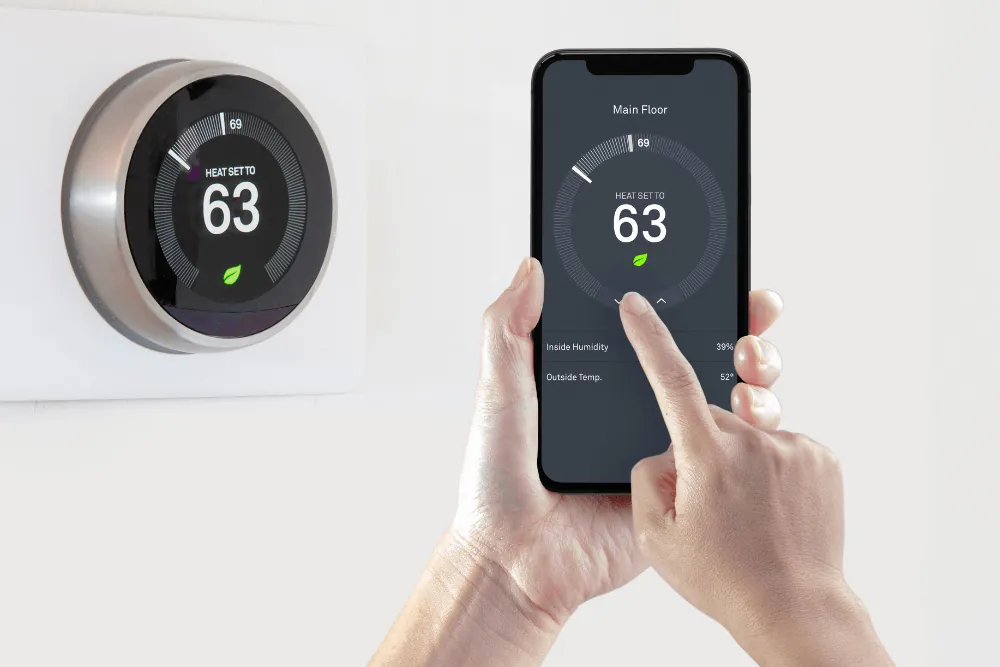
Replacing an old thermostat with a Nest
The wires move one at a time, by label. Google's page recommends photographing the wiring before you start, and we label every wire with tape. The old plate is removed, the Nest base is fixed level on the wall, the wires are pushed into the matching connectors, and the display is clicked on. We then run cooling, fan and off from the thermostat, and again from the app. If the system has a wire that has no terminal on the Nest, we stop and find out what it does before leaving it unconnected. Google says some wires, such as an L service-light wire on a heat pump, can be left unconnected, and others cannot.
ecobee thermostat installation: wiring, sensors and the humidity link
ecobee is a Canadian smart thermostat brand known for room sensors and a power extender kit for systems without a C wire. If you searched for ecobee thermostat installation or ecobee smart thermostat installation, the model decides which wires and which accessories are needed.
| If you searched | What it means |
|---|---|
| Ecobee thermostat installation, ecobee smart thermostat installation, install ecobee smart thermostat, ecobee thermostat how to install | Fitting an ecobee on the wires of an existing system. The checks are the same as for any thermostat |
| Ecobee smart thermostat enhanced installation, ecobee smart thermostat premium install, ecobee smart thermostat premium installation, ecobee thermostat premium installation, install ecobee smart thermostat premium, installing ecobee smart thermostat premium | The Smart Thermostat Premium and the Enhanced model are ecobee product names. The model decides the features, and the wiring is the same kind of job |
| Ecobee3 lite thermostat installation | An older, simpler ecobee model |
| Ecobee thermostat wiring, ecobee smart thermostat wiring, thermostat wiring ecobee, ecobee 3 thermostat wiring, ecobee3 thermostat wiring, ecobee 3 wiring, ecobee lite 3 wiring | The terminals on an ecobee and what each wire does. Use the terminal table in the wiring section |
| Honeywell to ecobee wiring, replace honeywell thermostat with ecobee | Moving a Honeywell's wires onto an ecobee, by label |
| Ecobee power extender kit and its wiring | See the no C wire section |
| Ecobee dehumidifier wiring | Wiring a dehumidifier control to an ecobee. Only some ecobee models support it, and the dehumidifier must be compatible. We read the model's instruction first |
| Ecobee smart sensor wall mount | A small wireless room sensor that sits on a wall or shelf. Where it is fixed changes the reading it gives. See the sensors section |
| Ecobee smart thermostat dimensions | The size of the thermostat. It matters when the new one must cover the mark left by the old one |
| Ecobee thermostat installation cost | What affects the price. See the cost section |
| Ecobee thermostat setup, set up ecobee thermostat, setup ecobee thermostat | Connecting it to Wi-Fi and the app after wiring. See the setup section |
Honeywell Home thermostat installation: T5, T6, T9, Lyric and older Wi-Fi models
Honeywell Home thermostats are sold under the Resideo brand. The facts below come from Honeywell's T9 installation guide. The guide lists input as 24 V at 60 Hz, 0.2 A, says it is compatible with most heating, cooling and heat pump systems, and says it does not work with electric baseboard heat at 120 to 240 V or with millivolt systems. Dubai's supply is at 50 Hz, and ecobee lists 50 or 60 Hz for its kit. Ask the maker or the local supplier whether the T9 is approved for a 50 Hz installation before you buy one.
| If you searched | What it means |
|---|---|
| Honeywell home thermostat installation, install honeywell home thermostat, honeywell home smart thermostat installation, set up honeywell home thermostat | Fitting a Honeywell Home smart thermostat and setting it up |
| Honeywell home t9 smart thermostat installation, t9 smart thermostat installation, honeywell t9 thermostat wiring, honeywell t9 wiring | The T9 is a Honeywell Home Wi-Fi thermostat that works with wireless room sensors. The guide lists up to 20 sensors with a range of up to 200 feet, which varies with the building |
| Honeywell t5 smart thermostat installation, honeywell t5 thermostat install, honeywell t5 thermostat installation, honeywell t5 thermostat wiring, honeywell t5 smart thermostat wiring, t5 thermostat wiring | The T5 is a simpler Wi-Fi model in the same range |
| T6 pro smart thermostat installation | The T6 Pro is a Honeywell Home model that is sold for professional installation |
| Rth9585wf smart color thermostat installation, honeywell smart color thermostat wiring | The RTH9585WF is an older Wi-Fi color touchscreen model. We would check its documentation and the system before fitting |
| Honeywell lyric thermostat wiring, honeywell lyric wiring | Lyric is a former Honeywell smart thermostat line |
| Honeywell smart thermostat wiring, wiring honeywell smart thermostat, wiring honeywell home thermostat, honeywell home thermostat wiring | The terminals on a Honeywell and what each wire does |
| Honeywell wifi thermostat wiring, wifi honeywell thermostat wiring | A Honeywell with Wi-Fi, wired like any other thermostat |
| Install honeywell wifi thermostat, wifi thermostat honeywell installation | Fitting that Wi-Fi model |
| Honeywell smart room sensor installation | Adding wireless room sensors to a compatible Honeywell. The guide says to press and hold Connect on the sensor for 15 seconds until the light turns amber, then use the Devices and Sensors menu |
| Honeywell home thermostat removal | Taking the old Honeywell off the wall safely. See the replacing section |
What Honeywell's guide says about power
The T9 guide says a C wire is needed for 24 V power, that no wire colour is universal for the C wire, and that an adapter is in the box if there is no C wire. It also tells you to turn off the power at the breaker or the switch for the equipment, because the thermostat's own off switch does not cut power. It adds a warning that compressor protection is bypassed during the test, so the compressor should not be cycled quickly. We test cooling in short steps and let the system rest before the next test.
Hive, Sensi, Tuya, Moes and other smart thermostat brands
Other brands appear in search results, and some are not for Dubai at all. We say so plainly, because a wrong purchase is expensive to undo.
Hive: what it is, and what it is not for
Hive is a British brand from British Gas. Hive's own shop page is for the United Kingdom, describes heating control and radiator valves, and offers installation by a British Gas engineer. Hive's products are about controlling heating. A Dubai home that cools with AC and has no boiler or heating circuit gives a Hive thermostat nothing to control. We cannot confirm Hive is sold or supported in the UAE.
| If you searched | What it means |
|---|---|
| Hive thermostat installation, installation of hive thermostat, hive thermostat and installation, hive thermostat with installation, hive thermostat installers, hive thermostat how to install | Fitting Hive. It is a heating product for UK-style systems, and we cannot confirm UAE support |
| Hive thermostat installation cost, hive heating installation cost | The price of fitting Hive in the UK. We do not have a price for this, and it does not apply to an AC system |
| Hive active heating installation, hive active heating system, fitting hive heating control, hive hub and thermostat | Hive's boiler heating control, with a receiver and a hub. It is for a heating system with a boiler |
| Hive heating setup, hive heating set up, set up hive heating, setup hive heating, hive thermostat setup, set up hive thermostat | Pairing Hive with its app. We cannot confirm UAE support, and the steps come from the maker |
| Self install hive thermostat, hive thermostat self install | A do-it-yourself Hive fit. See the DIY note in the cost section |
| Replace honeywell thermostat with hive, replacing thermostat with hive | Moving from Honeywell to Hive. This only makes sense where there is a heating system for it to control |
Sensi, Emerson and others
Sensi is a thermostat brand from Emerson. It is a Wi-Fi thermostat for low-voltage systems, with the same wiring checks as any other.
| If you searched | What it means |
|---|---|
| Emerson sensi thermostat installation, sensi thermostat installation, install sensi thermostat, install sensi smart thermostat, install sensi wifi thermostat, installing a sensi thermostat | Fitting a Sensi thermostat. Compatibility rules are the same as for the brands above |
| Sensi smart thermostat wiring, sensi thermostat wiring, sensi wifi thermostat wiring, wiring sensi thermostat | The terminals on a Sensi. Use the terminal table |
| Sensi thermostat setup, sensi wifi thermostat setup | Connecting the Sensi to Wi-Fi and the app |
| Alexa thermostat installation, alexa thermostat wiring, amazon smart thermostat installation, amazon smart thermostat wiring, amazon thermostat installation | Amazon sells a smart thermostat that works with Alexa. We cannot confirm it is sold in the UAE |
| Wyze thermostat install | A Wi-Fi thermostat from Wyze. We would check the model's voltage and the system it is made for |
| Lutron smart thermostat, lutron wireless thermostat | Lutron is a lighting and shading maker that also sells thermostats. See our lighting design and control service for the lighting side |
| Hunter touchscreen thermostat | A touchscreen thermostat from Hunter. We would check its voltage and wiring |
| Floureon wifi thermostat | A Wi-Fi thermostat from Floureon. We do not know which systems each model suits, so we would check its voltage and terminals |
| Alarm com thermostat wiring | A thermostat that works with the Alarm.com security platform. The wiring is that of any thermostat, and the platform is a separate service |
| Trane thermostat z wave | A thermostat from Trane that uses the Z-Wave radio standard to link to a home system |
Tuya and Moes: the ones that suit fan coil units
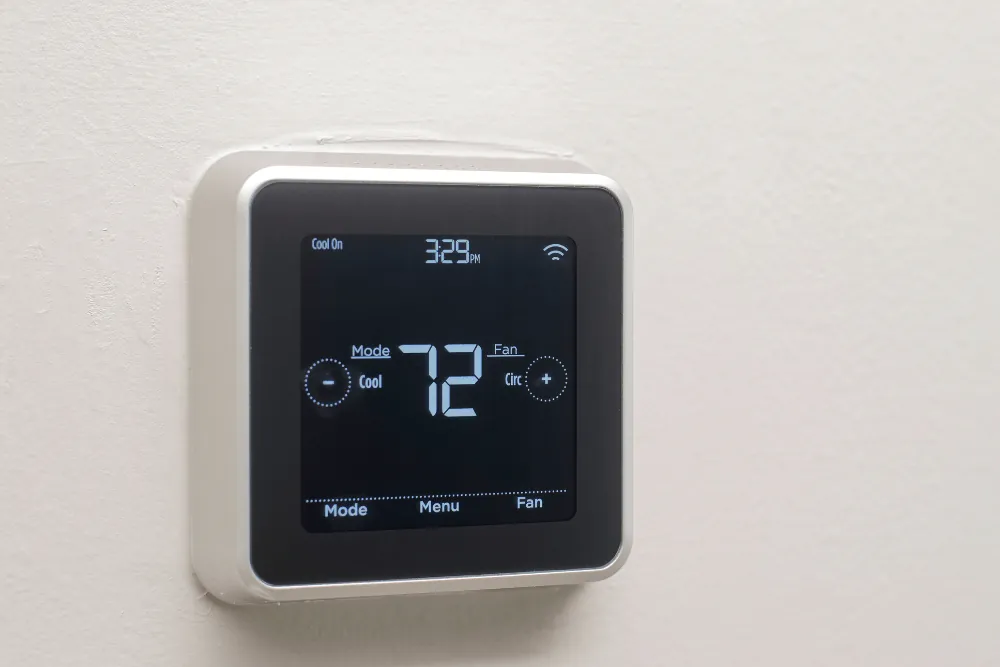
Tuya is a platform with its own app, called Smart Life, that thermostats from different makers can use. Moes is a maker of Tuya-based thermostats. One Moes listing on a UAE shop site is for a central-AC thermostat for a 4-pipe fan coil unit, with a voltage range of 95 to 240 V AC, three fan speeds, the Tuya Smart Life app, and Alexa and Google Home support. The page does not mention a 2-pipe system, and it gives no wiring terminals. A fan coil unit on chilled water may be 2-pipe or 4-pipe, and the pipes decide which thermostat suits it, so we check which you have before we order.
| If you searched | What it means |
|---|---|
| Tuya smart thermostat installation, tuya thermostat installation | Fitting a Tuya-based thermostat. Check the voltage and the number of pipes |
| Moes smart thermostat installation, moes thermostat installation, moes thermostat wiring | Fitting and wiring a Moes thermostat. The listing gives a 95 to 240 V AC range and no terminal map, so we use the maker's wiring page for the model |
| Moes thermostat setup, moes thermostat wifi setup | Connecting a Moes to Wi-Fi through the Tuya Smart Life app |
| Meross smart thermostat installation | Meross is another maker of smart home devices. Check the model's voltage and the system it is made for |
We do not rate one brand above another. The right thermostat is the one that matches your system, your voltage, your wiring and your Wi-Fi, and that can be supported here.
Smart thermostat setup, Wi-Fi, apps and voice assistants
A thermostat that is wired and powered is not finished until it is on your network and in your app. A weak signal at the thermostat can stop a setup, and it can be tested before the plate is fixed to the wall.
- 1Test the Wi-Fi where the thermostat will hang, before the wall plate is fixed. A weak signal gives a slow app and a thermostat that drops offline.
- 2Power it up and let the screen start.
- 3Install the maker's app and create or sign in to your account.
- 4Connect it to your Wi-Fi. Honeywell's guide says you need your home Wi-Fi password for setup and an Android or iOS device. It does not say which Wi-Fi band the thermostat needs, so check the maker's page for your model, because some devices only join a 2.4 GHz network.
- 5Set the schedule, the temperature limits and the fan, and add any room sensors.
- 6Link a voice assistant if you want one, such as Google Home or Alexa.
- 7Run a test from the app, cooling on, fan, and off, with you present.
| If you searched | What it means |
|---|---|
| Smart thermostat setup, wifi thermostat setup, thermostat wi fi setup | Putting a thermostat on your network and in its app. The steps above are the general order for any model |
| Connect wifi thermostat | Joining the thermostat to your router |
| Connect honeywell wifi thermostat, connect wifi honeywell thermostat, connect wifi to honeywell thermostat, connecting a honeywell wifi thermostat, connecting honeywell wifi thermostat, connecting wifi to honeywell thermostat | Joining a Honeywell to Wi-Fi. The T9 guide lists the home Wi-Fi password as needed |
| Setting up honeywell thermostat wifi, setting up honeywell wifi thermostat, setting up wifi honeywell thermostat, setting up wifi on honeywell thermostat, wifi setup on honeywell thermostat, wifi thermostat honeywell setup, honeywell wifi thermostat setup, honeywell wifi thermostat wifi setup | The same Honeywell setup under other names |
| Honeywell home thermostat set up, honeywell home thermostat wifi setup | Setting up a Honeywell Home model through its app |
| Honeywell wifi thermostat reset | Clearing a Honeywell's network settings so it can be set up again. The reset steps differ by model, so we follow the maker's page for yours |
| Connecting ecobee thermostat | Pairing an ecobee with its app after wiring |
| Google nest thermostat set up, setting up a google nest thermostat, nest learning thermostat set up, nest set up thermostat | Setting up a Nest, which Google's store pages describe as needing Wi-Fi, a phone and a Google account |
| Google nest thermostat setup wifi, google nest thermostat wifi setup, nest thermostat wifi setup | Joining a Nest to Wi-Fi |
| Google nest thermostat how to install | The Nest's own steps. The wiring part is in the Nest section |
| Google home thermostat setup, google home nest thermostat setup, google thermostat setup, set up nest thermostat with google home, add thermostat to google home | Adding a thermostat to the Google Home app so it appears with your other devices |
Wi-Fi, accounts and what happens when the internet drops
A thermostat should hold its schedule when your internet is down, and whether it does depends on the model. We check that on each model during handover. The account should be yours, with your email. Do not hand your password to a fitter you have not chosen, and tell us if you want us to set it up with you present.
Voice assistants and home systems
Google Home and Alexa let you change the temperature by voice. Both depend on your Wi-Fi and the maker's link to the assistant. Our work is to make sure the thermostat works first, and the assistant second. If the thermostat is part of a wider home system, see our smart home installation service.
Room sensors, humidity, zones and linking a thermostat to your smart home
Once a thermostat works, there are four extras people ask about: sensors, humidity control, zones and links to the rest of the home.
Sensors and where to put them
A room sensor measures the temperature in a room other than the one with the thermostat, so the system cools until the room you use is at the set temperature and not the hallway. It helps when the thermostat sits in a hallway and the room you use is warmer. Honeywell's T9 guide says its sensors measure temperature, humidity and motion, up to 20 can be paired, and rooms with motion are chosen for priority averaging. ecobee sensors work on the same idea. Put a sensor on an inside wall at about the height you sit. A sensor in the sun, above a lamp, near a door or in front of a vent gives a false reading, and we show you where not to move it.
Humidity and dehumidifiers
Dubai summers bring high humidity, and some people want a thermostat to help. Some ecobee models support a dehumidifier link, and Google's page says whole-home humidifier and dehumidifier control is supported only on the Learning Thermostat and needs professional installation. A dehumidifier link is a separate piece of equipment and wiring, so we check that the equipment can accept a control signal before we promise it.
Zones
A zoned system, one with a panel that opens and closes dampers, can be controlled by a smart thermostat, but the panel and its wiring need care. Honeywell's guide says zoned systems make the adapter work harder, and Google's page says some zoned systems need a C wire and lists known panels. We want the zone panel's diagram before we quote.
Linking to a smart home
A thermostat can be one part of a bigger setup, with scenes such as "away" that switch the AC to a set temperature when you leave. Where the products support it, it can also join energy saving, so a window sensor or a door sensor tells it to stop cooling. See our smart home installation service and our energy audit if you want to look at the whole picture. We keep the thermostat's own control working in all cases, so a failed hub does not leave you with a hot house.
Water heater, geyser and immersion heater thermostats
A set of searches in this subject is about a different part altogether. The thermostat inside a hot water cylinder is not a smart thermostat. It is a temperature switch in series with the heating element, and it is for an electrician. We say this up front, because the wiring for each is unrelated to the wiring above.
| If you searched | What it means |
|---|---|
| Thermostat in geyser | The temperature switch that cuts power to the element when the water is hot |
| Geyser thermostat connection, geyser element and thermostat wiring | How the supply, the thermostat and the element are connected. The order is shown in the maker's diagram |
| Water heater thermostat wiring, water heater thermostat connection, water heater thermostat diagram, water heater thermostat wiring diagram | The drawing for the heater in front of you. The maker prints it on the heater or in its manual |
| Hot water heater thermostat wiring diagram, hot water system thermostat wiring diagram, hot water tank thermostat wiring diagram, hot water thermostat wiring diagram, hws thermostat wiring diagram, hot water thermostat wiring | The same thing in other words. HWS stands for hot water system |
| Immersion heater thermostat wiring, tank thermostat wiring | An immersion heater is a heating element screwed into the tank, with a thermostat beside it |
| Upper thermostat wiring | Large dual-element heaters have an upper and a lower thermostat. A US guide says the upper one has an extra terminal that sends power to the lower element |
| Single element water heater thermostat wiring, water heater thermostat wiring single element | A heater with one element and one thermostat |
| 120 volt single element water heater thermostat wiring, 240v electric water heater thermostat wiring diagram | US voltages. Dubai's supply is 230 V single-phase, so a 120 V diagram does not apply here |
| Replacing hot water heater thermostat, replacing water heater thermostat | Swapping a failed thermostat for a matching one. See our water heater installation service |
What a US water heater guide says, and what we add
A US guide on testing and replacing a water heater thermostat says to switch the heater's breaker off, test with a meter that the terminals read zero volts before touching anything, photograph the wiring, and reset the red high-limit button on the upper thermostat if it has tripped. We agree with all four. A tripped high-limit switch is a warning that the water got too hot, so find out why before you press the button again. A heater that trips repeatedly needs a fault check, not a reset. If the heater is old, corroded or leaking, replacement may be better than repair. See our breaker tripping repair service if the breaker is the part that is tripping.
Replacing, removing and moving an existing thermostat
Replacing a thermostat in a house or an apartment
If you searched for replacing home thermostat, replacing house thermostat, changing out a home thermostat or replacing thermostat in apartment, the job is the same as a new fit, with one addition: in an apartment, the thermostat may be part of a building system, and the landlord or the building management may need to approve any change. Chilled-water fan coil systems in some buildings may be managed centrally. Ask before you remove anything.
| If you searched | What it means |
|---|---|
| Replace honeywell thermostat with smart thermostat | Swapping an old Honeywell for a smart model. Wires move across by label |
| Replacing home thermostat, replacing house thermostat, changing out a home thermostat | Taking the old thermostat off and fitting a new one |
| Replacing thermostat in apartment | The same job in a flat, subject to building approval |
| Honeywell home thermostat removal | Removing the old unit safely. Old controls may contain sealed mercury tubes, and Honeywell's guide says those should not go in the household rubbish |
Steps for a straight swap
- 1Switch off the AC at its breaker.
- 2Photograph the old thermostat with its cover off and the wires in place.
- 3Label each wire with the terminal letter, not the colour.
- 4Remove the old plate and check the wire ends are clean, straight and solid.
- 5Fix the new base level and connect the wires to the matching terminals.
- 6Power up, set up the app and test cooling, fan and off, with a short rest between tests.
- 7Patch and paint the wall if the new thermostat is smaller than the old one.
When the wiring is damaged or in the wrong place
If the cable is cut short, corroded or brittle, or the old thermostat sits where you do not want the new one, we run a new cable. See our AC electrical connection service for the unit's own supply. Moving a thermostat means a new cable route and a patched wall, and we quote it before starting.
What it costs, DIY and how to choose an installer
Cost
We quote each job after photos or a visit. The thermostat itself is a separate line, and the price depends on what the system needs. The site visit costs AED 50, and the quote follows it. If you searched for price for thermostat, the price comes from the seller and the model. If you searched for thermostat installation cost, new thermostat installation cost, cost of installing a thermostat, price to install thermostat, thermostat fitting cost, cost of smart thermostat installation, cost to install smart thermostat, smart thermostat installation cost, ecobee thermostat installation cost, nest thermostat installation cost, google nest thermostat installation cost, nest thermostat installation price, cost of installing a nest thermostat or hive thermostat installation cost, these are the things that set the price.
| What affects the price | Why |
|---|---|
| The thermostat | Models differ in price and the seller sets it. A thermostat that needs a professional to install may cost more to fit |
| The AC type | A ducted unit and a fan coil unit have different controls, and a split AC may need a different product |
| The wires | A system with a C wire is quicker than one that needs an adapter, a power kit or a new cable |
| The wall | A swap on the same plate is quick. A move needs a new cable and a patch |
| Wi-Fi at the thermostat | A weak signal may need an access point or a wired link |
| Sensors, humidity and zones | Each extra piece is another connection and another test |
| Setup and users | Setting up apps, schedules and voice assistants takes time |
| The number of thermostats | Each thermostat is tested on its own |
Near me, installers and technicians
If you searched for thermostat installation near me, smart thermostat installation near me, wifi thermostat installation near me or smart thermostat installers near me, you want someone who can test the system and not just mount the device. We work across all of Dubai.
Doing it yourself
The 24 V wiring behind a thermostat carries less shock risk than mains wiring, so fitting your own is possible. The risks are a wrong wire on the wrong terminal, a short that damages a control board, a forgotten power-off, and a thermostat bought for a system it cannot control. Honeywell's guide warns that the thermostat's off switch does not cut power to the equipment. If you see mains-voltage wires, thick insulation or a system you cannot identify, stop. Do not wire it yourself. Message us on WhatsApp and we do the whole job.
Questions to ask any installer
- What will you check before quoting? The AC type, the voltage and the wires.
- Will you tell me if my system cannot take a smart thermostat? They should.
- Who sets up the account? It should be yours.
- What happens if the Wi-Fi or the internet fails? You should know before it does.
- Do you test cooling, fan and off before you leave? All three, from the wall and the app.
- What do I get at handover? A short guide, your settings and the wiring photos.
Smart thermostat installation with Circuit Dubai
- Electricians first, so the voltage, the wires and the power are right before any app is installed.
- A compatibility check before any purchase, so you are told early if a smart thermostat is the wrong answer for your system.
- Wiring labelled and photographed, so the old connections can always be restored.
- The Wi-Fi tested at the thermostat, so it works where it hangs.
- A fixed quote after photos or a visit, with what is included and what is extra written out.
We work across all of Dubai. Our office is in Al Quoz.
If you are also planning smart home installation, an energy audit, water heater installation or AC electrical connection work, we can plan it with the smart thermostat installation.
Phone: +971 55 407 7427
Smart thermostat questions we hear from Dubai homeowners and managers
How much does smart thermostat installation cost?
It depends on the thermostat, the AC type, the wires and the wall. A site visit costs AED 50, and the price follows it. We give a fixed quote after photos or a visit.
Will a smart thermostat work with my AC?
Only if your system has a thermostat on a low-voltage cable that the model supports, or a model made for your system's voltage. A split AC with a remote has no wall thermostat to replace. Send photos and we will say which case you have.
Can I put a Nest, ecobee or Honeywell on a split AC?
Not as a wall thermostat. A split AC is switched by its remote and its own circuit board. A smart controller that sends the remote's signal is a different product.
Do I need a C wire?
A smart thermostat may need one, and some do not. Google says many Nest installs do not, and Honeywell says the T9 needs one. If it is missing, an adapter, a power kit or a spare core can supply it.
My system has only two wires. Can I fit a Nest?
It depends on what the two wires do. Google says two-wire systems that provide both heating and cooling are likely proprietary. We check the system and the maker's diagram.
Will it work at 50 Hz?
Honeywell's T9 guide lists 60 Hz and ecobee's kit sheet lists 50 or 60 Hz. Check the rating for the model you want, and we will ask the supplier if it is not stated.
Is it safe to fit a smart thermostat myself?
The wiring is low voltage, so the shock risk is lower than mains work. Switch the AC off at the breaker first, and stop if you see mains wires.
Can you replace my old Honeywell with a Nest or an ecobee?
Yes, if the system is compatible. The wires move across by label, and we test before we leave.
Do you fit Hive?
No. Hive is made for heating systems with a boiler, and we cannot confirm UAE support.
Can you fit a thermostat on a fan coil unit?
Yes, with a model made for the unit's voltage and its pipes. Send a photo of the old thermostat and its wires.
What if the Wi-Fi drops?
Whether it holds its schedule on its own depends on the model, and we check that for yours. Keep the thermostat's own controls handy.
Can I control it by voice?
Where the model supports Google Home or Alexa, yes. We set that up after the thermostat works.
Can you add room sensors?
Yes, on models that support them. Placement matters.
Can you move my thermostat to another wall?
Yes. It needs a new cable run and a wall patch, and we quote that first.
Can you wire a water heater or geyser thermostat?
That is a different part. A failed geyser thermostat is a repair for an electrician. See our water heater installation service.
Do I need permission from my landlord?
For a rented flat, ask first, and keep the old thermostat so it can be refitted.
What do I need to send for a quote?
Photos of the thermostat and its wires, the AC unit's label, and the thermostat you want, if you have chosen one.
Ready to book a smart thermostat installation?
Send photos of the thermostat on the wall, the wires behind it and the label on the AC unit, and tell us which thermostat you want fitted. We reply instantly on chat with a view on what will work and a fixed price, so you know what you are buying before anything is disconnected.