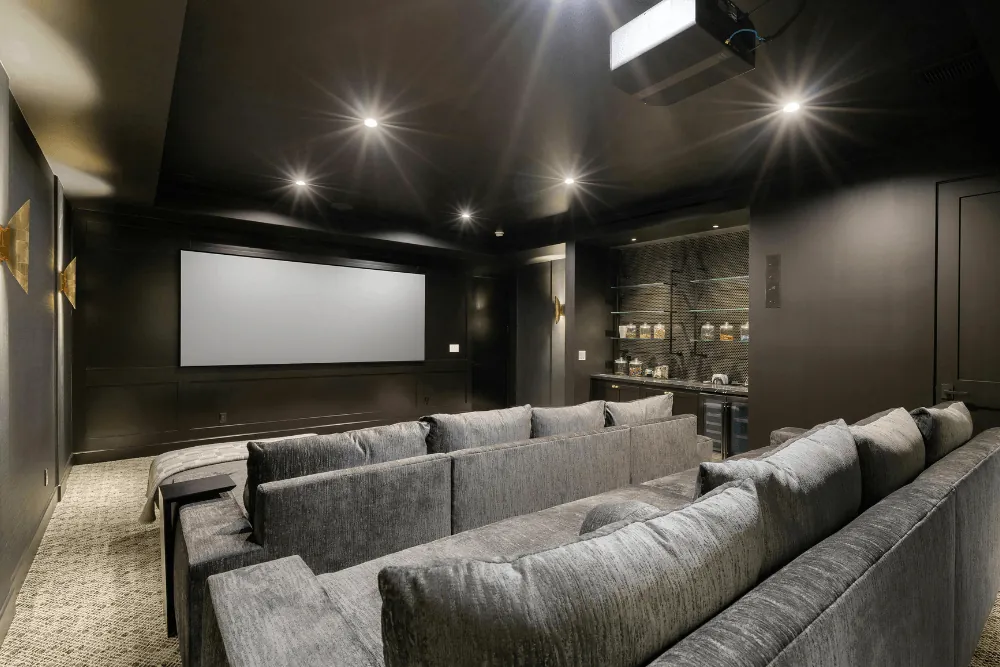
Home Cinema and Audio Wiring in Dubai: Speakers, HDMI, Hidden TV Cables and Multi-Room Audio
Home theater wiring is the cable work behind a cinema room or a TV wall: the speaker cable, the HDMI and network runs, the power for every device, and the hidden routes that keep all of it out of sight. The equipment gets the attention, but the wiring decides whether the picture holds, whether the sound is clean, and whether the room still looks tidy five years later.
Circuit Dubai plans and installs home cinema and audio wiring in villas, townhouses and apartments across Dubai: dedicated cinema rooms, living room TV walls, majlis and bedroom setups, projector rooms and whole-home audio. We are electricians first, so the mains side, the cable routes and the wall repairs are part of one job. We run and test the cables and leave the walls clean.
What home cinema and audio wiring with us includes
A room survey first, covering the wall type, the TV or screen position, the seating, the ceiling void and the place for the equipment.
A cable plan on paper, with every run, its cable type, its length and its label, agreed before any wall is opened.
Speaker, HDMI and network runs, in cable rated for use inside walls and ceilings, with a pull string left in the conduit for later.
Power done properly, with recessed sockets behind the TV, a clean supply for the equipment rack and surge protection where it is needed.
Hidden routes and neat finishes, so the wall mount, the sockets and the wall plates look planned, with the plaster and paint made good.
Testing and a handover, with every cable tested, labelled and photographed before the wall is closed.
The numbers at a glance
Typical answer for Dubai
Before you book home cinema wiring, photograph the wall behind the TV and the wall where the speakers will go, and measure the room. Note whether the walls are blockwork, concrete or gypsum board, whether there is a false ceiling, and where the router, the receiver or the equipment cabinet will sit. Say whether you want a TV, a projector or both, and how many speakers you plan to fit now and later. That gives us enough to say what is realistic and to give a first price. The sections below explain the rules, the cable choices and the layouts, so you can judge any quote before you accept it.
Home cinema and audio wiring terms: what people search for and what each means
People search for this work in different spellings and by the part of the job they can see, whether that is the TV wall, the speakers or a whole-home sound system. The tables here match the wording to what is involved, and the later sections give the detail.
| If you searched | What it means |
|---|---|
| Home theater wiring, home theatre wiring, home cinema wiring | The cabling of a room for a TV or projector and surround sound: speaker cable, video, network, control and power. The spelling changes with the country and the work is identical |
| Home theater electrical wiring | The mains side of the room: the circuit for the equipment, the sockets behind the TV, surge protection and earthing. See the power section |
| Home theatre wiring connection | How each device is joined to the next: source to receiver, receiver to screen, receiver to speakers. See the video and speaker sections |
| 5.1 home theater system wiring, wiring 5.1 surround sound system | Six channels: front left, centre, front right, two surrounds and a subwoofer. See the surround sound section |
| Hiding TV wiring, hiding home theater wiring | Routes inside the wall, ceiling or floor so no cable shows. See the hidden wiring section |
| TV wiring in wall, TV wall mount wiring, wall mounted TV wiring solutions | Power and signal cable behind a wall-mounted TV: recessed sockets, wall plates and conduit. See the TV wall section |
| Wired whole home audio systems, best wired multi room audio system | Speakers in more than one room fed by cable from one equipment point. See the multi-room section. No single system is best for every home, so the section lists what decides it |
| Home theater automation | One button or app that sets the lights, screen, projector and sound for a film. See the automation section |
| TV wall aerial | A wall socket for a TV antenna. See the signals section |
| Intex home theatre wiring | Intex is a consumer brand of ready-made home theatre kits. See the kits part of the signals section |
Rules and standards for home cinema wiring in Dubai: cable ratings, separation and permissions
Home cinema wiring sits under more than one set of rules. The rules that matter come from the electrical code for the mains side, the fire safety rules for the building, and the permission of the landlord or the building management. We are electricians and not lawyers, so confirm what applies to your building with the building management, the fire consultant or the authority.
What applies and where it comes from
| Subject | What applies |
|---|---|
| Mains work | New sockets, spurs and circuits are electrical work and belong to a qualified electrician. Low-voltage cable for speakers, HDMI and data is not mains work, but it shares the wall with it. |
| Cable inside walls and ceilings | In the US model residential code, speaker cable inside wall and ceiling cavities must carry a CL2 or CL3 jacket listing, plenum spaces need CL2P or CL3P, and plain bulk speaker wire without a rating is not allowed in walls. Those are US markings. For Dubai we ask for in-wall rated, flame-retardant cable and keep the datasheet |
| Low smoke cable | A UAE cable maker said in 2018 that cable which is not certified can give off black smoke and toxic gas in a fire, and that low smoke zero halogen (LSZH) cable is tested to avoid both. We name LSZH in the quote where the building asks for it. |
| Separation from mains | Keep speaker, HDMI and data cable apart from mains cable and cross it at right angles. A US guide sets 6 inches (150 millimetres) between parallel runs and no shared conduit. UK wiring rules also separate extra-low-voltage circuits from mains. |
| Fire-rated walls | A cable that passes through a fire-rated wall or floor needs the opening sealed again with a fire-stopping material. We do not cut through a fire-rated wall without the building's approval |
| Permission | A rented home needs the landlord's approval before walls are chased or ceilings opened. An apartment building can need approval from the management for drilling and for noisy work. |
Why the separation rule matters
Mains cable carries a 50 Hz field. A speaker or audio cable that runs beside it for a long distance picks up hum, and a signal cable that crosses it at a shallow angle picks up more than one that crosses at a right angle. Separation also keeps a mains fault or a nail through a cable from reaching low-voltage equipment. We run signal cable in its own conduit or on its own side of the wall box, and where the two must cross, we cross them at 90 degrees.
Permission in rented homes and apartments
A tenant who wants hidden wiring in a rented home needs the landlord's agreement before any wall is cut. Surface routes are the fallback: trunking painted to match the wall, or cable carried in the skirting. Both are reversible, which a landlord is more likely to accept. In an apartment, core drilling through a slab or a wall between units is the building's decision, and so is any cable route through a shared corridor or shaft. We tell you at the survey which parts of the plan need a request.
Planning home cinema wiring: layout, cable schedule and what to decide before a wall is opened
Planning decides how much of the wiring is hidden, how much can be changed later and how much it costs. Wiring is cheapest before the walls are plastered and the false ceiling is closed. After that, every extra run costs more than it would have cost in the first week.
The decisions that come first
| Decision | Why it comes first |
|---|---|
| Room use | A dedicated dark cinema room, a living room with a TV wall and a majlis with a shared sound system need different cable counts and layouts |
| TV or projector | A TV needs power and HDMI at one wall position. A projector needs power, video and control at the ceiling, and a screen needs its own power and trigger |
| Screen size and seating | The viewing distance sets the screen size and the speaker positions |
| Speaker layout | 5.1, 7.1 or an overhead layout sets the number of speaker cables and where they end |
| Equipment location | A cabinet beside the TV, a closet or a rack in another room changes every cable length |
| Ventilation | An amplifier and a media box need airflow, and a closed cupboard in a hot villa shortens their life |
| Future rooms | A spare cable to the next room costs little now and a lot later |
| Control | A remote, an app or a full control system decides how many control cables and network points the rack needs |
The cable schedule
Every run goes on a schedule before it goes in the wall: where it starts, where it ends, its type, its length, its label and the conduit or route it takes. The schedule is what lets a second electrician, a decorator or the AV installer who sets up the equipment later find any cable without opening a wall. We give you a copy, and we photograph the runs while the wall is still open.
New build, fit-out or finished home
- New build or fit-out: cables go in conduit inside the wall before plastering, with boxes at the TV position and at each speaker. A pull string in every conduit lets a new cable follow the old one.
- Finished home: routes go through the false ceiling void where the home has one, down the inside of a wall where the blockwork or the gypsum board allows, and in surface trunking where it does not. We say which routes are possible after we have looked at the walls.
- Rented home: reversible routes only, unless the landlord agrees to more.
- Extra rooms later: one conduit from the rack to a future room, even if empty, saves opening the wall twice.
Choosing the equipment location
The rack or cabinet is the centre of the wiring. Putting it in the same room as the TV keeps cables short and the system simple. Putting it in a cupboard or a utility room keeps the room quiet and tidy, but it lengthens every cable and needs a route for the remote control signal. The location also needs ventilation, a clean mains supply and a network point. Heat is an issue in a Dubai villa, so we avoid closed spaces with no airflow.
Home theater electrical wiring: power for the TV, the amplifier and the rack
The power side of a cinema room is small, and it is the part that cannot be done by a handyman or left until the end. It decides whether the equipment is protected, whether the room hums, and whether anything is plugged into a socket that was never meant to carry it.
Sockets behind the TV and at the rack
A wall-mounted TV needs a fixed socket behind it, recessed into the wall so that the plug sits flush and the cord does not hang down the wall. A power cord pushed down inside a wall cavity is not a permanent installation, and an extension lead has no place inside a wall. We put a fixed, recessed socket behind the TV and run a separate low-voltage plate beside it for the signal cables, with the two kept apart.
The rack or cabinet needs enough sockets for every device: receiver or amplifier, media box, console, network switch, subwoofer, and a spare. We count them at the survey and add one more. Multi-way adaptors daisy-chained behind a cabinet are a weak point, and we replace them with a surge-protected strip or extra fixed sockets.
A supply for the equipment
A large amplifier draws a lot of current when it is playing loud, and the nameplate states the figure. For a serious system, we run a separate circuit from the board to the rack, so the cinema does not share a breaker with a kettle, a hairdryer or a washing machine. A shared circuit is not a fault of its own, but a tripped breaker in the middle of a film is a reason enough to separate them. For the board side, see our electrical inspection service.
Surge protection and earthing
Voltage spikes arrive through the mains, the satellite or aerial cable and the network cable. A surge-protected socket behind the TV is a cheap way to protect it. A surge-protective socket with an audible alarm suits the position behind a wall-mounted TV, because nobody can see an indicator light behind the screen. For a whole-room system, we fit protection at the board and at the rack, as covered in our surge protection service. Every device must be earthed through its plug and through the building's earth, which our earthing and grounding service checks.
Hum and ground loops
A low hum in the speakers points to a ground loop: two devices connected to the earth at different points, with the cable between them carrying a small current. One cause is a satellite or aerial cable earthed at the roof while the receiver is earthed at the mains. The fix is to keep every device on the same group of sockets, separate signal and mains cable, and fit a ground loop isolator on the offending cable, in that order. A cable that runs beside a mains cable for a long distance is the other cause, which is why separation is part of the plan and not an afterthought.
Projector power and cooling
A projector needs its cooling fan to finish its cycle after the picture goes off. Cutting the mains at the wall before the fan stops can shorten the life of the lamp or the light engine, so a projector is never switched off at a socket or a smart plug that cuts the supply immediately. The same rule applies to the power for a motorised screen, which has its own supply and trigger.
5.1 and 7.1 surround sound wiring: speaker layout, cable gauge and terminations
A surround system is only as good as its layout and its cable. The layout sets where each cable has to end, and the cable sets whether the speakers get the signal they were built for.
Speaker layout and angles
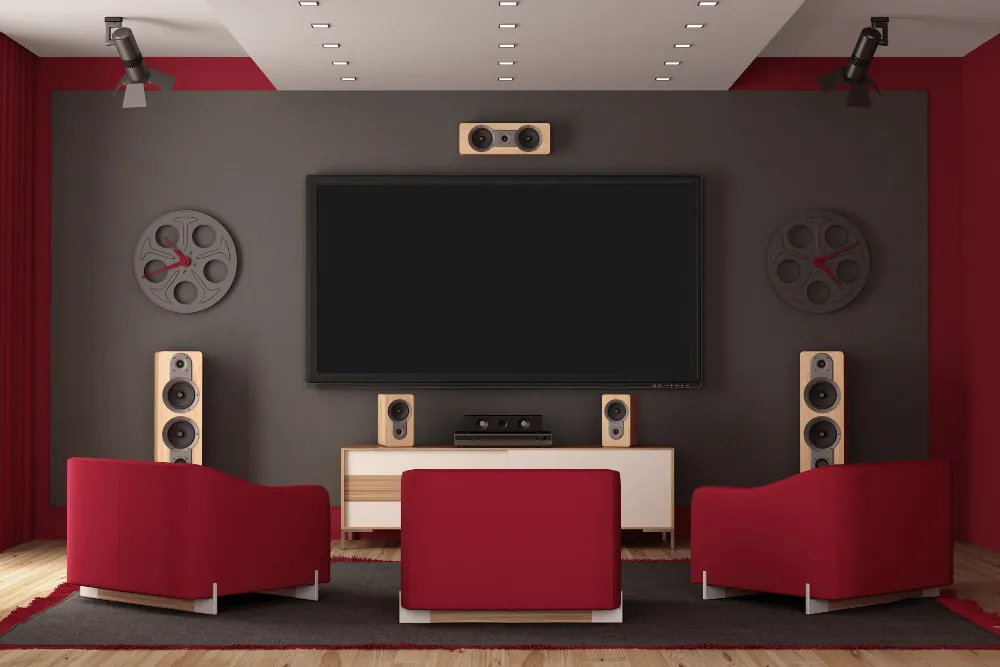
A 5.1 system has six channels: front left, centre, front right, a surround on each side, and a subwoofer. The angles below are a starting point, and your room, your seating and the speakers' own manuals decide the final position.
| Speaker | Position | Wiring note |
|---|---|---|
| Centre | Directly in line with the TV, at 0 degrees | Dialogue should sound tied to the actors. A centre far from the screen breaks that |
| Front left and right | 22 to 30 degrees to each side of the centre, measured from the seat | A cable run along the front wall or from the rack |
| Surrounds in a 5.1 layout | On the sides of the seating, at about 90 to 110 degrees, above ear level and ideally at least 2 feet (about 60 centimetres) higher | The longest cable runs, through the ceiling or down the side wall |
| Rear surrounds in a 7.1 layout | A pair at 135 to 150 degrees behind the seating | Two more cable runs to the back wall. A single speaker straight behind the seat at 180 degrees is not advised |
| Subwoofer | Bass below 80 Hz is non-directional, so it can sit almost anywhere on the floor. A corner boosts bass and can make it boomy | A shielded subwoofer cable from the receiver, and a mains socket next to the sub, since it is powered |
Overhead speakers for a Dolby Atmos or similar layout add height channels. Dolby advises that any overhead speaker installation be done by professional installers. Overhead speakers are cut into the ceiling or the false ceiling and need their cable and support in place before the board is closed.
Choosing the speaker cable gauge
Speaker cable has resistance, and the longer the run and the thinner the cable, the more signal is lost before it reaches the speaker. The table gives the longest run for each gauge before the loss reaches 1 decibel. Lower-impedance speakers lose more over the same cable.
| Cable gauge | Longest run for 8-ohm speakers | Longest run for 4-ohm speakers |
|---|---|---|
| 16 AWG | About 78 metres (255 feet) | About 39 metres (128 feet) |
| 14 AWG | About 123 metres (403 feet) | About 61 metres (199 feet) |
| 12 AWG | About 190 metres (622 feet) | About 95 metres (311 feet) |
For home theater, 16 AWG is the thinnest cable that gives little to no loss. A villa room is well inside these lengths, so the gauge is a question of margin, and we do not stretch 16 AWG to its limit. We use 14 AWG as the default for front speakers, for any run over about 15 metres and for 4-ohm speakers, and 16 AWG for short surround runs. The speaker's impedance is on its rear panel, and the receiver's manual states the lowest it will drive.
In-wall rated cable and labelling
Cable inside a wall or a ceiling should carry an in-wall rating, and the marking must stay visible so that an inspector or the next electrician can read it. We use in-wall rated, flame-retardant two-core speaker cable, in a contrasting colour pair or with the polarity marked, and we label both ends of every run with the speaker name. Polarity matters: a speaker wired the wrong way round is out of phase with its neighbours and the bass thins out.
How we wire a 5.1 surround sound system
- 1Place the receiver and the speakers on the plan, with the angles above checked against the seating.
- 2Run one cable per speaker, straight from the rack to the speaker, with no joints and no daisy-chaining between speakers.
- 3Fit wall plates or recessed terminals at each speaker and at the rack, so the cable ends are protected and the paint stays clean.
- 4Mark the polarity at both ends of each run.
- 5Run the subwoofer cable and its power socket, with the cable kept away from the mains.
- 6Test every run for continuity and for a short between the two conductors before the wall is closed.
- 7Connect the speakers to the receiver and run its room calibration, then play a test signal through each channel in turn to confirm that the right speaker is making the sound.
Speaker types and the hidden cable
In-wall and in-ceiling speakers sit flush with the surface and need a cable, and can need a support or back box, fitted before the board or plaster goes on. Freestanding speakers need a cable to the floor or the wall behind them, and the way the cable gets there is the visible part of the job. We bring the cable out through a recessed plate at the speaker position, so a floor speaker shows no cable on the wall. For wireless speakers, the power cable is still needed, and each speaker needs its own socket.
HDMI, projector and network wiring: video runs that last
Video cable is where the standards move fastest. HDMI has gone from 1080p to 4K at 60 frames to 4K at 120 and 8K, and each step needs more from the cable. A cable that carried the last TV can fail on the next one, so the answer is a route that can take a new cable, not a cable that is built into the wall for ever.
How far an HDMI cable can go
Cable length limits for HDMI depend on the version and on the cable type. The figures below are indicative, so we test each cable before it goes in the wall and follow the maker's datasheet.
| Run | What works | Note |
|---|---|---|
| Up to 2 to 3 metres | A passive copper HDMI cable | HDMI 2.1 at 4K 120 over passive copper reaches about 9 to 10 feet (about 3 metres) |
| 3 to 7 metres | Passive copper for 4K at 60 on HDMI 2.0, about 15 to 25 feet (about 4.5 to 7.5 metres) | Beyond that the picture can drop out or sparkle |
| 7 to 30 metres | Active fibre HDMI. For HDMI 2.0, 10 to 30 metres | A fire-rated in-wall version exists, and the connector ends are marked for direction |
| 4K at 120 over distance | Active fibre HDMI 2.1, up to about 50 feet (about 15 metres) | Check the cable's rating against your equipment |
| Long runs and projectors | HDMI extenders over Cat6 cable, up to about 164 feet (about 50 metres) at 4K 60 | A transmitter at the rack and a receiver at the screen. Cat6 reaches further than Cat5 or Cat5e |
Conduit and a pull string
We run video cable in conduit with a pull string left inside. That way, a new cable goes in later by tying it to the string and pulling, with no wall opened. Fibre HDMI cable is directional and its connector ends are bulky, so the conduit is sized for the connector as well as the cable. A conduit with tight bends or a small bore can trap a cable, and we plan the route with long, gentle bends. For the conduit side, see our conduit, trunking and cable tray service.
What goes in the wall, and what stays out
HDMI cable should not be joined inside a wall. A joint is a place where a connector or a coupler can fail, and a failure there means opening the wall. Every HDMI run is one length from the rack to a wall plate or to the device. A wall plate with an HDMI socket on each side is acceptable for a short run, but each added connection adds a loss and a point of failure, so we avoid it on long runs.
Network and control cable
Every cinema room needs a network cable to the TV, one to the projector if there is one, and one to the rack, since streaming boxes, consoles, control systems and smart TVs all want a wired connection. Cat6 is the minimum we run, and a spare Cat6 to each end of the room covers control and future extenders. The network side links to our TV, data and network cabling service.
Projector wiring
A ceiling projector needs power at the ceiling, a video run from the rack, a network cable and a control cable where the projector is controlled. A motorised screen needs its own power and a trigger, either a 12-volt trigger from the projector or the receiver or a relay from the control system. We put the conduit in before the false ceiling closes, with a junction box at the projector position, and we keep the HDMI run, the network cable and the mains in separate conduits. A projector's position is set by its throw distance, so we fix the position from the manual before we place the box.
TV wall mount wiring and hiding TV wiring: recessed sockets, conduit and wall plates
A clean TV wall is planned. The cables are in the wall before the bracket goes up, the socket sits behind the TV, and the wall plate is the only thing that shows. Done afterwards, hiding the wiring can still work, but it costs more and has fewer routes.
Ways to hide TV wiring
| Method | How it works | Suits | Watch for |
|---|---|---|---|
| Recessed box behind the TV | A socket and a low-voltage plate sunk into the wall behind the screen, so the plug and the cables disappear | Any wall that can take a box | The depth of the TV and the bracket. A bracket that does not clear the box can push the TV out |
| Conduit inside the wall | A route from the TV position to the rack, with a pull string | New builds and walls that can be chased | Needs the wall to be opened and made good |
| Cable in the false ceiling or wall cavity | A route through the ceiling void and down the cavity | Gypsum board walls and false ceilings | Fire blocking, insulation and the position of other services in the cavity |
| Surface trunking | A painted channel on the wall or along the skirting | Rented homes, concrete walls | The trunking is visible. A neat run and a matching paint make it look planned |
| Soundbar and a short run | A single power and HDMI run with a soundbar below the TV | A bedroom or a small room | Fewer speakers, but a simpler build |
Wall type decides the route
- Blockwork: the wall can be chased for conduit and cut for a recessed box. The chase is made good with plaster and paint.
- Concrete: columns and slabs are structural, and chasing or coring them needs the building's approval and an engineer's view. We use surface routes or the ceiling void instead.
- Gypsum board partitions: the cavity gives a route for cable, but the framing, any insulation and the position of other services have to be checked, and the board can be a fire or sound barrier.
- Stone, marble or porcelain cladding: cutting a finished feature wall is risky. The route and the box are planned before the cladding goes on.
- Fireplace and feature walls: the heat and the depth of the finish change the plan, so we check both before the TV position is fixed.
Stop and keep clear of cutting, chasing or drilling into a wall until the routes behind it are traced. A wall behind a TV can carry mains cable, a water pipe or an AC drain, and a drill through any of them is dangerous. Switch off the circuit and call an electrician who traces the route with a detector. Cutting a hole for a recessed box without checking what is behind it is how a small job becomes a repair.
Bracket, height and slack
The TV's position fixes the box, the conduit and the wall plate, so the bracket goes on the plan first. A tilting or swivelling bracket needs slack in the cable, which a recessed box gives. We set the screen's height from the seating and from the bracket's range. A TV that sits too high is a neck problem that no wiring can fix, and a box set for the wrong TV height means opening the wall twice.
Cinema room design in a Dubai villa: acoustics, air conditioning, light and heat
Wiring is only part of a room that works. Five features of a villa or apartment affect the sound and the picture, and each one changes where cable and equipment go.
Air conditioning noise and vents
A cooling vent above the seating puts a steady noise into every quiet film scene, and a supply grille aimed at a projector's lens or at the screen moves the air in front of the picture. We tell you at the survey where the vents sit and where the speakers and the projector should stay clear of them. Moving a vent is the AC contractor's job, and we coordinate with them. Our AC electrical connection service covers the supply side of that work.
Hard surfaces and sound
Tile floors, glass, marble and bare walls bounce sound around, and speech turns harsh. A rug, curtains, upholstered seating and a bookshelf soften the room, and the speaker calibration in the receiver can correct part of the rest. We cannot make a tiled room sound like a studio with wiring. We can place the cable ends so that speakers can move a little during setup without cutting a wall.
Light and blackout
A projector needs a dark room, and a TV is easier to watch with some control over the light. Blackout curtains or blinds, dimmable lighting and a lighting scene tied to the cinema controls all need cable: a control cable to a motorised blind, a dimmer module and a wall keypad. The lighting side links to our lighting design and control service, and the controls side to the automation section below.
Heat, dust and the rack
An amplifier and a media box give off heat, and a closed cabinet in a hot house traps it. We leave a gap for airflow, add a ventilation grille or a small quiet fan where the cabinet is closed, and keep the rack out of direct sun. Dust from a sandstorm or building work next door reaches a vent and settles inside, so a filter or a regular wipe is part of the care.
Sound leaving the room
In an apartment, a subwoofer sends bass through the slab and the walls to the neighbours. Placing the sub away from shared walls, on a thick isolation pad, and keeping the volume reasonable matters more than the wiring. Wiring a second subwoofer to even out the bass is an option for a larger room, and it needs its own cable.
Wired whole home audio and multi-room audio: zones, home runs and amplifiers
A wired whole home audio system puts speakers in more than one room, fed by cable from one equipment point, and lets each room play the same music or a different one. It suits a villa where the kitchen, the living room, the majlis, a terrace and the bedrooms should all have sound without a speaker on a shelf in each one.
Zones decide the design
A zone is a room or an area with its own volume and its own source choice. The number of zones is the main decision, and a new build is the cheapest time to wire extra zones that are not used yet. A system with the kitchen, living room, majlis and terrace as four zones needs four speaker cables from the rack, one per zone, plus the control cable for each.
How the wiring runs
- One home run per zone. Each zone has its own cable straight back to the equipment point, with no daisy-chaining from room to room. A fault in one zone then leaves the others working and is simple to trace.
- Cable gauge. For runs up to about 15 metres (50 feet), 16 AWG is enough. Beyond that we use 14 or 12 AWG to limit the loss. We follow the gauge table in the surround sound section.
- In-wall rated cable throughout, and outdoor-rated or direct burial cable for terraces and gardens, since cable outdoors faces heat, damp and sun.
- A control cable to each zone, where a keypad, a volume control or a touchscreen is fitted. Cat6 is the choice, since it supports IP-based control later.
- Testing before the wall closes. Every run is tested with a meter.
The equipment point
The amplifiers, the network switch and the streaming sources live in a rack or a cupboard. It needs ventilation for the heat, a clean mains supply, a network connection and room to grow. Putting it close to the router and the board shortens the work. A matrix amplifier drives more than one zone of passive in-ceiling or in-wall speakers from one chassis. A self-powered or streaming-speaker system needs less cable but gives less control and less integration with the rest of the house.
How many speakers per room
Coverage depends on the speaker. A single 6.5-inch in-ceiling speaker covers about 150 to 200 square feet (about 14 to 19 square metres), so a larger room such as a majlis takes more than one. When more than one speaker shares one amplifier channel, they lower the load the amplifier sees, so the volume controls must be impedance matching, or the amplifier can overheat. We choose the controls to suit the amplifier.
Wired or wireless
| Wired matrix system | Wi-Fi streaming speakers | |
|---|---|---|
| Cable | Speaker cable and control cable to each zone | Power to each speaker. Network by Wi-Fi |
| Install | Best before plastering | Plug in |
| Sound control | Full control of amplifiers and speakers | Set by the speaker maker |
| Depends on | The rack and the cable | The home network. A strong Wi-Fi mesh is needed |
| Link to automation | Through the control platform | Through the maker's app or a hub |
| Cost to expand | Low if the cable is in the wall | Another speaker and another socket |
Choosing the best wired multi-room audio system
No system is best for every home. The best wired multi room audio system for a house is the one that fits five things: how many zones it needs now and later, which sources it must play, how it will be controlled, how it connects to lighting and the rest of the smart home, and who will service it. Ask an installer for a system diagram, the amplifier model, the cable plan and a named contact for support. A cheaper amplifier clips sooner and fails sooner, so the amplifier is the wrong place to economise.
Home theater automation: one button for lights, screen, projector and sound
Home theater automation is a set of scenes. A "Watch film" scene dims the lights, closes the blinds, lowers the screen, switches on the projector and the receiver, and selects the right source, all from one button or one voice command. The wiring behind it is simple, and the programming is where the quality comes from.
What a control system talks to
| Device | How the control system reaches it |
|---|---|
| TV, receiver, projector | IP over the network, RS-232 serial, infrared emitters or HDMI CEC |
| Motorised screen, lift or curtain | A relay contact or a 12-volt trigger |
| Lighting and blinds | A lighting control module or a motor controller on the lighting system |
| Streaming box and media server | IP control or infrared |
| Keypads, tablets and remotes | The network, or radio for a handheld that must work without line of sight |
A control system reaches equipment by IP, RS-232, infrared or relay, and its handheld remotes can use radio so that they work without line of sight to the equipment. That is why we run a Cat6 cable to the rack, a spare to the projector and a spare to the TV, and leave a conduit for serial and relay cables.
Where the quality comes from
A control system is only as good as its programming. Two scenes that work and are easy to use are worth more than twenty that fail half the time. The control system must also support your projector, receiver and sources, so we check compatibility before anything is bought. In a home with a whole-home control system, the cinema room should be a part of it, so the lighting scene, the climate and the cinema share one app. For the whole-home side, see our smart home installation service.
Keep the interface simple
Everyone in the house should be able to start a film. A single "Watch" button on a keypad by the door and a simple remote do more for a family than a screen with fifty buttons. We place the keypad where a person enters the room, wire it with Cat6, and test the scene before handover.
TV aerials, signal sources and ready-made home theatre kits
A cinema room starts with a signal question: where does the picture come from, and what cable does it arrive on?
TV wall aerial and signal sockets
A TV wall aerial is the UK name for a wall socket that carries a TV antenna signal. In a Dubai home the picture can come from a satellite dish on the roof with a coaxial cable down to a receiver, from an internet TV box on the home network, or from streaming. We find out which at the survey and fit the right socket: a coaxial wall socket for a dish or antenna feed, and a Cat6 socket for an internet TV box. Send us a photo of the dish and the receiver if you have them. The cable and network side links to our TV, data and network cabling service.
Ready-made kits and Intex home theatre wiring
Intex is a consumer brand of low-cost home theatre kits. A kit comes with its own speaker leads, cut to set lengths, and its own plugs or terminals. For Intex home theatre wiring, or any boxed kit, the manual decides the connections. Where the leads end in bare wire in spring terminals, we can replace them with in-wall rated cable to a wall plate and hide the run. Where they end in a fixed plug, we extend them with a matching extension and leave the plug end alone. Where the kit has one control unit and a powered subwoofer, we put the sockets and the HDMI or optical cable where the unit will sit. Send us the model number and a photo of the back panel.
A kit or a system built from parts
A kit is cheaper and simpler to set up, and its limits are the plugs, the lead lengths and the amplifier built into it. A system built from a receiver and separate speakers costs more, is easier to expand and replace piece by piece, and needs more careful wiring, which is the work this page describes. Neither choice is wrong. The wiring is cheapest when it is planned for the system you will want in three years and not only the one you have now.
Home cinema wiring cost, packages and how to choose an installer
Wiring prices depend on the room, the number of runs and the wall type, so a figure without a survey is a guess. The same things that move our price should be compared between quotes.
| What changes the price | Why |
|---|---|
| Number of cable runs | Each speaker, HDMI, network and control run is a cable, a conduit, a box and labour |
| Wall and ceiling type | Chasing blockwork, opening a false ceiling and routing through a cavity take different time |
| Stage of the build | Before plastering, the work is quick and the wall repair is small. In a finished home, routes are harder and the repair is larger |
| Cable type | In-wall rated, flame-retardant or LSZH, fibre HDMI and Cat6 cost more than plain cable |
| Mains work | A new circuit, recessed sockets and surge protection are added to the quote |
| Length and access | A long run to a majlis or a terrace, or a roof that needs a ladder, adds time |
| Finish | Wall plates, paint and making good the plaster are part of the job |
The site visit costs AED 50, and the quote follows it.
Questions for any installer
| Question | A good answer |
|---|---|
| Do you do the mains work too? | Yes, by a qualified electrician, in the same visit |
| What cable will you use in the wall? | In-wall rated cable, with the datasheet shown, and LSZH where the building asks |
| Will you leave a pull string? | Yes, in every conduit |
| Do I get a cable schedule and photos? | Yes, before the wall is closed |
| How do you repair the wall? | Plaster and paint made good, with the matching colour |
| Who sets up the equipment and the control system? | A named person, either us or your AV installer |
| What do you do if a cable fails after handover? | A named contact and a clear answer on what is covered |
Electrician or AV installer
An AV installer chooses and sets up the equipment, programmes the control system and tunes the sound. An electrician runs the cable, does the mains work and repairs the wall. A good result needs both, and the order matters: the cable goes in first. We do the wiring, the power and the finishes, and we work with your AV installer or with the equipment you bought.
Testing, handover and fixing home cinema wiring faults
A cable that is not tested is a guess, and a cable that fails after the wall is closed is an expensive guess. We test each run when it is in the wall, and again when the equipment is connected.
What we test
- 1Every speaker cable for continuity and for a short between the two conductors.
- 2Every polarity mark against the speaker terminal, so the speakers are in phase.
- 3Every HDMI run with a signal at the highest resolution the equipment uses, and not only a test pattern.
- 4Every network cable with a cable tester, and then with a live connection.
- 5Every control and trigger cable by operating the device it controls.
- 6Every mains socket for polarity and earth, and the surge protection for its status.
- 7The whole system with each speaker played alone, then together, and with the equipment at normal volume.
What you receive at handover
- A cable schedule with every run, its type, its length and its label.
- Photographs of each route before the wall was closed.
- The datasheets for the cable we used.
- The test results.
- Notes for anyone who adds a cable later.
Faults and where to look
| Symptom | Cause to check |
|---|---|
| No sound from one speaker | A loose or reversed terminal, a cable cut by a nail or a screw, or a channel set to off in the receiver |
| Thin bass or a vague centre | One speaker wired out of phase |
| Hum in the speakers | A ground loop from a satellite or aerial cable, a signal cable beside a mains cable, or a device on a different earth |
| Picture sparkles or drops out | An HDMI cable beyond its length, a damaged cable or a loose connector |
| No picture at 4K | A cable that does not carry the full bandwidth, or an HDMI port that does not support it |
| Projector does not switch on from the controller | A control cable, an IP address clash or a command that the projector does not accept |
| Remote works at the TV and not at the rack | The rack is out of line of sight, so an infrared emitter or a radio remote is needed |
| Wi-Fi streaming drops | A weak network, a missing wired connection, or a speaker out of range |
Send photos of the symptom, the cables and the back panels, and we tell you whether it is a cable, a connection or a setting.
Home cinema and audio wiring with Circuit Dubai
- Electricians first, so the mains, the cable routes and the wall repair are one job with one person responsible.
- A cable plan before any wall is opened, with every run listed, typed and labelled.
- In-wall rated cable and a pull string in every conduit, so the next upgrade needs no new hole.
- Every run tested before the wall closes, with photographs and a cable schedule at handover.
- A fixed quote after photos or a visit, with what is included and what is extra written out.
We work across all of Dubai. Our office is in Al Quoz.
If you are also planning smart home installation, lighting design and control, CCTV installation or a TV, data and network cabling job, we can plan the cabling for all of it together with the home cinema and audio wiring.
Phone: +971 55 407 7427
Home cinema and audio wiring questions we hear from Dubai homeowners
How much does home cinema wiring cost?
It depends on the number of cable runs, the wall and ceiling type, the stage of the build and the cable you choose. A site visit costs AED 50, and the price follows it. We give a fixed quote after photos or a visit.
Can you hide the TV wires in a wall that is already finished?
Yes, in blockwork and gypsum board walls, with surface routes for the rest. The route depends on the wall type: a recessed box and a conduit in blockwork, the ceiling void or the cavity in gypsum board, and surface trunking where the wall cannot be opened. We say which route works after we look at the wall.
Do I need an electrician to put a socket behind my TV?
Yes. A socket is mains work. We fit a recessed socket behind the TV and keep the signal cable on a separate plate beside it.
Is it safe to run the TV's power cable inside the wall?
A power cord pushed into a wall cavity is not a fixed installation, and an extension lead does not belong inside a wall. A fixed socket on a proper circuit is the safe answer.
What cable do I need for 5.1 surround sound?
One pair of in-wall rated speaker cable to each of the five speakers, and a shielded subwoofer cable. We use 14 AWG for the front speakers and long runs and 16 AWG for short surround runs.
Where should the speakers go in a 5.1 system?
The centre in line with the TV, the front pair 22 to 30 degrees either side of it, and the surrounds at 90 to 110 degrees, above ear level. Your room and the speakers' manuals decide the final positions.
How long can an HDMI cable be inside the wall?
It depends on the version and the cable type. A passive copper cable suits a short run, an active fibre cable suits runs of 10 metres or more, and an extender over Cat6 suits long runs and projectors. We test each cable before it goes in the wall.
Should I use conduit?
Yes. Conduit with a pull string lets a new cable replace an old one when HDMI changes, without opening the wall.
Can you wire a projector and a motorised screen?
Yes. The projector needs power, a video run, a network cable and a control cable where the projector is controlled, and the screen needs its own power and a trigger. We put the conduit in before the false ceiling closes.
What is the best wired multi-room audio system?
No one system is best for every home. The right one depends on the number of zones, the sources, the control, the link to the smart home and who will service it. We give you a diagram and a cable plan, so you can compare quotes.
How many speakers do I need per room in a whole-home audio system?
A single 6.5-inch ceiling speaker covers about 150 to 200 square feet (14 to 19 square metres), so a large room such as a majlis takes more than one.
Can I add multi-room audio later?
Yes, but it costs less to run the cable before plastering and the false ceiling. A spare conduit to a future room saves opening the wall twice.
What does home theater automation involve?
One scene, such as "Watch film", that dims the lights, closes the blinds, lowers the screen and switches on the projector and receiver. The wiring is Cat6, serial, relay or trigger cables to the rack and the room, and the quality depends on the programming.
Do I need a TV wall aerial?
It depends on your signal source. A satellite dish needs a coaxial cable to a receiver, an internet TV box needs a network cable and streaming needs neither. We check at the survey.
Can you wire my Intex home theatre kit into the wall?
Where the kit's speaker leads end in bare wire and spring terminals, yes. Where they end in a fixed plug, we extend them with a matching extension and leave the plug end alone. Send the model number and a photo of the back panel.
Why does my system hum?
A hum is a ground loop, a signal cable running beside a mains cable, or a device on a different earth. The fix is to keep the devices on the same group of sockets, separate the cables and fit a ground loop isolator where one is needed.
Do I need permission to chase walls in a rented home or an apartment?
Yes. A tenant needs the landlord's approval, and an apartment building can need approval from the management. Surface routes are the reversible alternative.
Ready to book home cinema and audio wiring?
Send photos of the TV wall, the speaker walls and the ceiling, tell us the room size, whether you want a TV or a projector, and how many speakers you plan to fit, and say whether the home is new, being fitted out or finished. We reply instantly on chat with a view on what will work and a fixed price, so you know what you are buying before anyone cuts a wall.